Recorded values will be directly routed to the corresponding outputs as well. So looped
recording/playing of a kind is possible.
To record from Midi you need the Midi/IO-Expander.
If in Record mode the values can be deleted ‘on the fly’ by pressing and holding the TABLE
(Record without shift) button while in the pattern screen. Any notes that are played while holding
TABLE will be deleted from the currently playing sequencer step.
If the cursor is on the trigger column in a CV/Gate track on a playing/recording pattern, then
triggers can be ‘tapped’ in using the OK button.
Random Ranges Screen
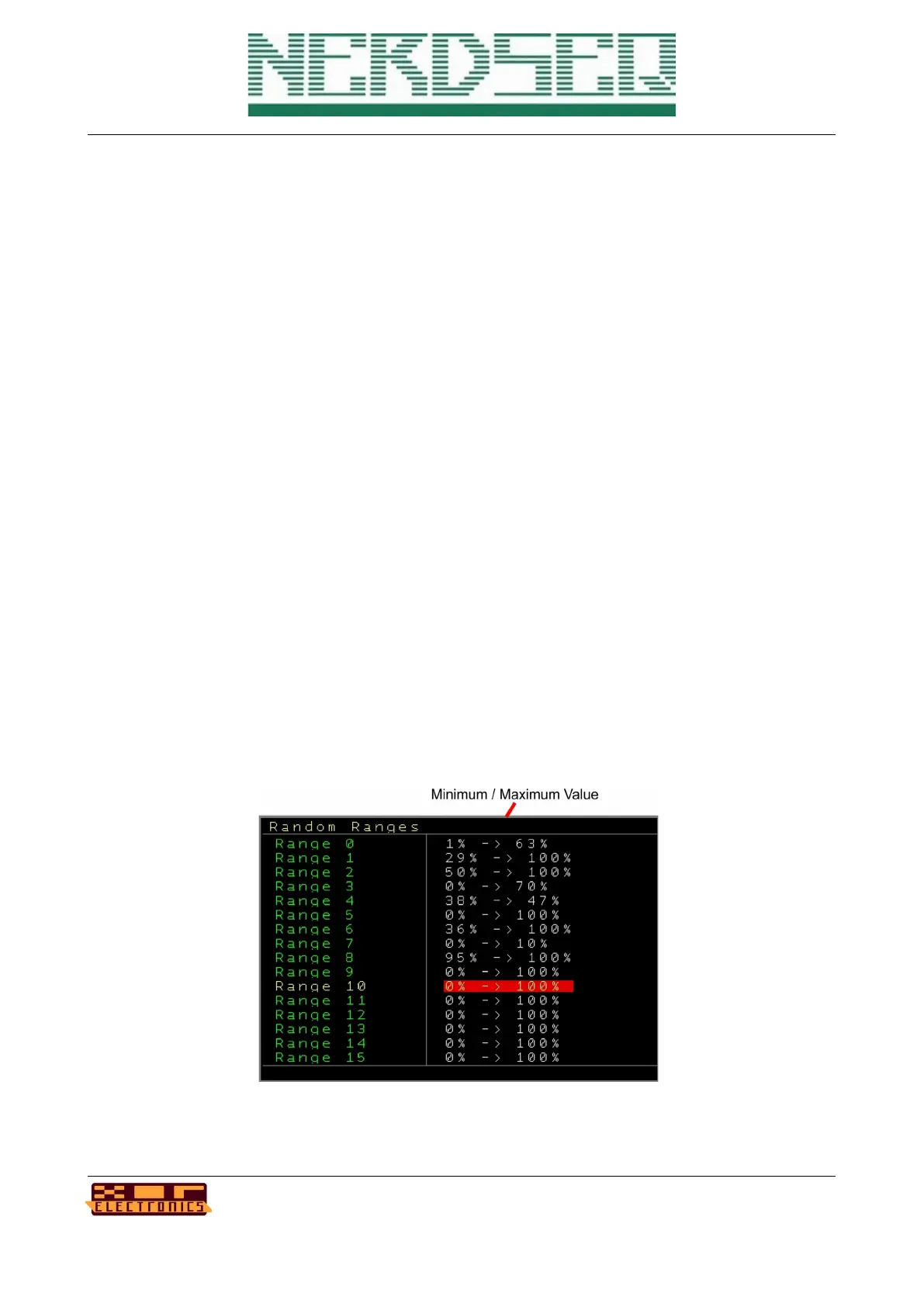
The random ranges screen contains a set of 16 user definable ranges (minimum – maximum)
which can be used for multiple sequencer functions.
Each range can be set from 0 to 100% and this range can be mapped from another function to
generate a random value in between this range.
The ranges can be changed with SHIFT+CURSOR LEFT/RIGHT for the minimum and SHIFT+UP/
DOWN for the maximum value.
As an example, take the MOD column. It can generate voltages/pitches from 0 to 10 volt. If you
use the Random Range command in there “R 0” for range 0. And the Range 0 has a percentage of
0 – 100% then a random voltage between 0 to 10Volt is generated. If you would set the range to
30 – 90%, then a random voltage between 3 Volt and 9 Volt is being generated.
The random ranges can be applied to many functions, to the FX columns, to notes etc.
NerdSEQ – a tracker based Eurorack sequencer Page 114
User Manual Revision V1.26 for Firmware V1.26 12 July 2022



 To Next Page