To disable a value so it is not changing the parameter when the patch is being called you use
SHIFT+DELETE.
You can pre-listen the current selected FX/Function by pressing OK. Use SHIFT+OK to pre-listen
the complete patch. Not all patch effects can be pre-listened as they rely on the current playback.
In the → Nerd Screen / Menu ( SHIFT+NERD ) you can choose to add a patch name which helps
to identify different patches.
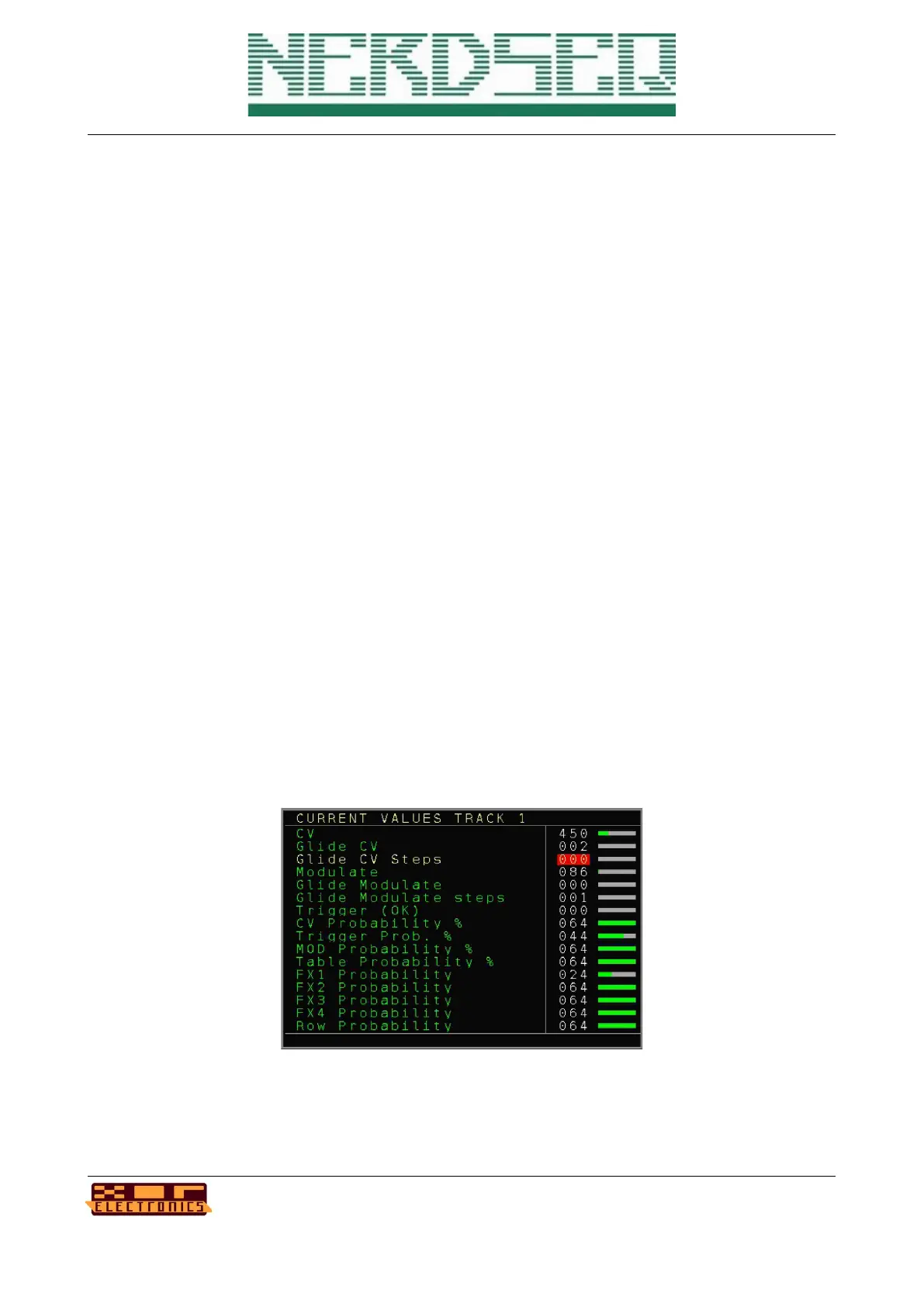
Current Values Screen
The current values screen shows the recent values/settings of the current track.
It can be accessed from the → Sequencer Screen or the → Pattern Screen (if not on the patch
column and not on CV16 Pattern screen) by pressing the PATCH button.
The screen is updating live and all values can directly be manipulated by selecting the needed
parameter and change the value by using SHIFT+ UP/DOWN/LEFT/RIGHT
Your current value will be overruled if the sequencer is running and the value is being changed by
the sequencer. Beside the parameter change, some values can also be started/triggered with this
feature. For this you use the OK button to start/trigger the parameter/function.
Be aware that the current settings are the real settings without any post-modulations.
NerdSEQ – a tracker based Eurorack sequencer Page 65
User Manual Revision V1.26 for Firmware V1.26 12 July 2022



 To Next Page