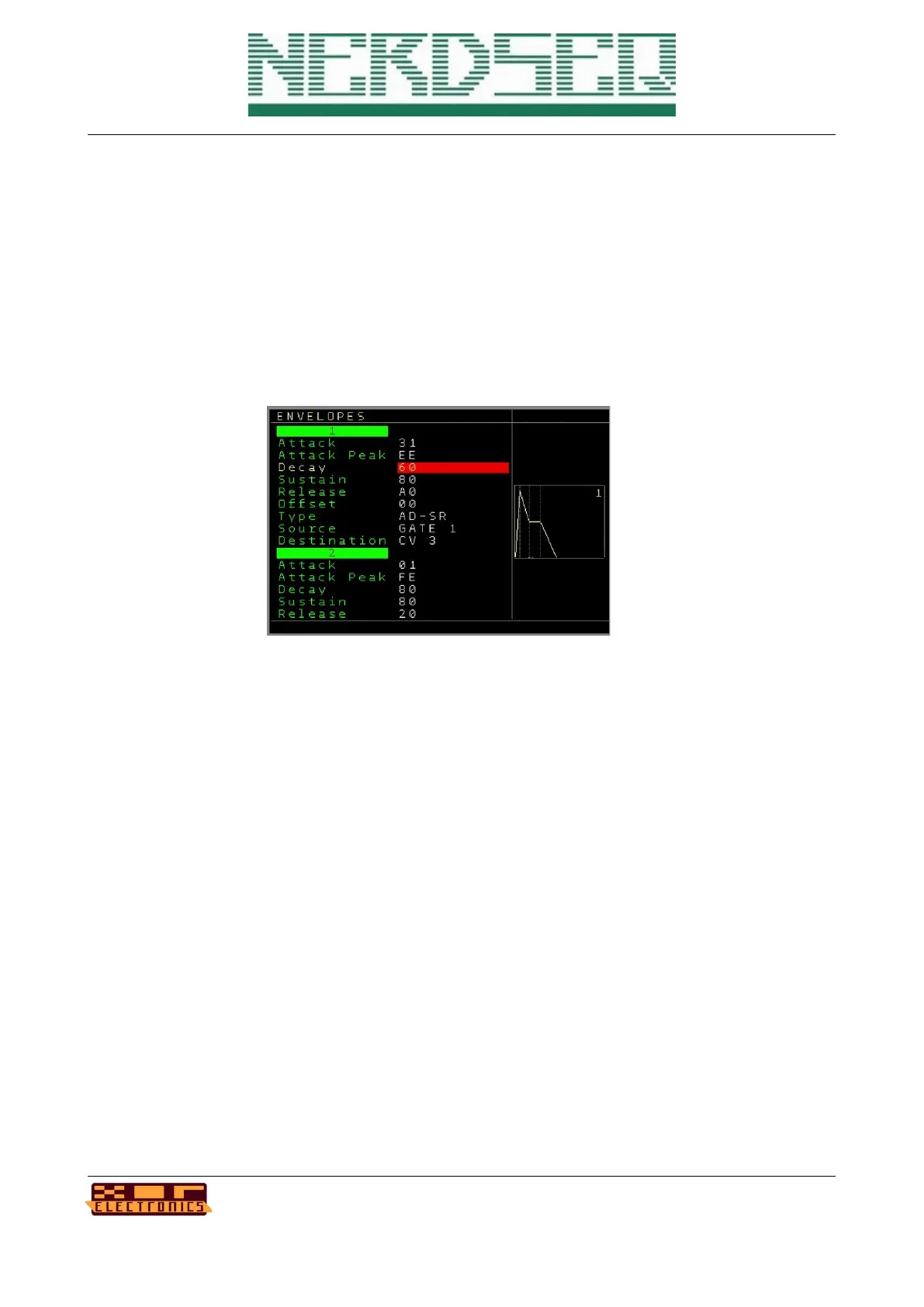
Envelope screen
The NerdSEQ has also an envelope generator included which is capable of the generating 8
different ADSR envelopes. Each envelope got has functions to manipulate it’s curve and behaviour.
To start the envelope, several internal and external sources can be used in flexible ways. Many
internal functions and all external CV and MOD outputs can be set as destinations.
You can enter the envelope screen by pressing the AUTOMATE button when in the → Automator
screen (the AUTOMATE button toggles between the automator and the envelope screen).
In the envelope screen you can navigate between the 8 envelopes within it’s function. Using the
UP/DOWN Button will jump directly to the next envelope. To change parameters use the usual
SHIFT LEFT/RIGHT/UP/DOWN. All settings except of the Sources and Destinations will
immediately be active. The Source and destinations will only be activated when pressing either the
OK button on them or when leaving the envelope screen.
The following functions are available for each envelope:
Attack → Defines the Attack speed.
Attack Peak → Defines the maximum amplitude level of the attack phase.
Decay → Defines the decay speed.
Sustain → Defines the amplitude level of the sustain phase.
Release → Defines the release speed
NerdSEQ – a tracker based Eurorack sequencer Page 80
User Manual Revision V1.26 for Firmware V1.26 12 July 2022



 To Next Page