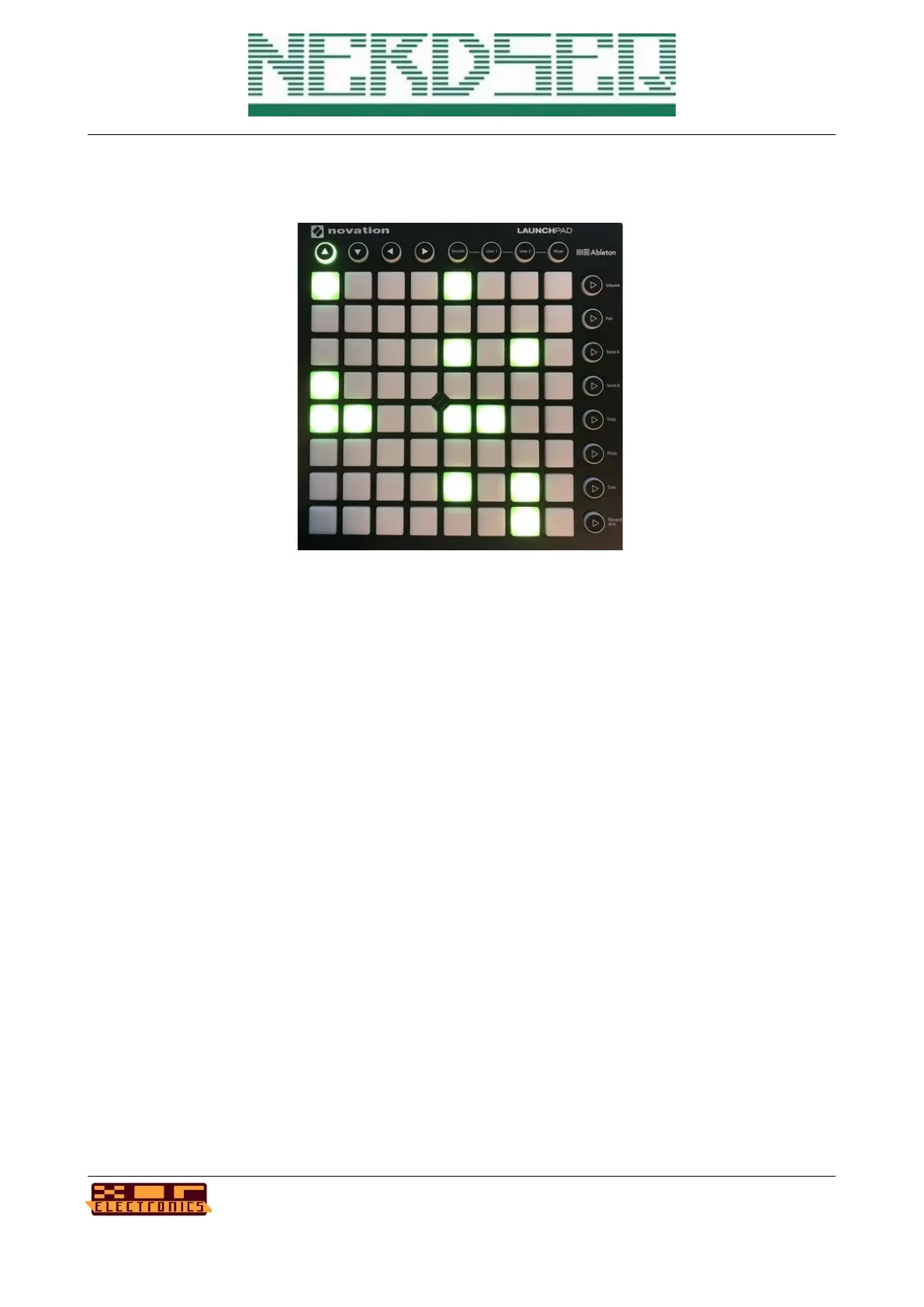
Within patterns (either selected with the LP or with the NerdSEQ), the LP will have different
functions.
In a Pattern Screen of a CV/Gate track you can insert or remove triggers. The matrix shows all 64
steps and by pressing a button you can insert or remove a trigger. Tapping Button H (SHIFT) will
insert a trigger on the current playing position. Button D shifts all triggers one step UP (with
overflow). Button E shifts all triggers one step DOWN (with overflow). Button F increments the
triggers with the euclidean formular. Button G decrements the triggers with the euclidean formular.
The current cursor position is the euclidean startpoint.
In the top row you can see which track is selected.
Pressing the most top right button will move you back to the sequencer screen. (Subject to be
changed)
The Trigger16 Pattern Screen shows the current drum-matrix for the first 8 or the 2
nd
8 tracks,
depending on whether the triggers are swapped or not. So columns 1..8 show drum-matrix triggers
1..8.
NerdSEQ – a tracker based Eurorack sequencer Page 129
User Manual Revision V1.26 for Firmware V1.26 12 July 2022



 To Next Page