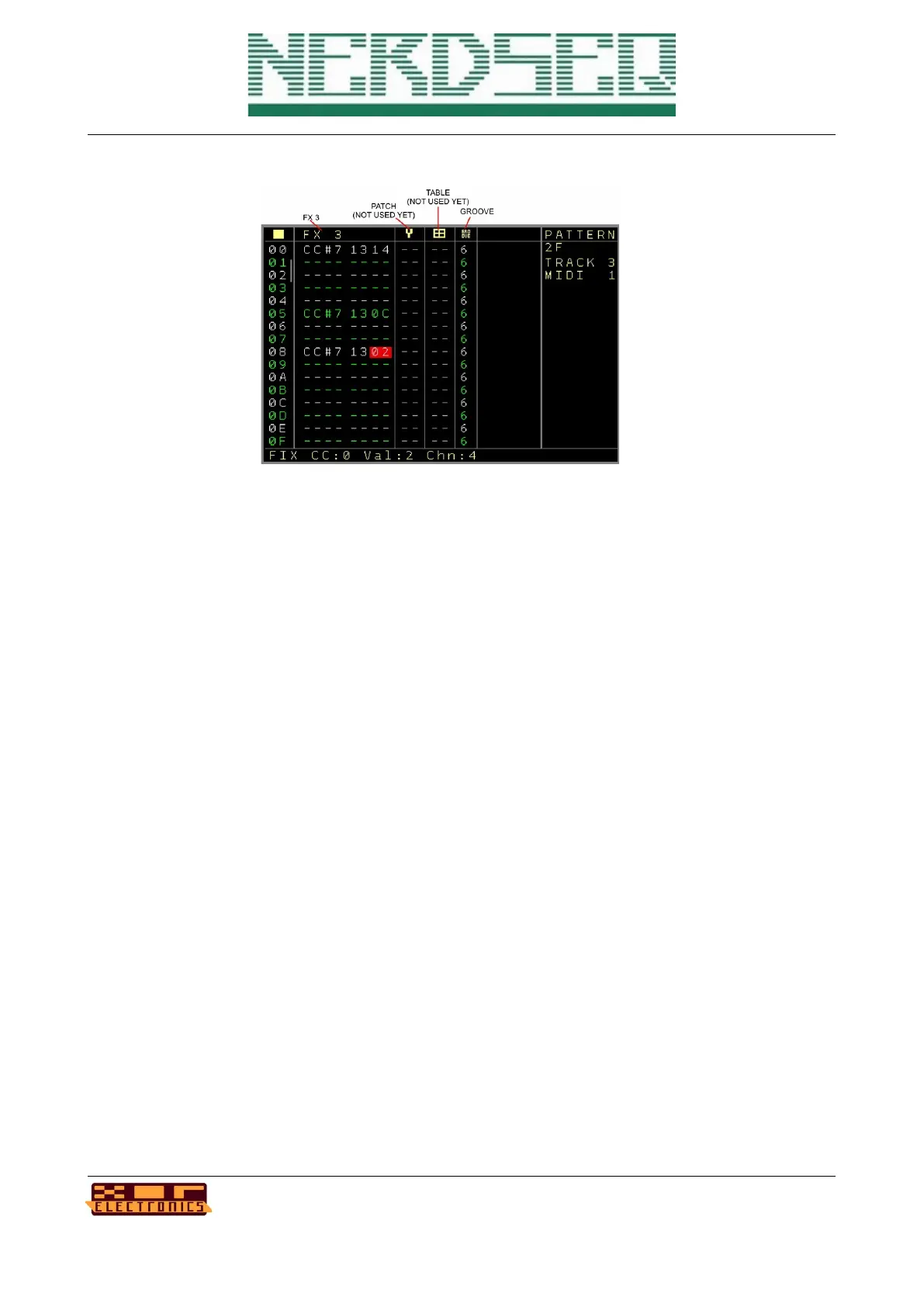
Page 3:
First again the sequencer row (up to 64).
• FX3 → Same FX as in Page 2
• Patch → Column to set a patch. The function is the same as with the local CV/Gate tracks.
OK creates a new patch on an empty spot. SHIFT+OK clones a patch. Greyed out
patchnumbers are either empty or already used by other track types. OK on a patchnumer
will enter the → Patch Screen
• Table → Set a table ( not implemented yet for midi, so greyed out)
• Groove → Apply groove settings just as for the other tracks (see CV/Gate Pattern screen
for description)
Specials for the Midi tracks:
A track can be set up to a channel (multiple tracks can have the same channel, but be wise with
crossing notes). On top of that, CC values 1..8 can also be send to other channels.
A setting (in midi track settings) allows the notes of the first note column to be sent via midi but also
to the local CV/Gate outputs. Where a note on sets the gate and a note off resets the gate.
Pressing the OK button on the Note Columns will prelisten all notes in the row. Navigating
UP/DOWN let the notes play while navigating.
NerdSEQ – a tracker based Eurorack sequencer Page 49
User Manual Revision V1.26 for Firmware V1.26 12 July 2022



 To Next Page