Page 2:
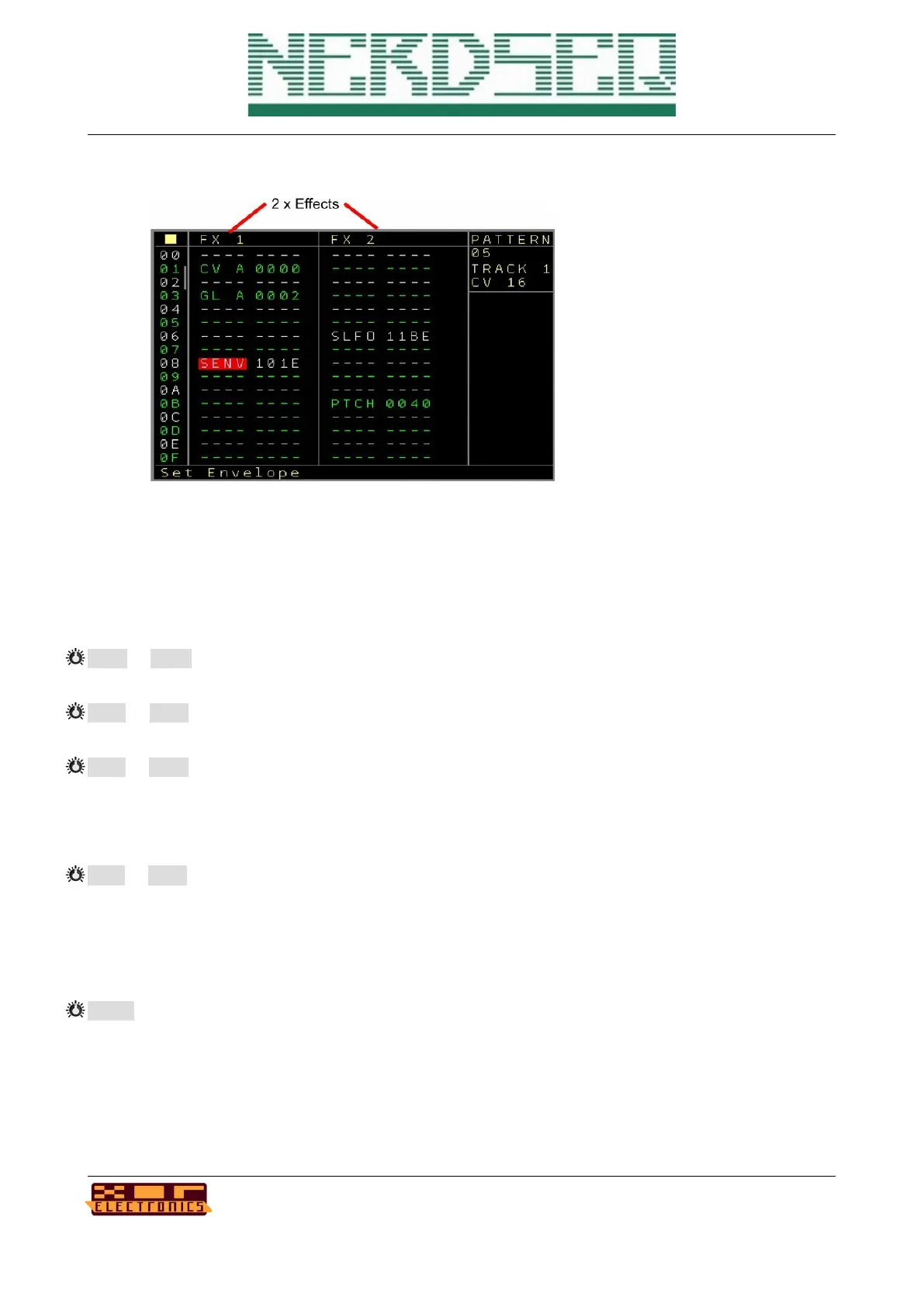
On the second page there are 2 FX columns. These have mostly some special coding for the 4
digits which will be explained for each function. Also for all CV16 functions, details/help is available
in the statusbar, so you should be able to work with all of them without checking the manual again.
The following FX functions are available:
CV A to CV H → Change the CV value. The most left digit Xxxx defines the CV output 1 to 16 and
the three right side digits xXXX define the CV value/pitch from 000 to FFF.
NT A to NT H → Change the Note. The 2
nd
left digit xXxx defines the CV output 1 to 16 and the two
right digits xxXX define the note value.
GL A to GL H → Glide settings for the 16 CV outputs. The first digit Xxxx defines the CV output.
The second digit xXxx defines if it should be the Glide Speed (0) or the Glide Steps (1) setting. The
2 digits on the right xxXX are the value of the selected settings from 00 to FF. Be aware that the
current settings will be filled in automatically when starting to edit.
ST A to ST H → Start Modulator. With this you can start(or stop) any modulator on any CV output.
The 2
nd
digit from the left xXxx defines the CV output 1..16. The third digit from the left xxXx
defines the Modulator number 1..8. And the most right digit xxxX defines the type of modulator.
These are: 0: Attack→Release Envelope, 1: Attack→Sustain Envelope, 2: Release Envelope, 3:
Loop Envelope, 4: Start/Continue LFO, 5: Reset LFO, 6: Stop modulator
SENV → Set Envelope Parameter. Used to change envelope parameters from the playing
sequencer. The settings here are for the first digit from the left Xxxx: the Envelope number. The 2
nd
digit from the left xXxx defines which envelope parameter is affected 0: Attack, 1: Release, 2:
Sustain. And the 2 digits on the right xxXX define the value. Note that the current Envelope settings
are automatically filled in.
NerdSEQ – a tracker based Eurorack sequencer Page 59
User Manual Revision V1.26 for Firmware V1.26 12 July 2022



 To Next Page