Chapter 2 Using Your L10 Tablet Using the XPAD Function Buttons 29
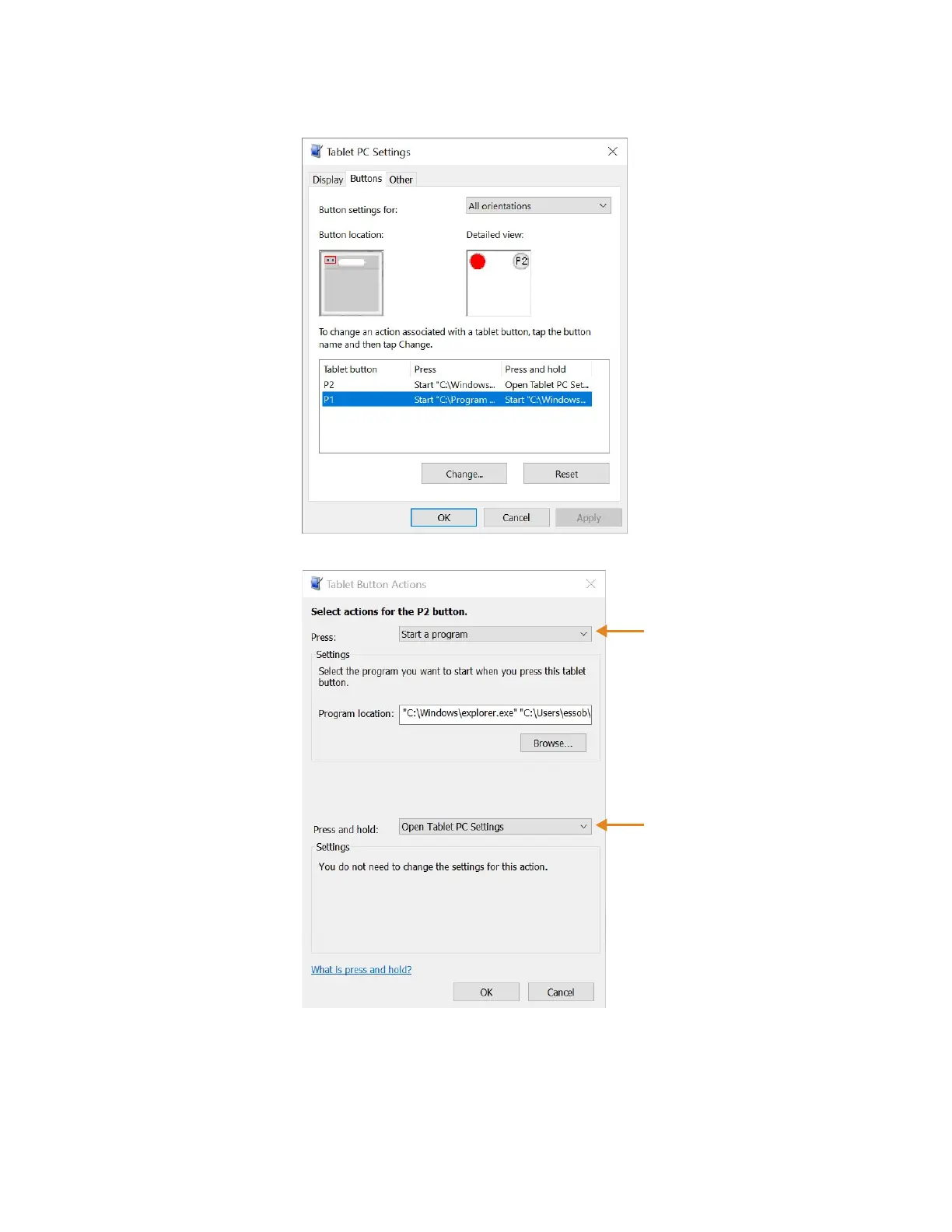
4. Tap the tablet button that you want to change.
5. Tap the Change button.
6. You can select an action for Press and another action for Press and hold.
a. For example, next to Press, tap the pull-down menu and select an action for the
button when you press it.
b. Next to Press and hold, tap the pull-down menu and select an action for the
button when you press and hold it for a bit longer.
Pull-down menu
for Press
Pull-down menu
for Press and hold



 To Next Page