34 Using Integrated Optional Features Chapter 2 Using Your L10 Tablet
5. From the Microsoft Store on screen, tap Pin to Start, to put the icon on your Start menu.
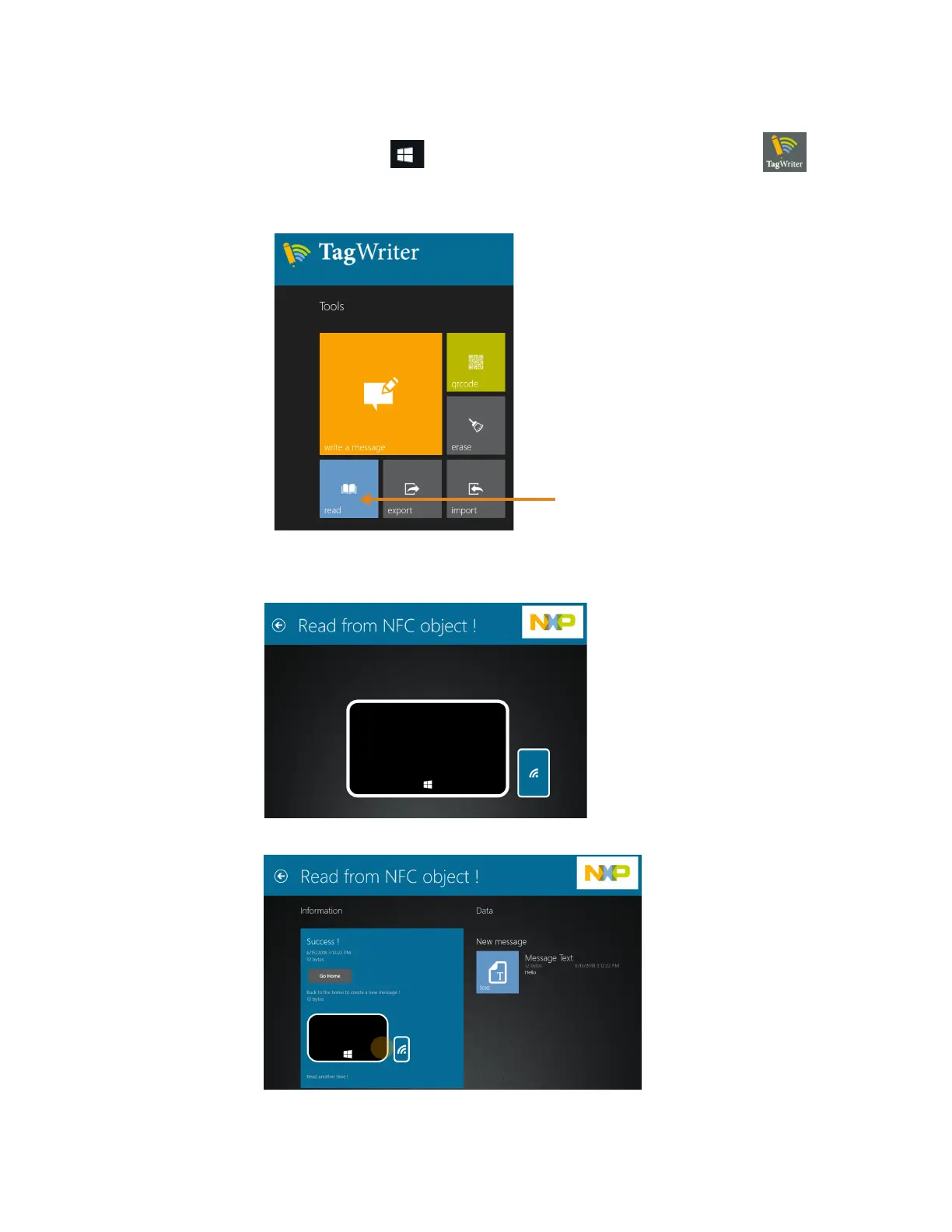
6. Tap the Start icon. , and tap the TagWriter icon to start the software.
The TagWriter software appears.
7. Tap the Read icon.
The tablet is in read mode.
8. Read mode is ready.
9. If the scanner reads the object, the screen displays this message.
Note: RFID tags are typically used with specialized applications. See your system
administrator for more information.
The Read icon



 To Next Page