R90 ONLINE USER’S MANUAL UNINTERRUPTIBLE POWER SUPPLY (UPS)
Xtreme Power Conversion Corporation (Rev 3/7/14) Page 16
Power Cables Connection
After the equipment has been properly positioned and secured, connect the power cables as described
below.
Verify the UPS is totally isolated from its external power source and all circuit breakers to the UPS are
open. Check to see that everything is electrically isolated, and post any necessary warning signs to
prevent inadvertent operation of the breakers.
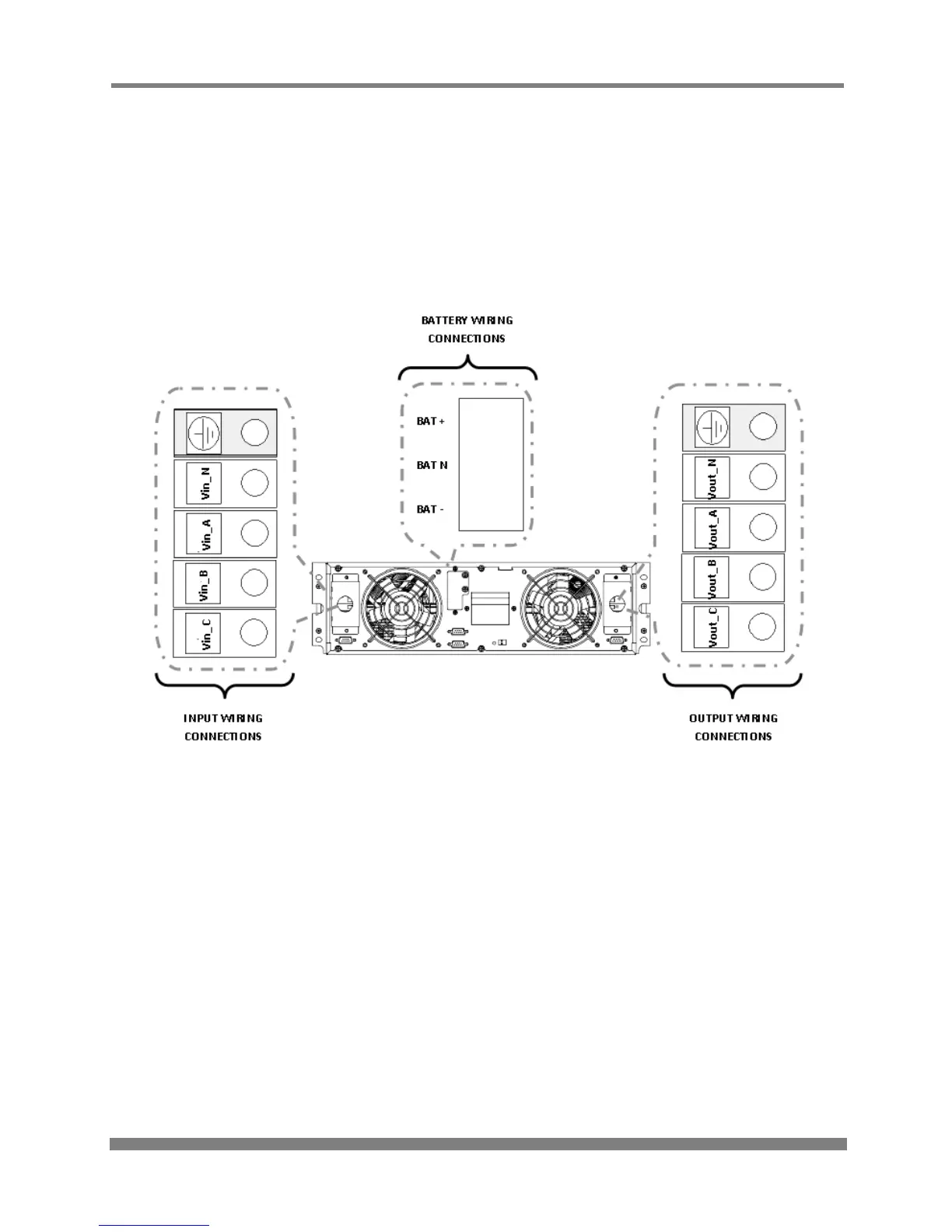
POWER CABLE CONNECTION DIAGRAM
Select the appropriate power cable size, paying attention to the diameter of the connection terminal of
the cable, which should be greater than or equal to the connection posts.



 To Next Page