R90 ONLINE USER’S MANUAL UNINTERRUPTIBLE POWER SUPPLY (UPS)
Xtreme Power Conversion Corporation (Rev 3/7/14) Page 52
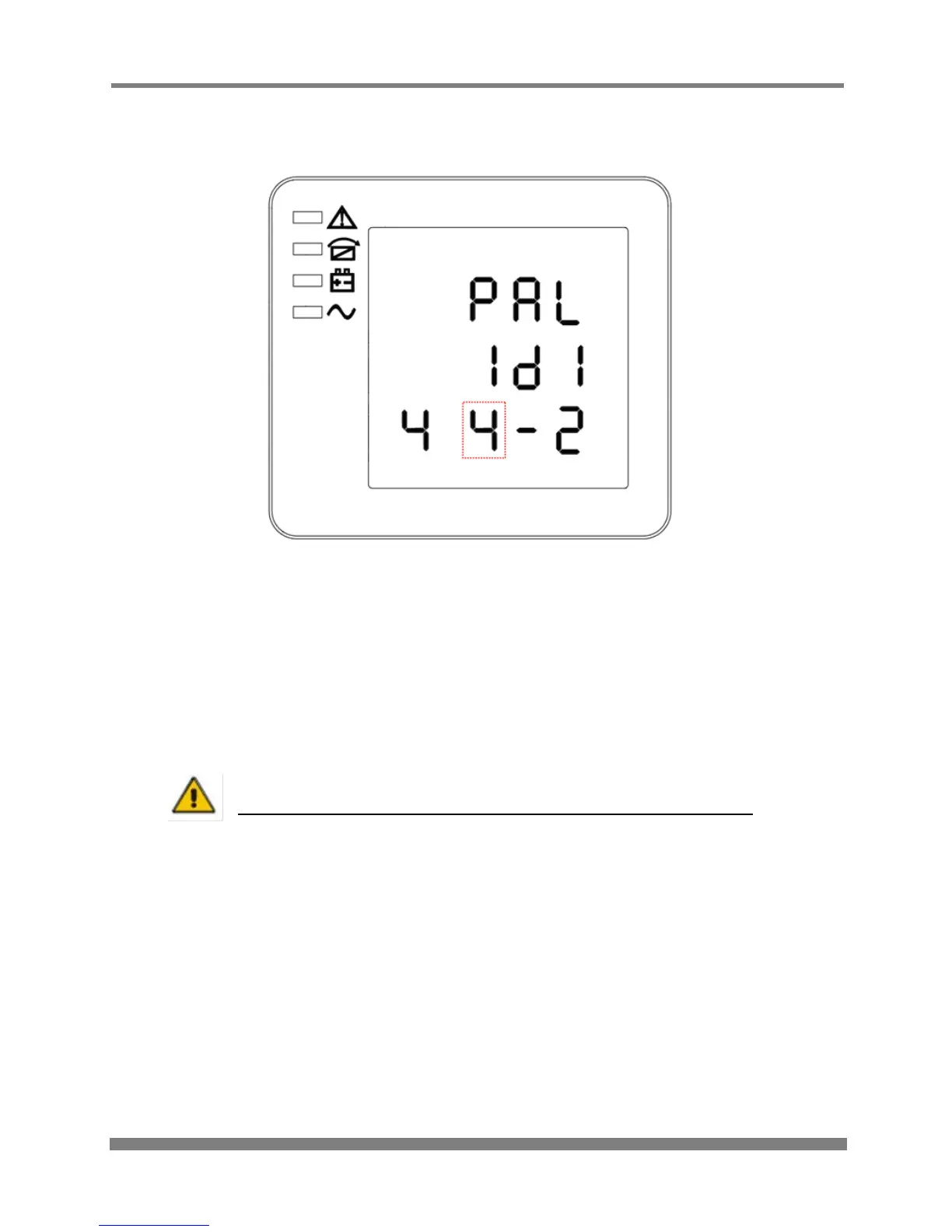
Parallel quantity setting
PARALLEL QUANTITY SETTING
(Note: the information in the red box will be flashing)
When in parallel ID setting press On or when in parallel redundancy quantity setting press Off to
go to the parallel quantity setting mode. The parallel quantity line flashes as in the above image. Use the
Enter button to choose different parallel quantity. Parallel quantity range is 2 - 4. Press Off or On
to exit the parallel quantity setting (save the parallel quantity setting), and then goes to parallel ID
setting or parallel redundancy quantity setting.
CAUTION!
Parallel cable cannot be connected when setting the parallel parameters
Note:
If installing 5-6 units in parallel, remove the jumper cap J30 on the control inspection board
(MHTBJHR1CU04 in all UPS to be connected in parallel.
If installing 7-10 units in parallel, remove the jumper cap J30/J31 on the control inspection
board (MHTBJHR1CU04 in all UPS to be connected in parallel.



 To Next Page