
 Need help?
Do you have a question about the Xylem HYDROVAR HV 4.022 and is the answer not in the manual?
Details EMC requirements for first (domestic) and second (industrial) environments and compliance standards.
Explains cable installation requirements for EMC, including earth/ground connections and signal cable screening.
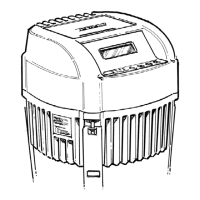
Illustrates the layout of parts on the HYDROVAR MASTER/SINGLE Inverter for wiring.
Explains how to set addresses for MASTER and BASIC Inverters in multi-pump applications using dip-switches.
Introduces software parameters, noting differences between MASTER and SINGLE Inverters.
Details basic settings including operation modes like Controller, Cascade Relay, Serial, and Synchronous.
Covers regulation parameters, including window, hysteresis, and regulation modes.
Allows configuration of connected sensors, including dimension units and sensor selection.
Details settings for multi-pump system sequence control, including lead pump and assist pump calculations.
Provides information on minimum threshold limits, delay times for errors, and automatic error reset functions.
Covers configuration of required values, including digital, analog voltage, and analog current inputs.
Details offset input selection and range for calculating required values based on sensor signals.
Lists errors indicated by the red LED on the BASIC Inverter and their probable causes and reset methods.
Describes errors shown on the display for MASTER/SINGLE Inverters, including probable causes and reset methods.
Details internal errors, their error messages, probable causes, and reset procedures.
 General
| Frequency | 50/60 Hz |
|---|---|
| Protection Class | IP55 |
| Communication Interface | Modbus RTU |
| Ambient Temperature Range | -10°C to +50°C |
| Storage Temperature Range | -20°C to +70°C |
| Relative Humidity | 95% non-condensing |
| Enclosure Material | Aluminum |
| Weight | 15 kg |




 To Next Page