139
When you activate the user management the first time, a user with administrator rights are created
automatically. Important for this first Administrator: Please note your password and user name. If you
forget it, you do not have access to the device anymore! In this case, please contact the service (see
backside of this document). We need only the serial number of the device. Then we can create a master
password for the device which is valid for one week
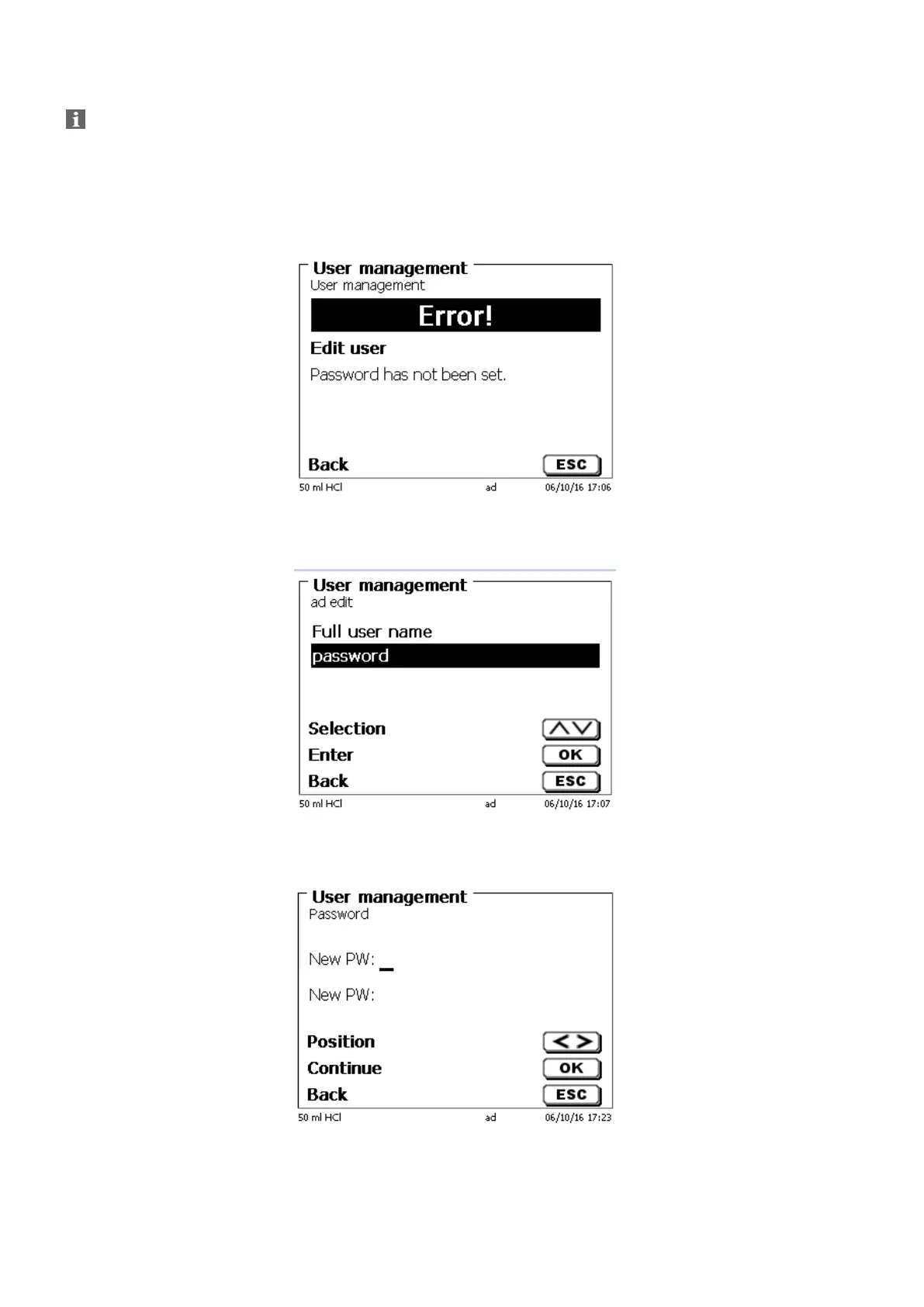
If you do not enter the password an error message appears (Fig. 117).
Fig. 117
Go back with <ESC> and enter then a password (Fig. 118).
Fig. 118
Confirm the selection with <ENTER>/<OK> (Fig. 119).
Fig. 119


 To Next Page