159
Balance data editor 8.2
Pressing «F5/balance symbol» will invoke the so-called balance data editor.
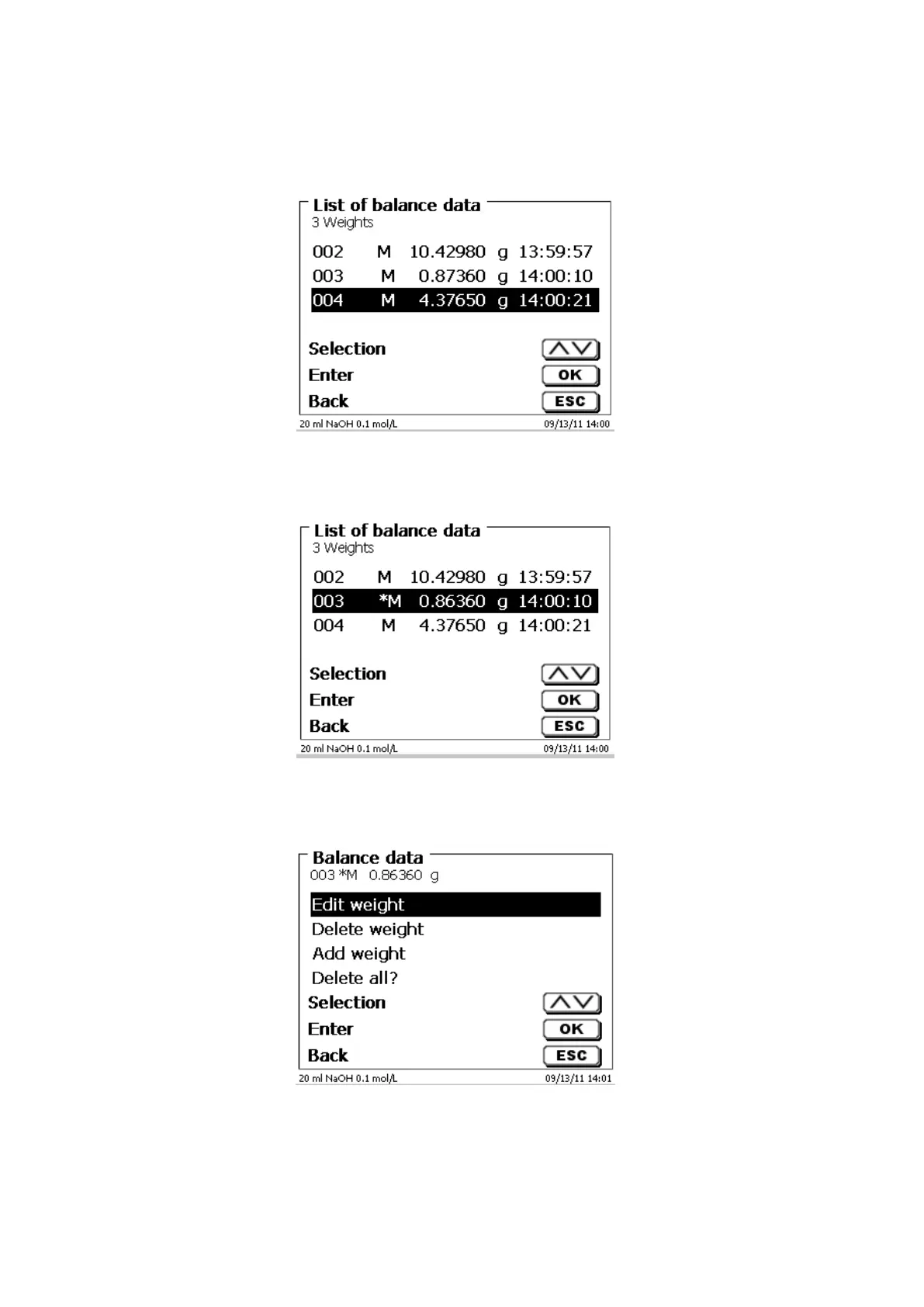
A list with the existing balance data will appear (Fig. 165).
Fig. 165
The balance data can be edited one by one.
Following a change, a star will appear opposite the weighed-in quantity (Fig. 166).
Fig. 166
Weights may be deleted or added individually.
It is also possible to delete all weights at one stroke (Fig. 167).
Fig. 167


 To Next Page