10
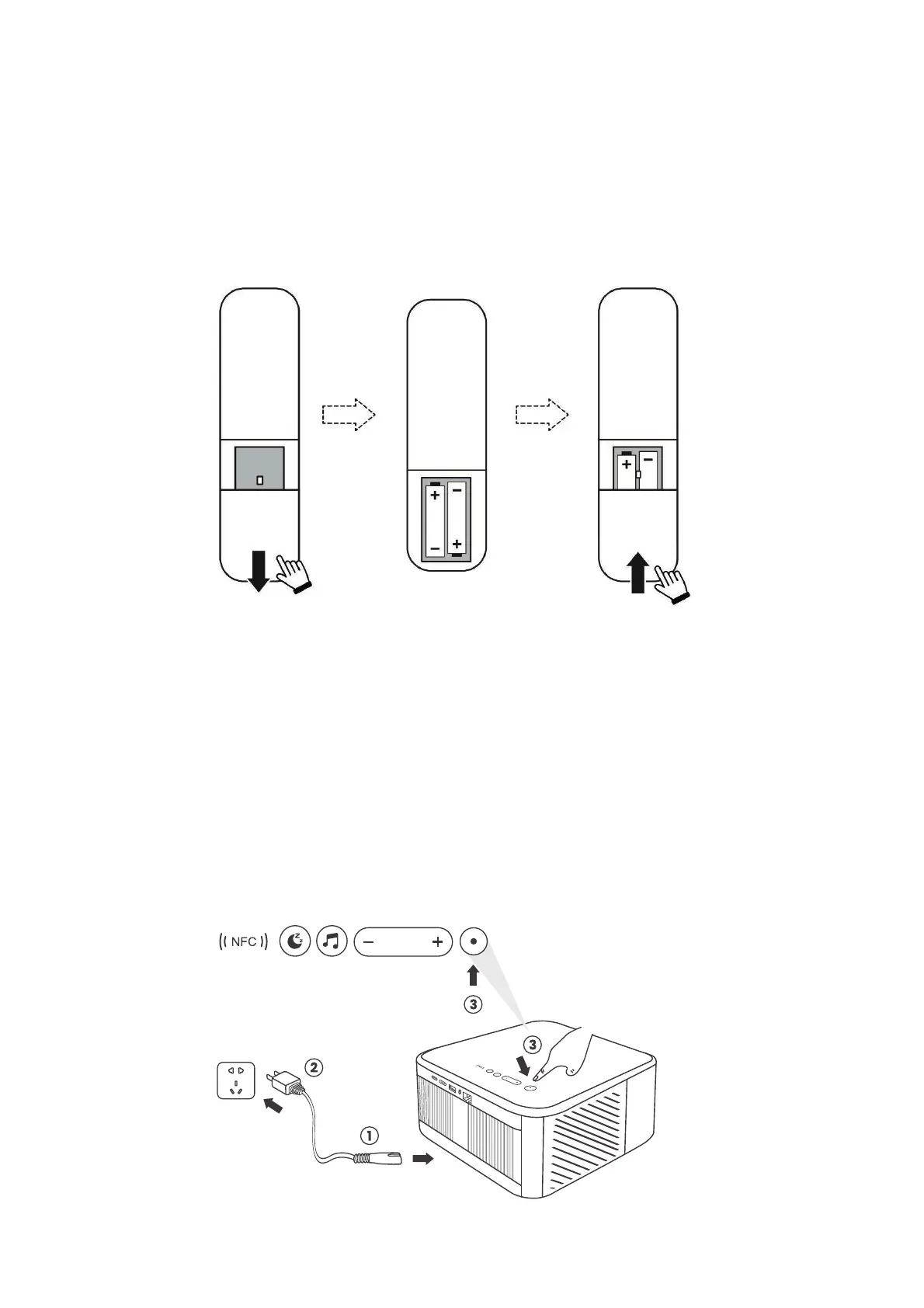
6.1.1. Prepare the remote control
6.1.2. Power on
Open the battery compartment.
Insert 2 AAA batteries with correct polarity indicated.
Close the battery compartment.
Note: You must use the Yaber remote control to complete the first time
setup of the projector.
Press the power key on the remote controller or projector. The power LED on the
projector turns from orange to off.
To turn off the projector, press once and then press it again when the power menu
pops up.The power LED on the projector lights up.


 To Next Page