16
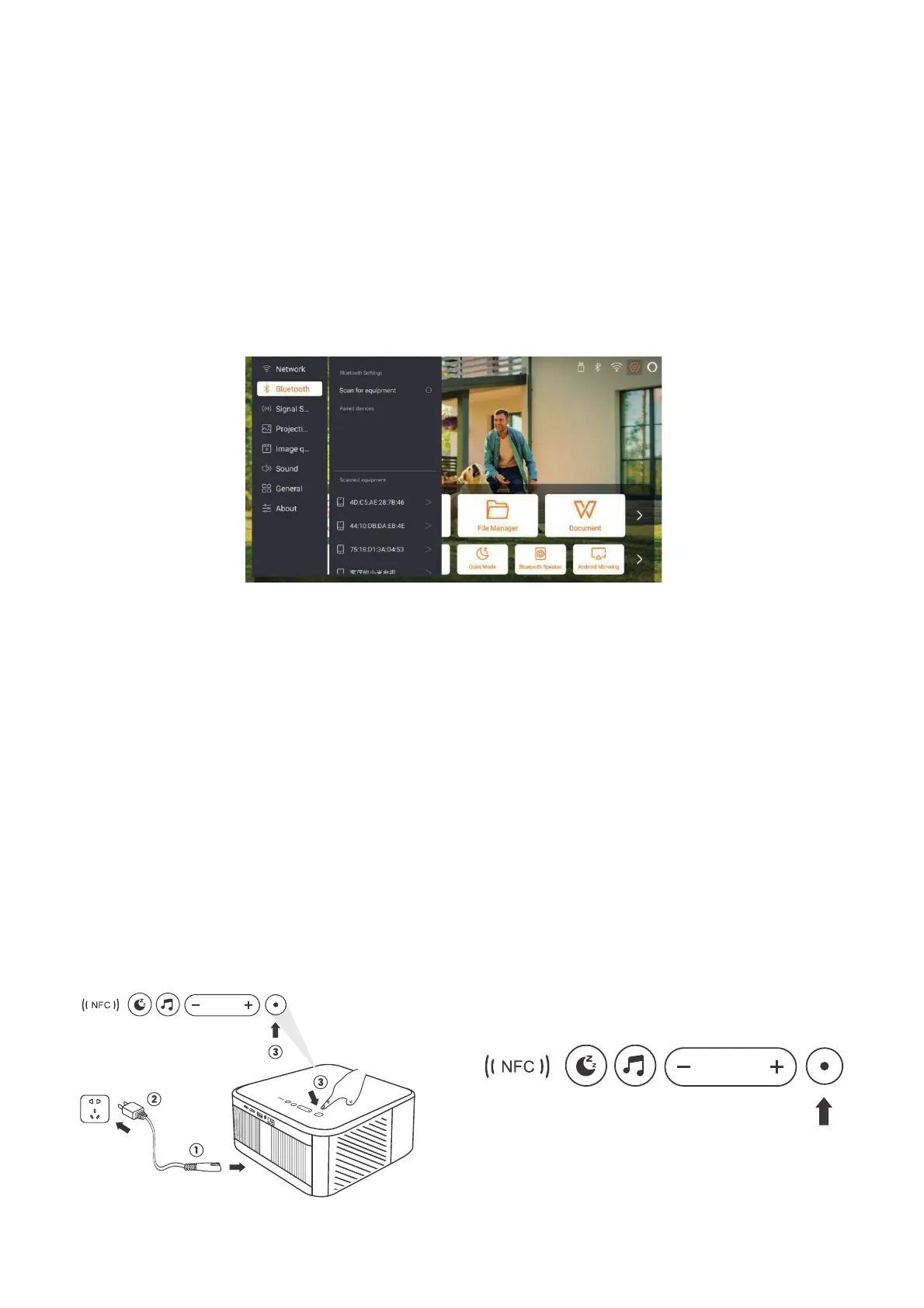
6.6. Bluetooth Settings
6.6.1. Bluetooth Connection:
6.7. Quiet Mode
Connecting the Projector to External Speakers/Headphones
Go to home page -> Select the | Settings ] -> [ Bluetooth ] - Scan the Bluetooth devices
nearby automatically - Choose the Bluetooth device desired - it will be paired and
connected automatically.
Connecting External Devices to the Projector (Using the Projector as a Bluetooth
Speaker)
This projector supports the function of Bluetooth speaker. Press the [ ] button on
projector, or select the [Bluetooth Speaker Mode] on home page, then you can search
and pair your projector [K3_xxxx] with your mobile device as a Bluetooth speaker for
music playing.
Using the quiet mode, you can control the noise of the projector to keep it at a
low level. The device will work under lower power consumption, and the projection
brightness will also be slightly lower than the normal state.


 To Next Page