17
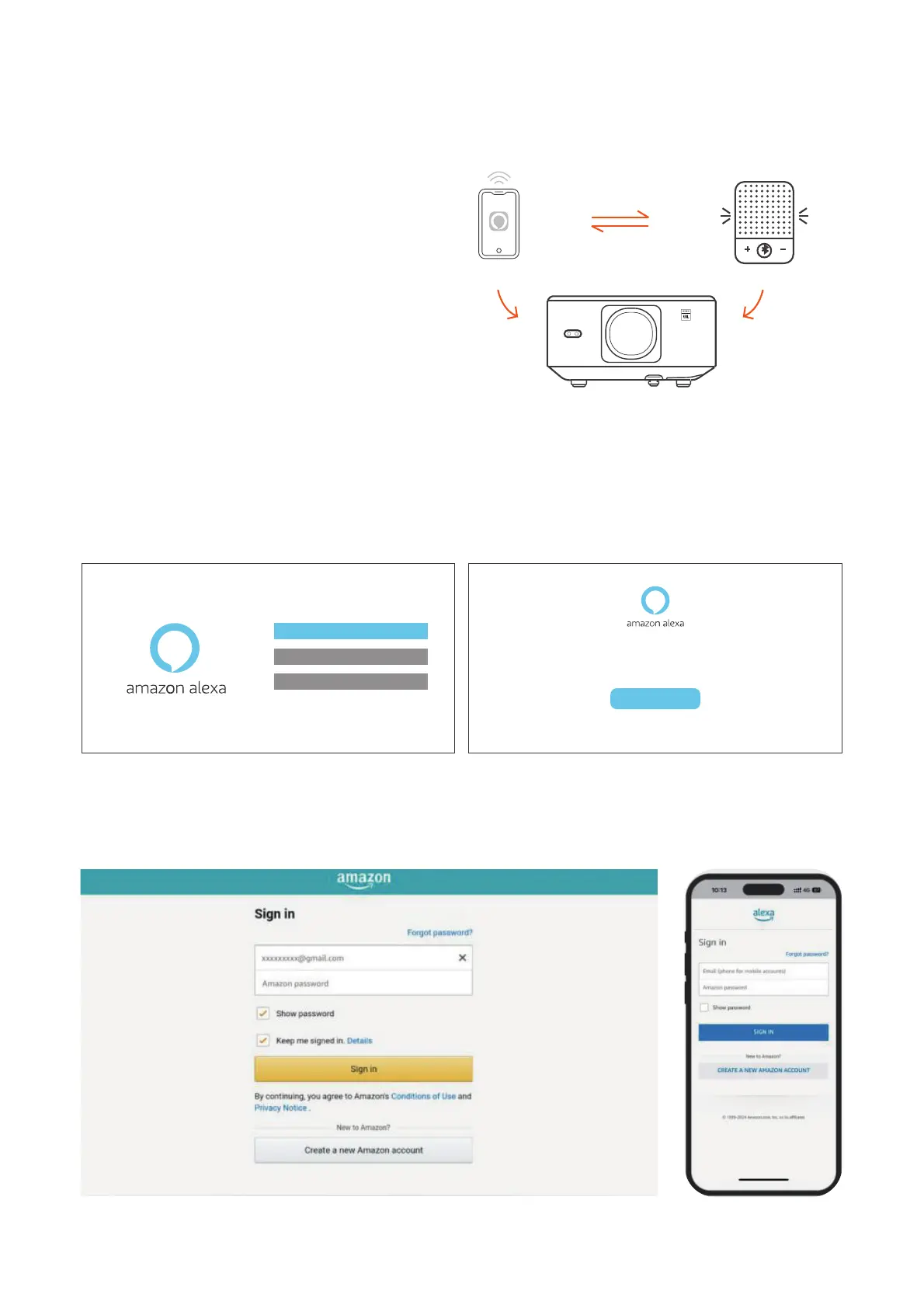
6.8. Alexa Setup
Using Steps:
Attention: Alexa supports only English
and German. If Alexa is not activated,
please contact the after-sales team.
This function needs to be used with Alexa
enabled smart speakers, and must be
configured through the Alexa App on the
mobile phone.
1. Connect the projector to WiFi, activate Alexa on the projector's home screen, and log
in to your Amazon account.
2. Open the Alexa app on your phone and log in to your Amazon account. Go to [Go to
More]. - [Skills & Game and search for Skills], find and enable [Whale video].
Account
Tap "Sign in with Amazon" below and follow the instructions to link projector with Alexa.
Try saying "Alexa, turn off projector" or "Alexa, switch to hdmi on projector."
Additionally, you can also find a list of available voice commands on projector's Alexa Skills page.
Sign In


 To Next Page