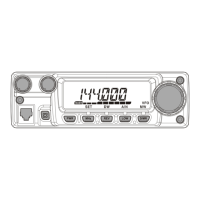
FT-252 OperaTing Manual 9
Operation
Frequency Navigation
The
FT-252
will initially be operating in the “VFO” mode, a channelized system which
allows free tuning throughout the operating band.
Two basic frequency navigation methods are available on the
FT-252
:
1
)
Tuning Dial
Rotation of the
DIAL
allows tuning in the pre-programmed steps established for the op-
erating band. Clockwise rotation of the
DIAL
causes the
FT-252
to be tuned upward in
frequency, while counter-clockwise rotation will lower the operating frequency.
If you press the
[
F/MW
]
key momentarily, then rotate the
DIAL
, frequency steps of 1
MHz will be selected. This feature is extremely useful for moving rapidly over the wide
tuning range of the
FT-252
.
2
)
Scanning
Press and hold in either the
[
p
]
or
[
q
]
key for one second to initiate upward or down-
ward scanning (Manual VFO Scan).
If you wish to reverse the direction of the scan (i.e. toward a lower frequency, instead
of a higher frequency), just rotate the
DIAL
one click in the counter-clockwise direc-
tion while the FT-252 is scanning. The scanning direction will be reversed. To revert to
scanning toward a higher frequency once more, rotate the
DIAL
one click clockwise.
The scanner will stop when it receives a signal strong enough to break through the
Squelch threshold. The
FT-252
will then hold on that frequency according to the setting
of the “RESUME” mode (Set Mode Item 29:
RESUME
). Press the
PTT
switch momen-
tarily to cancel the scanning. This only stops the scan; it does not cause transmission to
occur. See page 29 for details regarding Scan Operation.
honbun_130313.indd 9 2013/03/13 19:47:39


 To Next Page