FT-252 OperaTing Manual26
Memory Mode
Deleting Memories
You may delete any of the memories (except for Memory Channel “1” and the Home
Channel). The procedure for deleting a channel is quite simple.
1. Press the
[
V/M
]
key, if needed, to enter the VFO mode.
2. Press and hold in the
[
F/MW
]
key for one second, then rotate the
DIAL
knob or
press the
[
p
]
/
[
q
]
key to select the memory channel to be deleted.
3. Press the
[
SET/ATS
]
key for one second. The display will revert to memory chan-
nel #1. The previously-selected memory will be deleted.
Important Notice! Once deleted, the channel data cannot be recovered!
Memory Bank Operation
The large number of memories available in the
FT-252
could be difficult to utilize
without some means of organizing them. Fortunately, the
FT-252
includes provision for
dividing the memories into as many as ten Memory Groups, so you can categorize the
memories in a manner convenient to you.
Assigning Memories to a Memory Bank
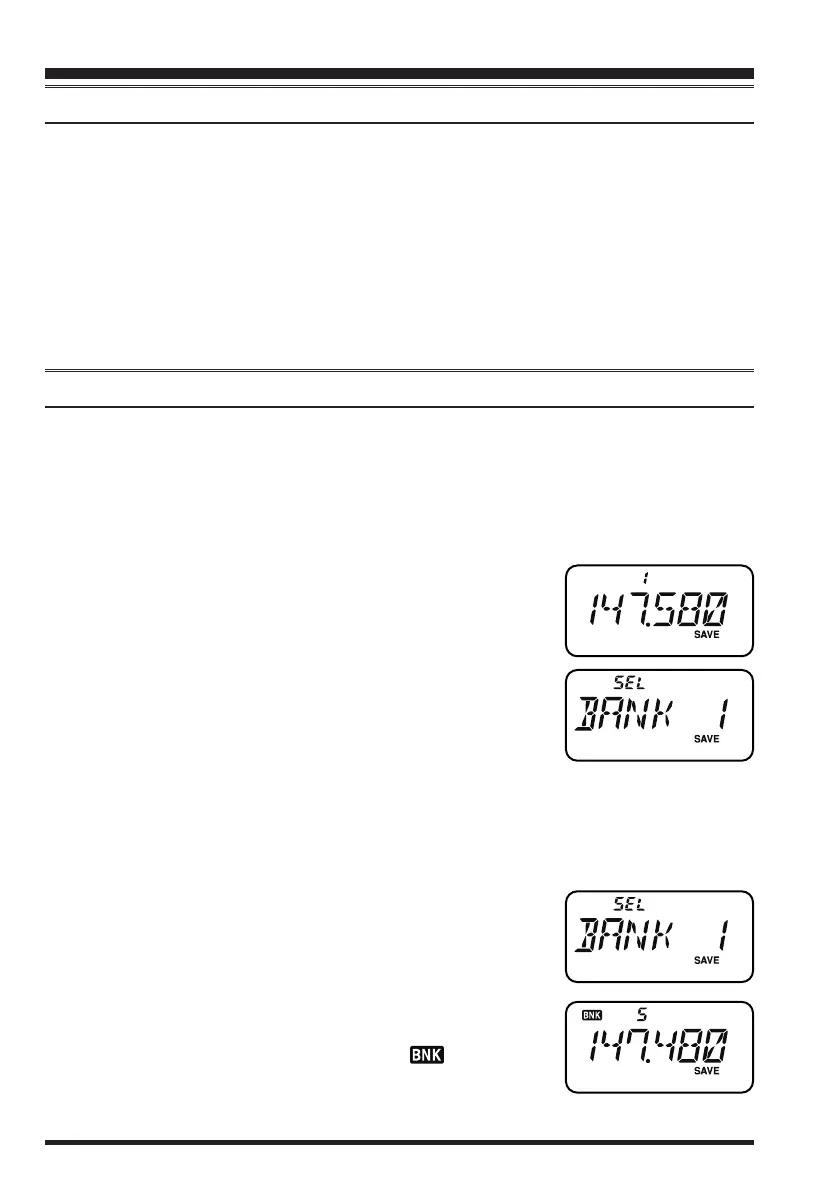
1. Recall the memory channel to be assigned to a Memory
Bank.
2. Press and hold in the
[
V/M
]
key for one second, then ro-
tate the
DIAL
knob or press the
[
p
]
/
[
q
]
key to select the
Memory Bank number you want as the Memory Bank for
this channel (“
BANK 1
” ~ “
BANK10
”).
3. Press and hold in the
[
F/MW
]
key for one second to copy
the memory channel data into the Memory Bank.
1) You may assign the same memory channel into multiple Memory Banks.
2)
The PMS memory channels (L1/U1 through L10/U10) may not be assigned to a Memory Bank.
Memory Bank Recall
1. Press the
[
V/M
]
key, if needed, to enter the Memory Recall mode.
2. Press and hold in the
[
V/M
]
key, then rotate the
DIAL
knob or press the
[
p
]
/
[
q
]
key to select the desired Mem-
ory Bank (“
BANK 1
” through “
BANK10
”).
3. Press the
[
V/M
]
key momentarily; now, as you rotate the
DIAL
knob or press the
[
p
]
/
[
q
]
key to select memories,
you will observe that you can only select memory chan-
nels in the current memory bank. The “ ” indication
will appear at the left side of the frequency display while
operating within a Memory Bank.
honbun_130313.indd 26 2013/03/13 19:47:57


 To Next Page