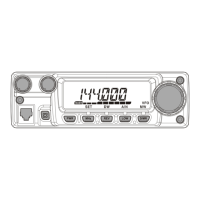
FT-252 OperaTing Manual16
Checking the Repeater Uplink (Input) Frequency
It often is helpful to be able to check the uplink (input) frequency of a repeater, to see if
the calling station is within direct (“Simplex”) range.
To do this, just press the
[
REV
]
key. You’ll notice that the display has shifted to the
repeater uplink frequency. Press the
[
REV
]
key again to cause operation to revert to
normal monitoring of the repeater downlink (output) frequency. While you are listening
on the input frequency to the repeater using the
[
REV
]
key, the repeater offset icon will
blink.
The conguration of this key may be set either to “REV” (for checking the input fre-
quency of a repeater), or “HOME” (for instant switching to the “Home” channel for
the band you are operating on). To change the conguration of this key, use Set Mode
Item 30: REV/HM. See page 59.
Repeater Operation
Manual Repeater Shift Activation
honbun_130313.indd 16 2013/03/13 19:47:46


 To Next Page