FT-252 OperaTing Manual42
ATS Alert Beep Options
The ATS feature allows two kinds of alert beeps (with the additional option of turning
them off), so as to alert you to the current status of ATS operation. Depending on your
location and the potential annoyance associated with frequent beeps, you may choose
the Beep mode which best suits your needs. The choices are:
INRANG
: The beeps are issued only when the radio rst conrms that you are within
range, but does not re-conrm with beeps thereafter.
ALWAYS
: Every time a polling transmission is received from the other station, the
alert beeps will be heard.
OFF
: No alert beeps will be heard; you must look at the display to conrm cur-
rent ATS status.
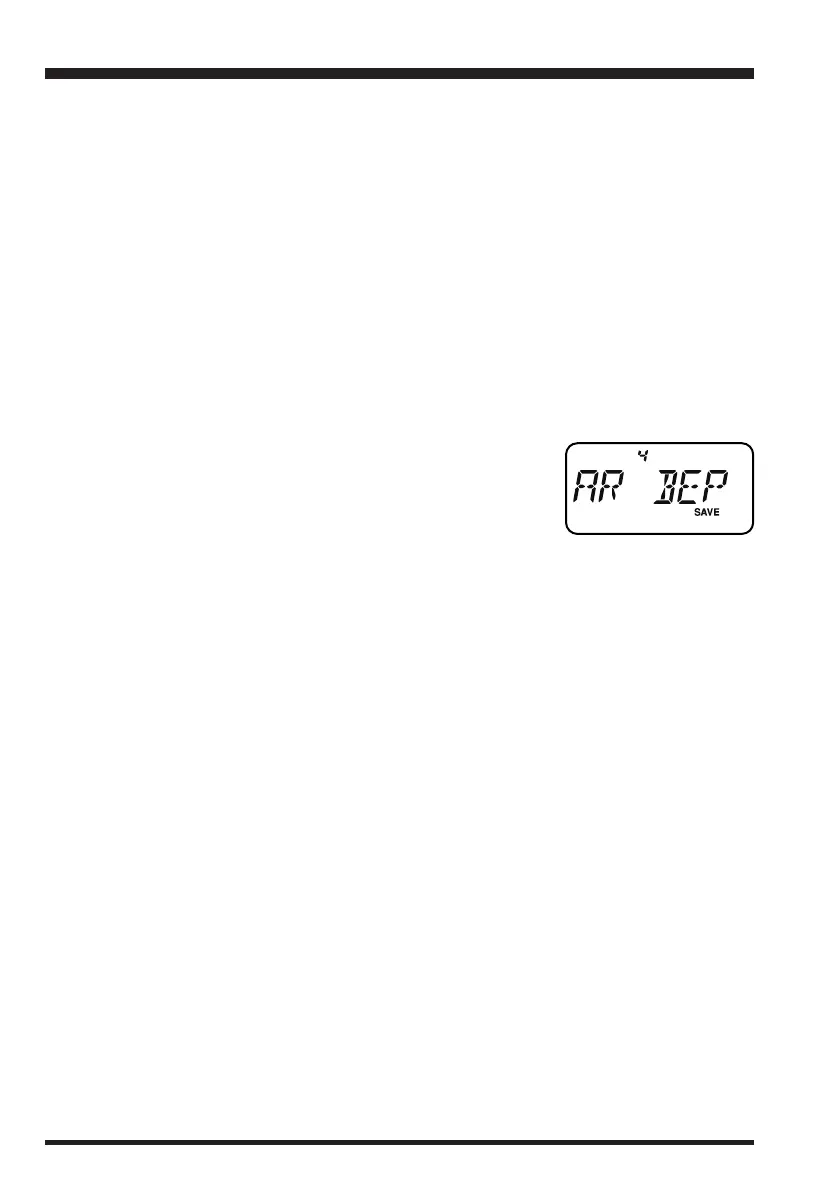
To set the ATS Beep mode, use the following procedure:
1. Press the
[
SET/ATS
]
key to enter the Set mode.
2. Rotate the
DIAL
knob or press the
[
p
]
/
[
q
]
key to select
Set Mode Item 4:
AR BEP
.
3. Press the
[
SET/ATS
]
key momentarily to enable adjust-
ment of this Set Mode Item.
4. Rotate the
DIAL
knob or press the
[
p
]
/
[
q
]
key to select the desired ATS Beep mode
(see above).
5. When you have made your selection, press the
PTT
switch to save the new setting
and exit to normal operation.
AtS
(
Automatic Transponder System
)
honbun_130313.indd 42 2013/03/13 19:48:04


 To Next Page