34
DTX-PRO Owner’s Manual
Basic Operation of the DTX-PRO
Basic Guide
e
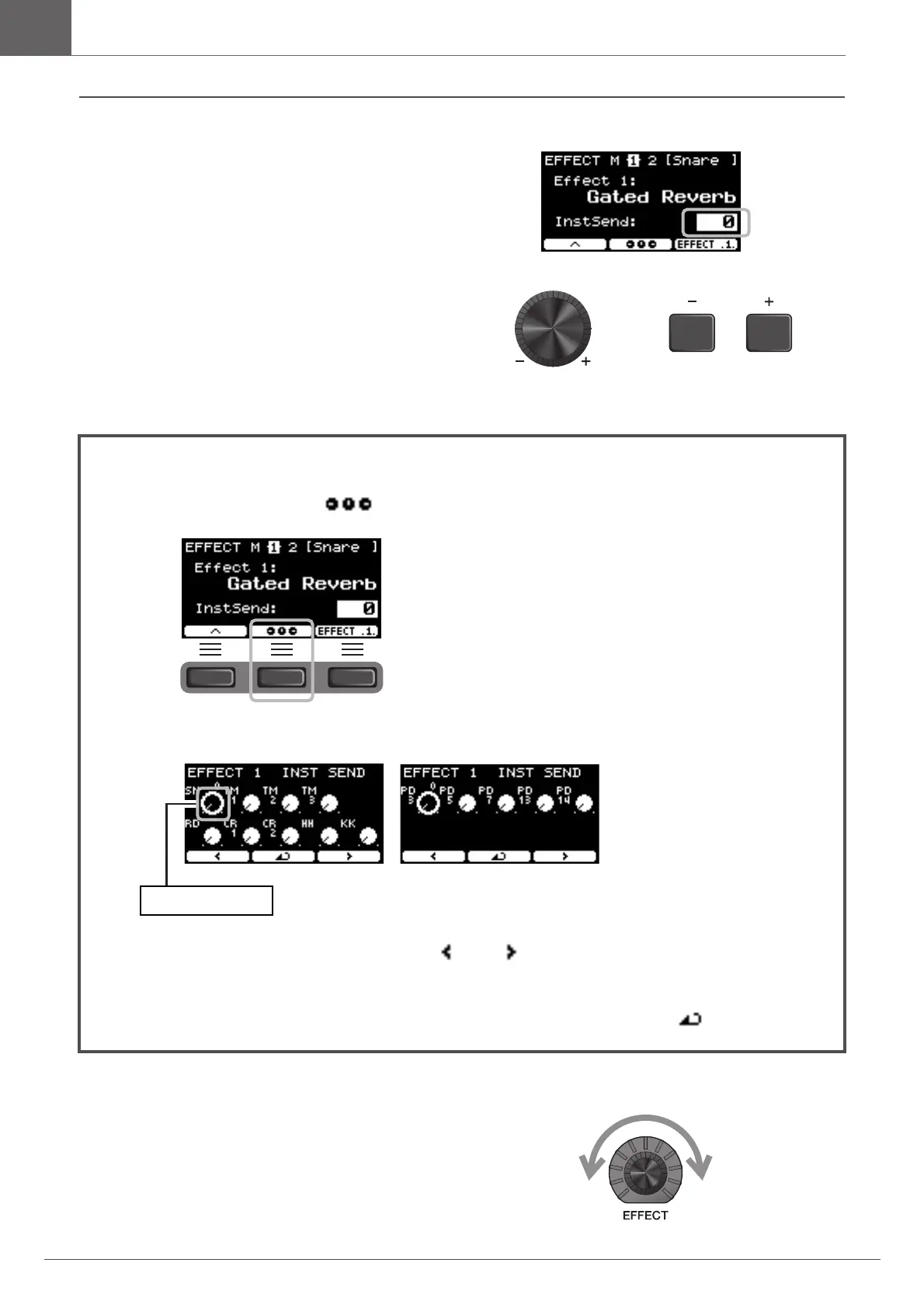
Use the [–] [+] controllers to set the amount of effect
to apply.
5.
Turn the [EFFECT] knob and try striking the
pads to check the amount of effects being
applied to the sound.
To set Effect 1 and Effect 2, you can use the graphic overview for adjusting the setting of each pad.
1.
Press the button below “ ” ([F2]).
Setting screen appears.
2.
Strike a pad or use the buttons below “ ” or ” ” ([F1]or [F3]) to select a pad, and use
the [–] [+] controllers to set the amount of effect to apply.
3.
To return to the Effect 1 or Effect 2 screens, press the button below “ ” ([F2]).



 To Next Page