44
DTX-PRO Owner’s Manual
Recording Your Performance
Basic Guide
Overdub Recording Your Performance onto an Accompaniment
Song
You can also overdub your performance onto an accompaniment song that you’ve imported onto a USB flash drive and save
your performance combined with the accompaniment song as a single audio file.
Preparing an Accompaniment Song (Audio File)
• Importing from a Computer
Save the audio file (.wav file) from the computer to the root directory on a USB flash drive.
Recording Yourself Playing Along with the Accompaniment Song
1.
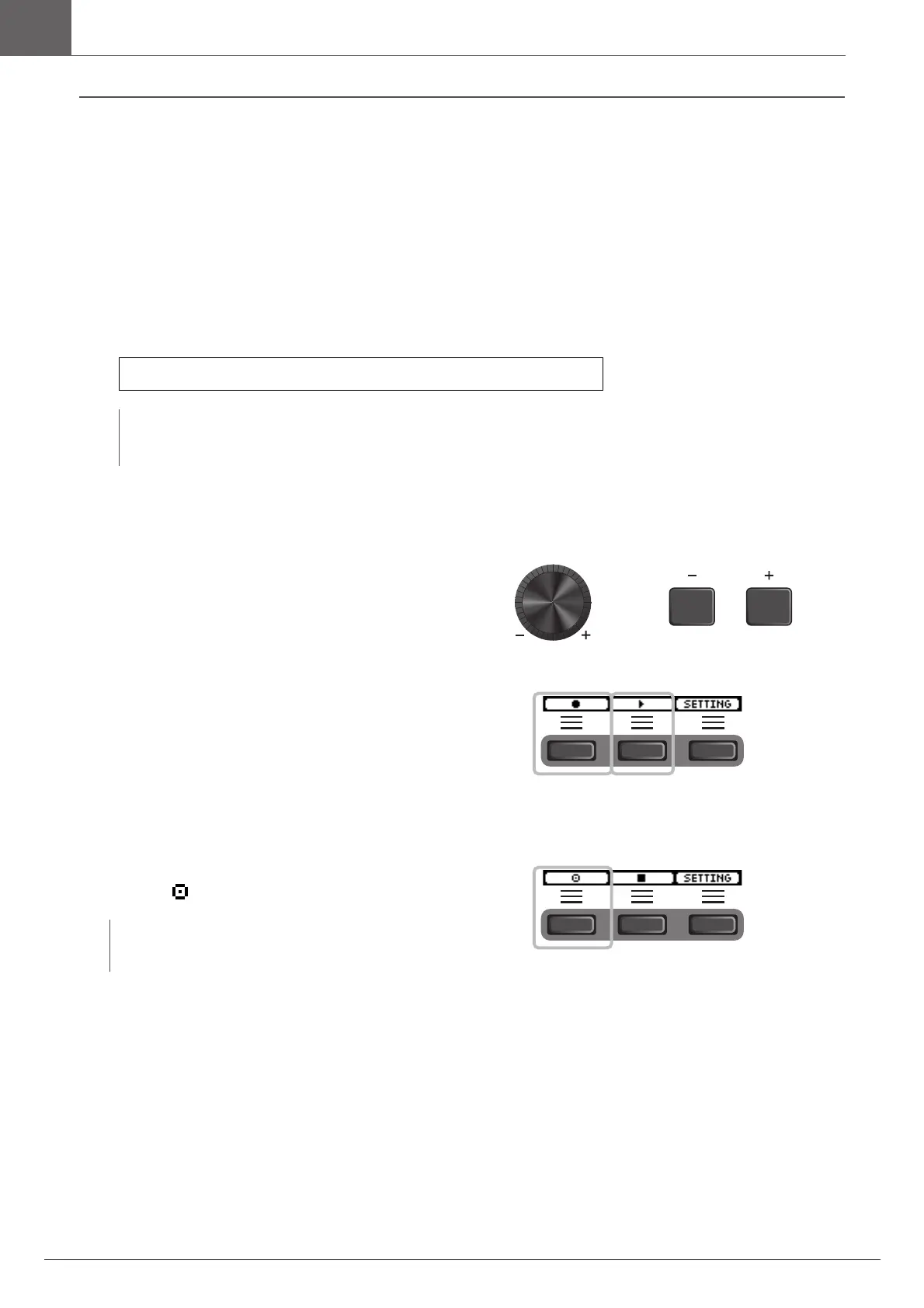
Use the [–] [+] controllers to select the
accompaniment you have prepared.
2.
Press the button below “” ([F1]) and the
button below “>” ([F2]) to start recording
and playback.
3.
Play the drums.
4.
After you finish playing, press the button
below “ ” ([F1]) to stop recording.
Audio file requirements: 16-bit, 44.1 kHz, stereo, wav format
NOTE
• Some of the audio files may not play back even when the above requirements are met.
• The DTX-PRO does not recognize the audio file if it is in a folder.
NOTE
Pressing the button below “” ([F2]) stops accompaniment
playback, but recording continues.



 To Next Page