Instrument and control functions
4-8
4
EAU87850
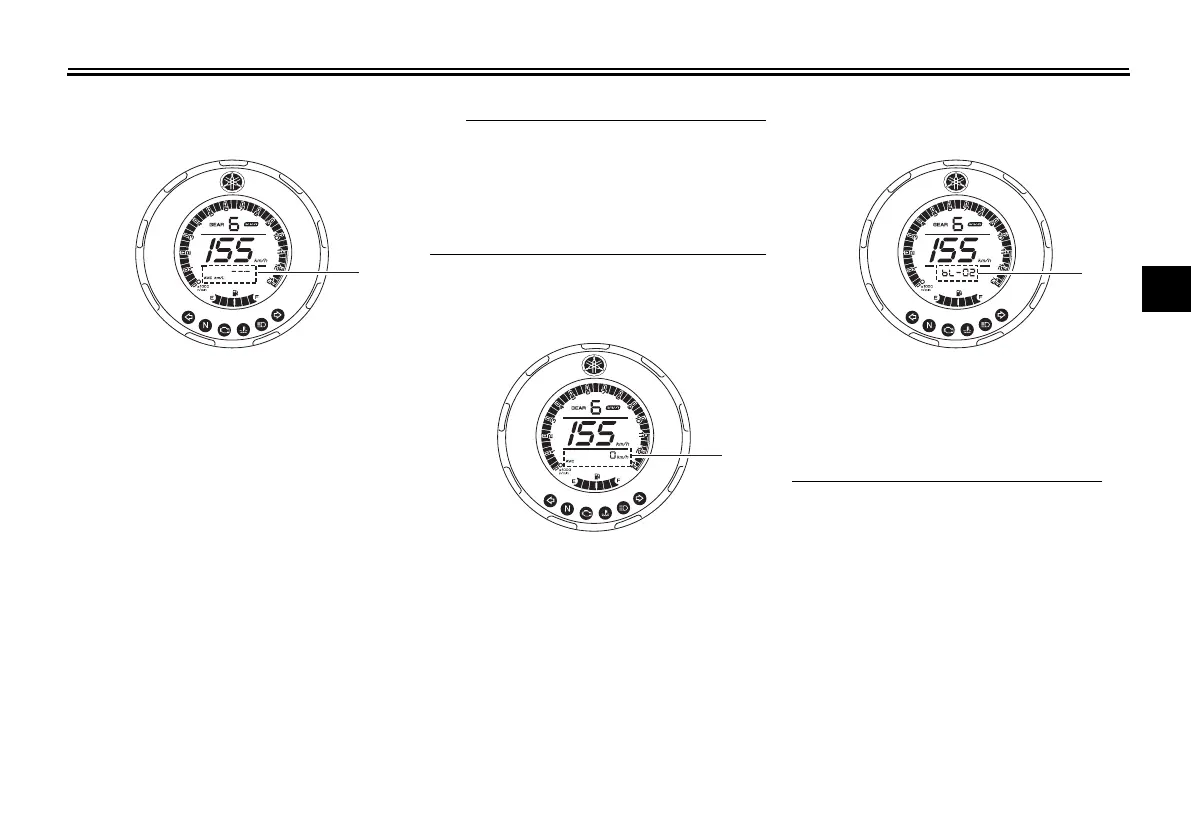
Average fuel consumption display
This display shows the average fuel
consumption since it was last reset.
The average fuel consumption display
can be set to either “AVE_ _._ km/L” or
“AVE_ _._ L/100 km”. To switch the
fuel consumption measurement units,
push the “SELECT” button until the
measurement units change.
z “AVE_ _._ km/L”: the average dis-
tance that can be traveled on 1.0 L
of fuel.
z “AVE_ _._ L/100 km”: the average
amount of fuel necessary to travel
100 km.
z To reset the display, push the
“RESET” button until it resets.
z After resetting, “_ _._” is shown
until the vehicle has traveled some
distance.
EAU87880
Average speed display
This display shows the vehicle’s aver-
age traveling speed since it was last re-
set.
To reset the average speed display,
push the “RESET” button until it is re-
set.
EAUN2690
Backlight setting mode
This mode allows you to change the
backlight setting.
To enter the backlight setting mode
1. Stop the vehicle.
2. Push the “SELECT” button to
change the multi-function display
to show the current backlight set-
ting “bL-01”, “bL-02”, or “bL-03”.
3. Push the “SELECT” button until
the multi-function display enters
the backlight setting mode.
4. Push the “RESET” button to select
the desired backlight setting.
1. Average fuel consumption display
1. Average speed display
1. Backlight setting mode
UB1VE0E0.book Page 8 Tuesday, September 3, 2019 1:19 PM



 To Next Page