PSR-E203/YPT-200 Owner’s Manual 13
Quick Guide
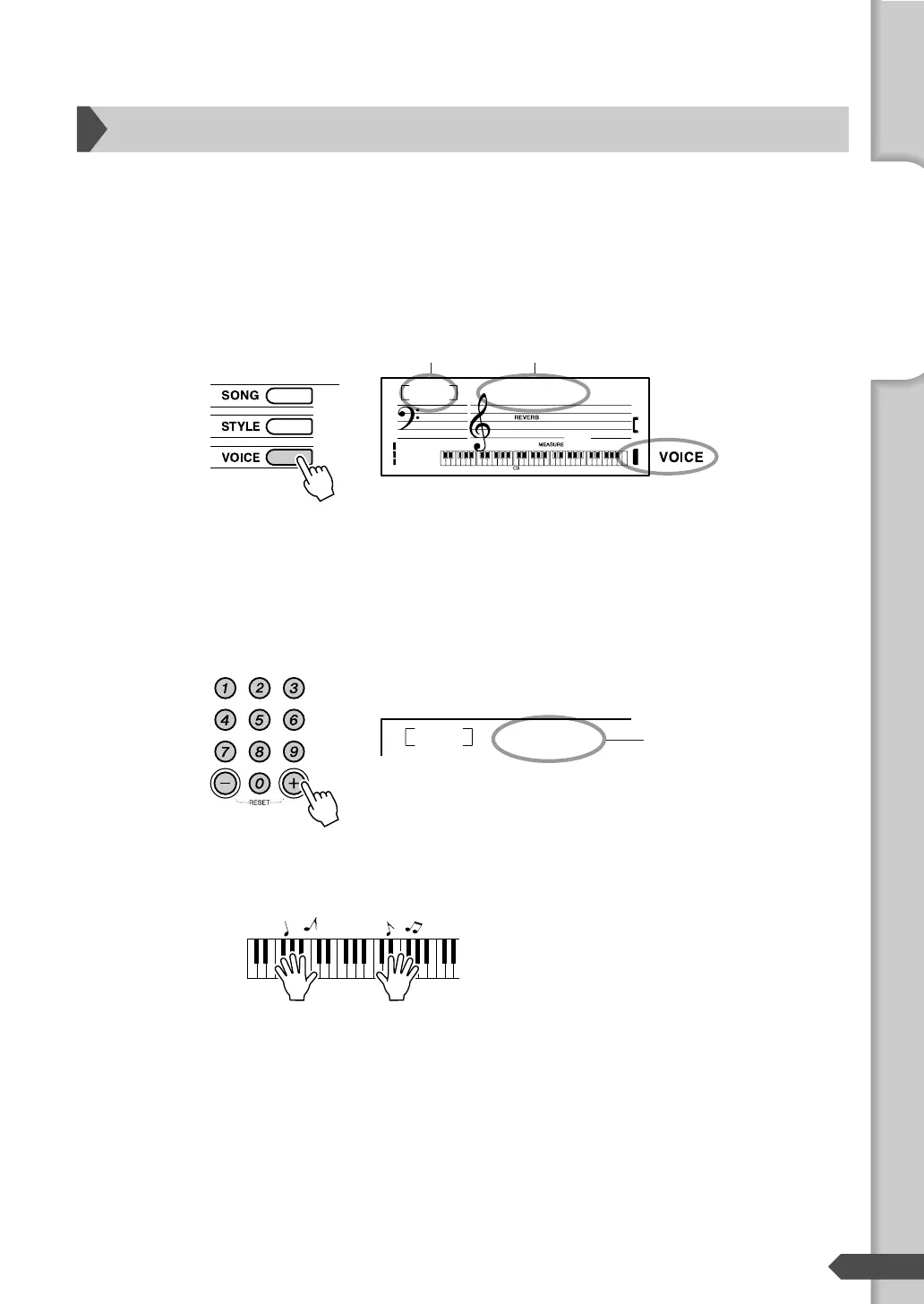
In addition to the piano Voice, a wide variety of other instrument Voices can be selected and
played, including guitar, trumpet and flute. The Voice selected here becomes the Main Voice.
Press the [VOICE] button.
The Voice number and name are displayed.
Select a Voice.
Select the desired Voice by using the number buttons [0]-[9], [+],
[-].
Refer to the Voice List on page 53.
Play the keyboard.
Try selecting and playing different Voices.
Try playing a variety of instrument Voices
GrandPno
001
001
Voice number Voice name
Appears when the
Voice mode.
Flute
065
The Voice shown here
becomes the Main Voice
for the instrument.
Step 1 Changing the Voices



 To Next Page