PSR-E203/YPT-200 Owner’s Manual 17
Quick Guide
Step
3
Play With The Metronome
The instrument includes a metronome with adjustable tempo and time signature. Play and set the
tempo that is most comfortable for you.
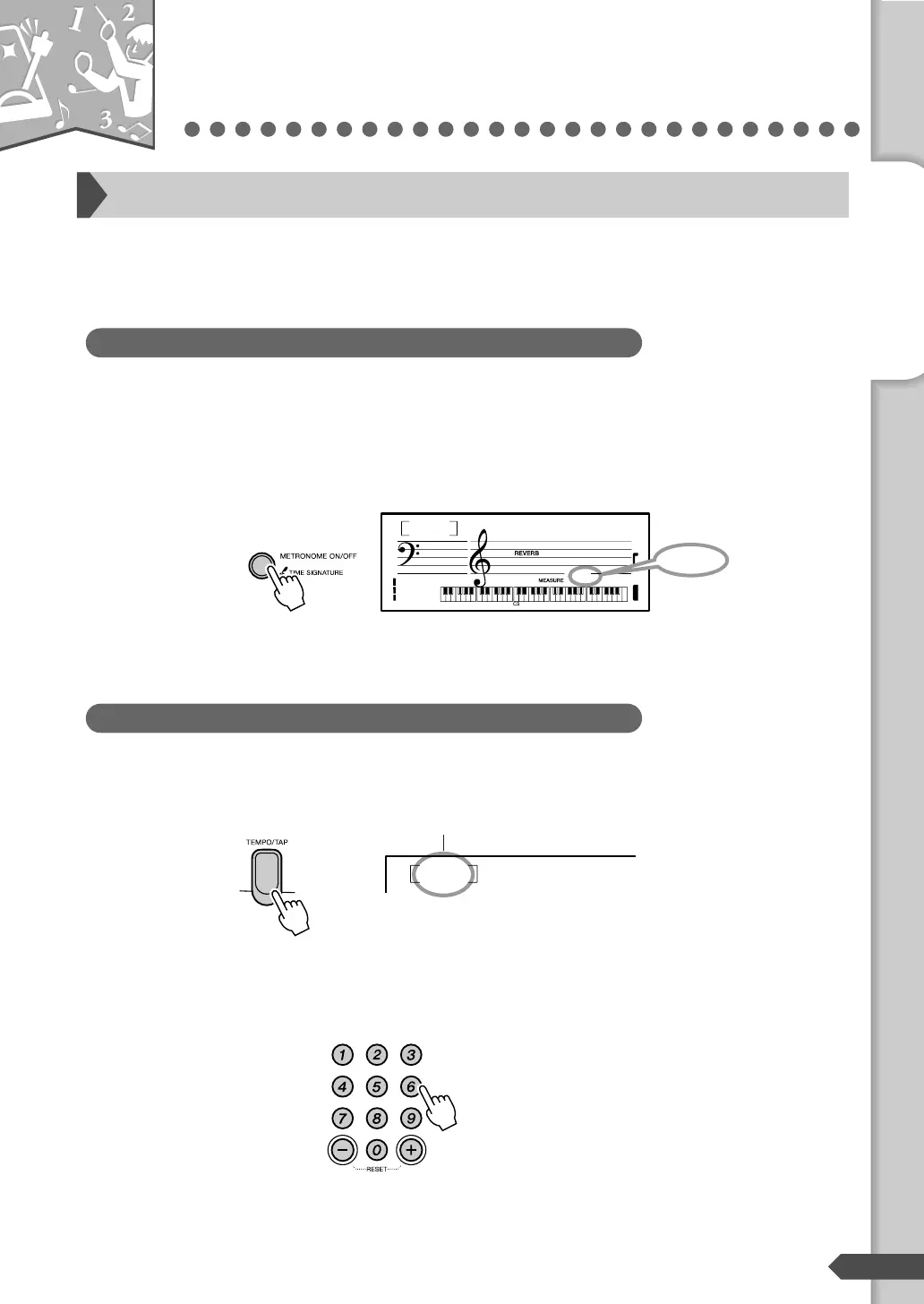
Turn the metronome on and start it by pressing the [METRONOME ON/
OFF] button.
To stop the metronome, press the [METRONOME ON/OFF] but-
ton again.
Press the [TEMPO/TAP] button to display the tempo.
Set the metronome tempo by using the number buttons [0]-[9], [+], [-].
The tempo can be adjusted between 32-280.
Start the metronome
Starting the metronome
GrandPno
001
1
1
Displays the
current beat.
Setting the metronome tempo
Tempo
090
Tempo value
— Quick Guide —
Step 3 Play With The Metronome



 To Next Page