4-8
4
To set the clock
1. Set the display to the clock mode.
2. Push the “SELECT” button and “RESET”
button together for at least three sec-
onds.
3. When the hour digits start flashing, push
the “RESET” button to set the hours.
4. Push the “SELECT” button, and the mi-
nute digits will start flashing.
5. Push the “RESET” button to set the minu-
tes.
6. Push the “SELECT” button, and then re-
lease it to start the clock.
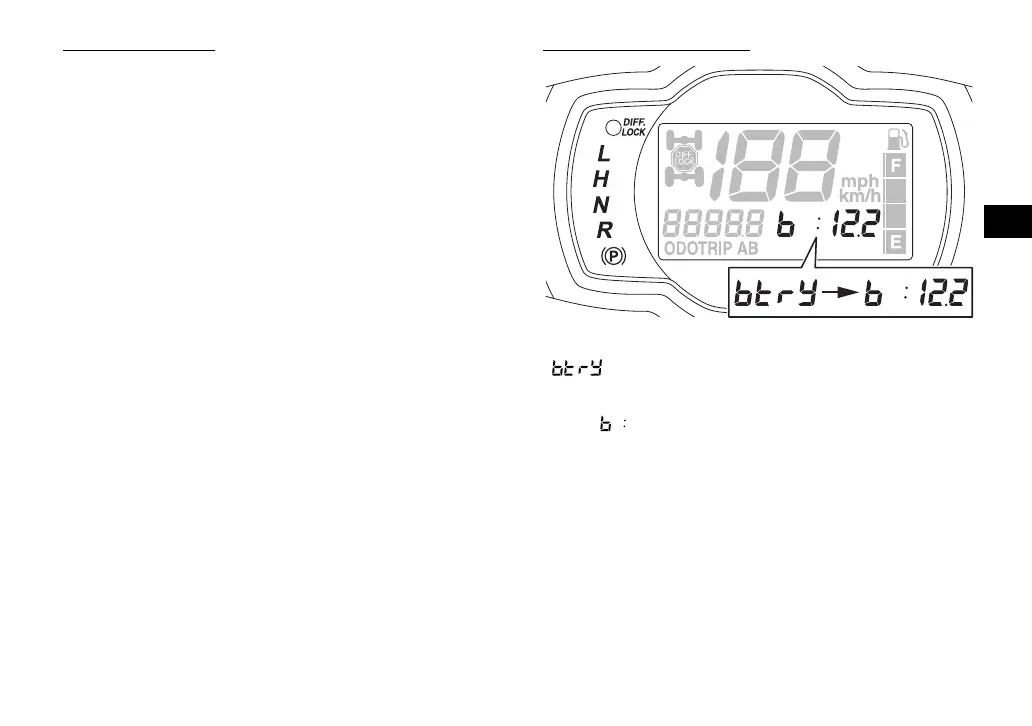
Voltage display mode
This display shows the battery voltage.
“ ” appears for 1 second when the volt-
age display mode is first selected, and
then “ ” appears and the battery voltage is
displayed.
If the battery voltage is less than 10 volts,
“LO” is displayed, and if the voltage is above
16 volts, “HI” is displayed.
UBN57AE0.book Page 8 Tuesday, November 24, 2015 1:42 PM











 To Next Page