ENGINE OPERATION
84 JH Series Operation Manual
CONTROL THE BACKUP
PANEL
Only use this in an emergency.
1. Check that the power switch on the
switch panel is OFF and that the
remote control handle is in the N
(Neutral) position.
2. Press the power switch to the “ON”
position on the backup panel. The lamp
will come and control by the backup
panel is enabled.
3. The engine can be started or stopped
with the START/STOP switch.
4. Adjust the engine speed using the sub
throttle control volume. (anti-clockwise:
lower engine speed, clockwise: raise
engine speed)
When controlling the throttle, first move it
fully anti-clockwise.
• The throttle of the engine that has been
turned on can be controlled.
• When controlling the throttle, always
move it fully anti-clockwise first.
• Be sure to lower the engine speed by
turning the sub throttle volume fully to
anti-clockwise before stopping the engine.
• The shift switch where is behind the left
cover of Backup Panel.
• Shift switch does not work on 3/4JH
common rail engines.
• In case that the marine gear can not be
shifted by remote control handle for some
reason such as broken cable, remove the
cable from shift lever on the marine gear
and shift manually by turning the lever.
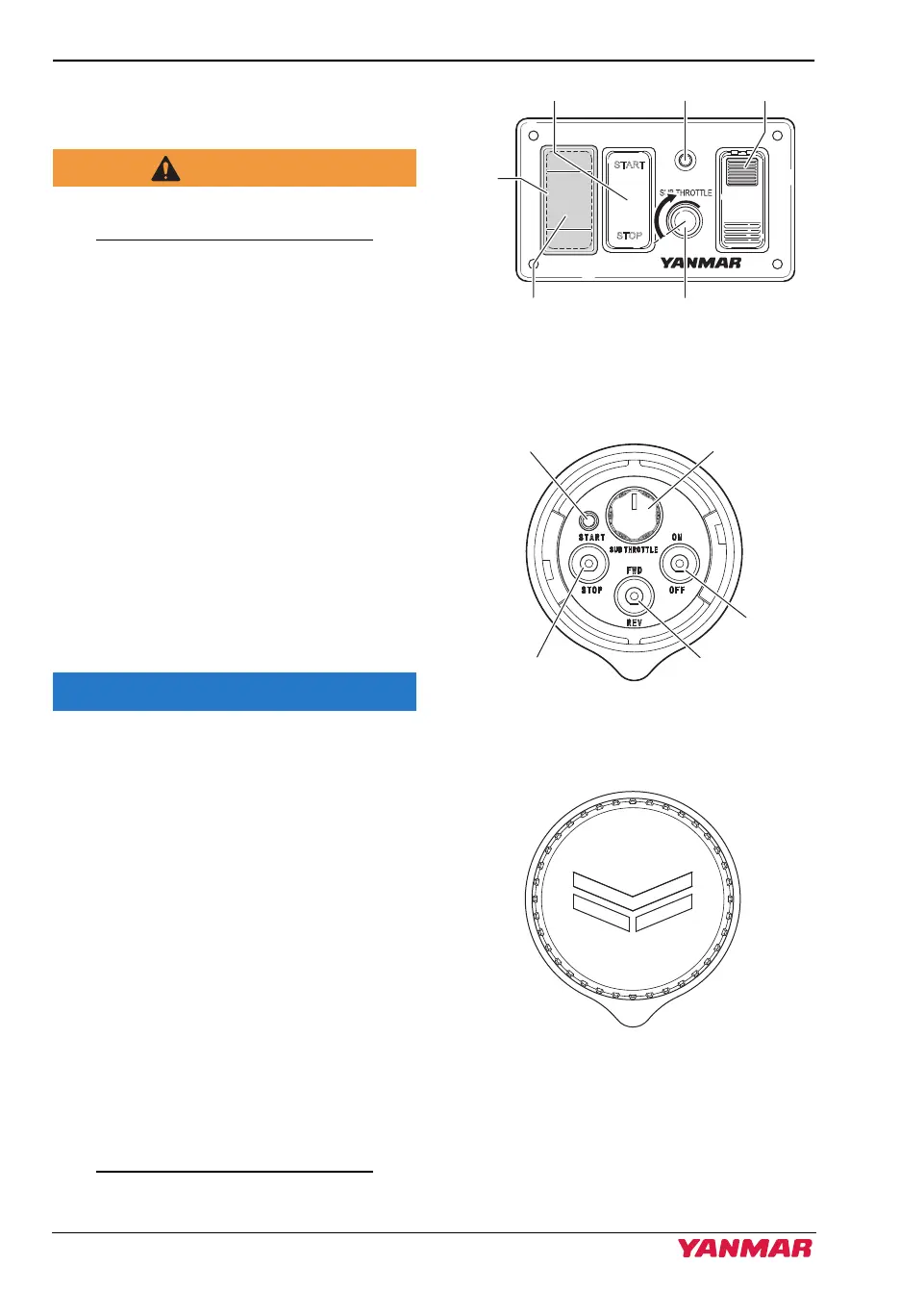
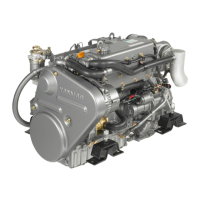
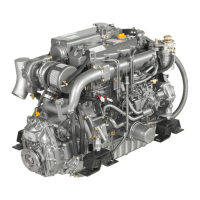
• The backup panel has two design types.
Figure 16
Figure 22
State where cover is removed
Figure 17
Figure 23
State where cover is attached
Figure 18
Figure 24
• Remove the cover when operating the
backup panel.
START
STOP
ON
Engine START/STOP switch
Cover
Sub throttle volume(Shift switch position)
Power switchLamp
037636-01EN02
Engine START/STOP
switch
Sub throttle volume
132446-00X00
3JH40_4JH45_4JH57_4JH80_4JH110_EN_OPM.book 84 ページ 2022年9月22日 木曜日 午後6時17分



 To Next Page