YL9112 Isocratic Pump
Ready : It is displayed when the pump is ready.
Prime : It is displayed during prime/purge status.
Run : It is displayed during analysis.
Fault : It is displayed if there is error on the pump.
Halt : It is displayed if the pump stops.
Diagnosis : It is displayed during self test.
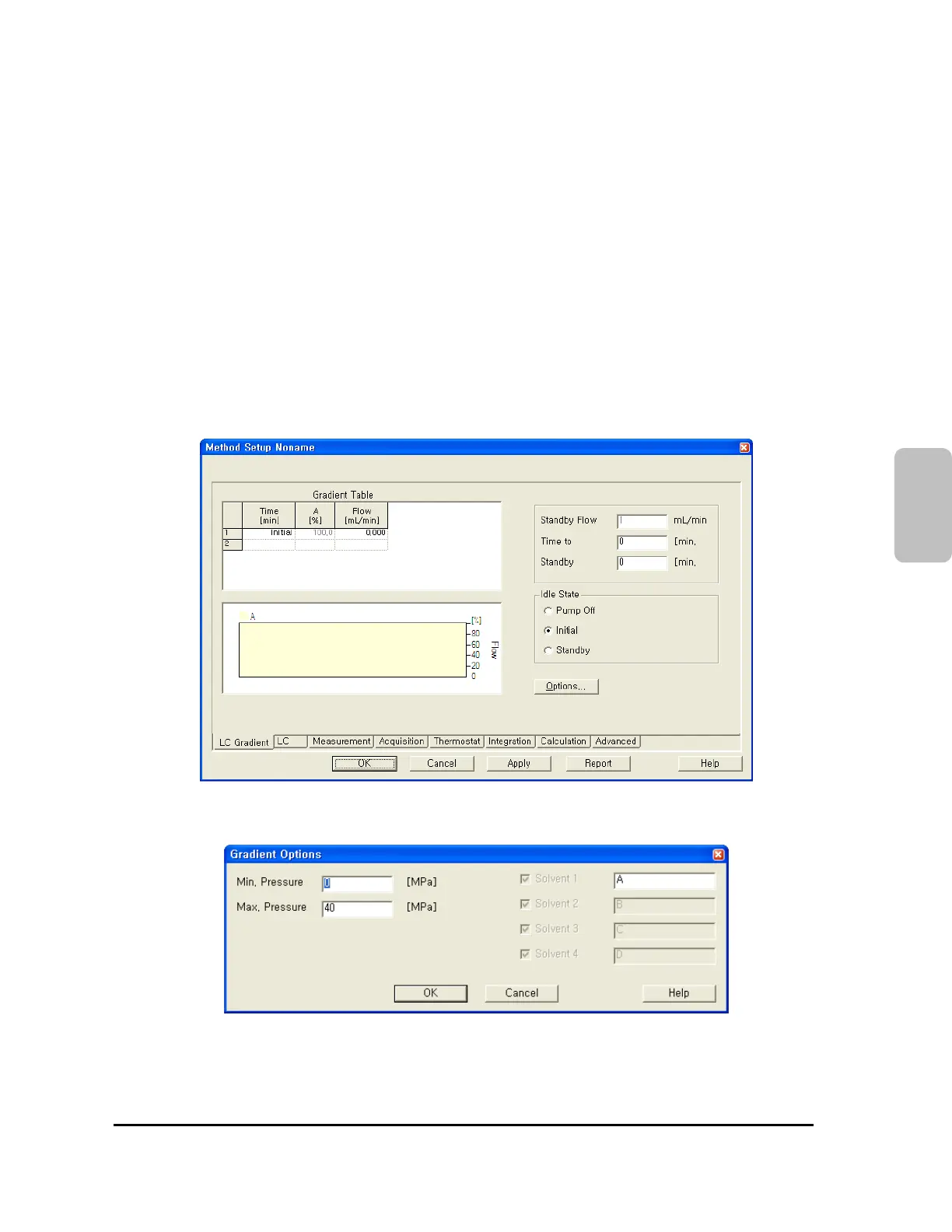
4-4-3. Method Setup
In this window, edit time program table, and setup the pump status during idle state.
L9112
Click Options button to setup Max. and Min. pressure limit values to protect column and system. In this
window, you can type the name of solvent you will use.
On the below window, make a program for output signal of switch terminal on the rear side of YL9112
isocratic pump.
21


 To Next Page
 Loading...