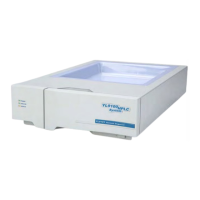
YL9120 UV/Vis Detector
Contents
Chapter 1. Introduction............................................................................................ 1
1-1. Features of YL9120................................................................................................................... 1
............................................................................................................................ 1 1-2. Specifications
Chapter 2. Installation .............................................................................................. 3
2-1. Inspection and site preparation................................................................................................. 3
2-2. Connection of power................................................................................................................. 4
2-3. Connection of a column ............................................................................................................ 4
2-4. Connection of remote cable...................................................................................................... 5
......................................................................................... 6 2-5. Connection of communication cable
Chapter 3. Operation................................................................................................ 8
3-1. YL-Clarity Chromatograph software.......................................................................................... 8
3-1-1. Installation of UV/Vis detector ........................................................................................ 8
L9120
3-1-2. Device Monitor.............................................................................................................. 10
3-1-3. Method Setup ................................................................................................................11
.............................................................................................................. 13 3-1-4. Error message
Chapter 4. Maintenance ......................................................................................... 14
4-1. D2 lamp................................................................................................................................... 14
4-1-1. How to remove the D
2
lamp.......................................................................................... 14
4-1-2. How to install a new D
2
lamp........................................................................................ 15
4-2. Tungsten lamp (W).................................................................................................................. 15
4-2-1. How to remove the Tungsten lamp............................................................................... 16
4-2-2. How to install a new Tungsten lamp............................................................................. 17
4-3. Flow cell cleaning.................................................................................................................... 17
....................................................................................................................... 18 4-4. Troubleshooting
i


 To Next Page
 Loading...