YOMANI ML/XR
OWNER MANUAL
14 unrestricted
last updated 3 May 16 document release 2.2 ymn_terminal.fm
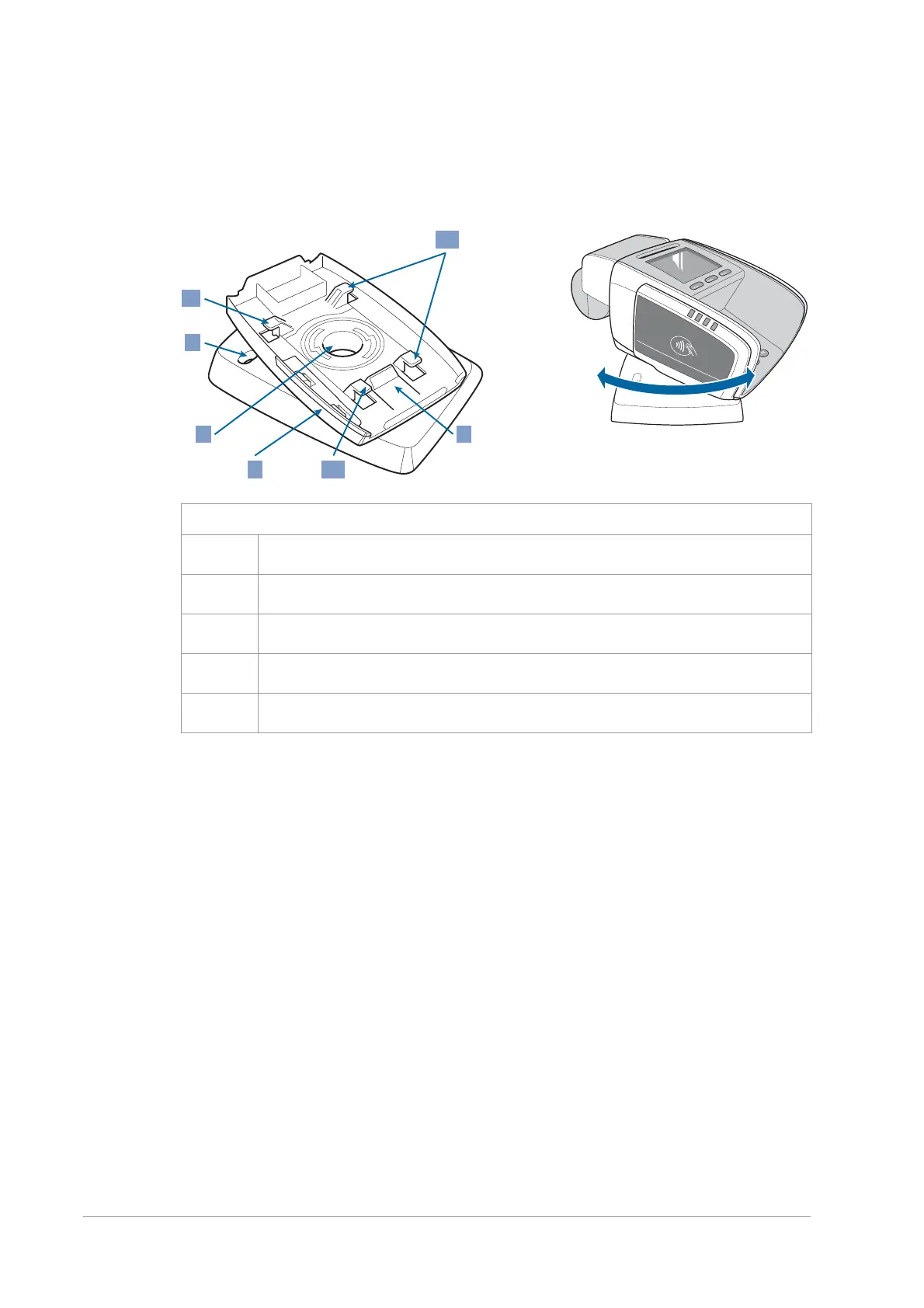
• the terminal clicks on to the swivel in the same way it clicks on to the fixation plate
• the swivel can be left free-standing, or fixed to the counter
Guide cables through the bottom of the swivel before clicking the terminal in place. See
Installing a swivel – optional [xref] for more information.
Figure 15. Swivel
1 terminal fixation snaps
2 terminal release lever
3 side lip (remove when installing/using a contactless reader)
4 central cable opening
5 hole for fastening screw (one at each corner)


 To Next Page