YOMANI ML/XR
OWNER MANUAL
24 unrestricted
last updated 3 May 16 document release 2.2 ymn_installing.fm
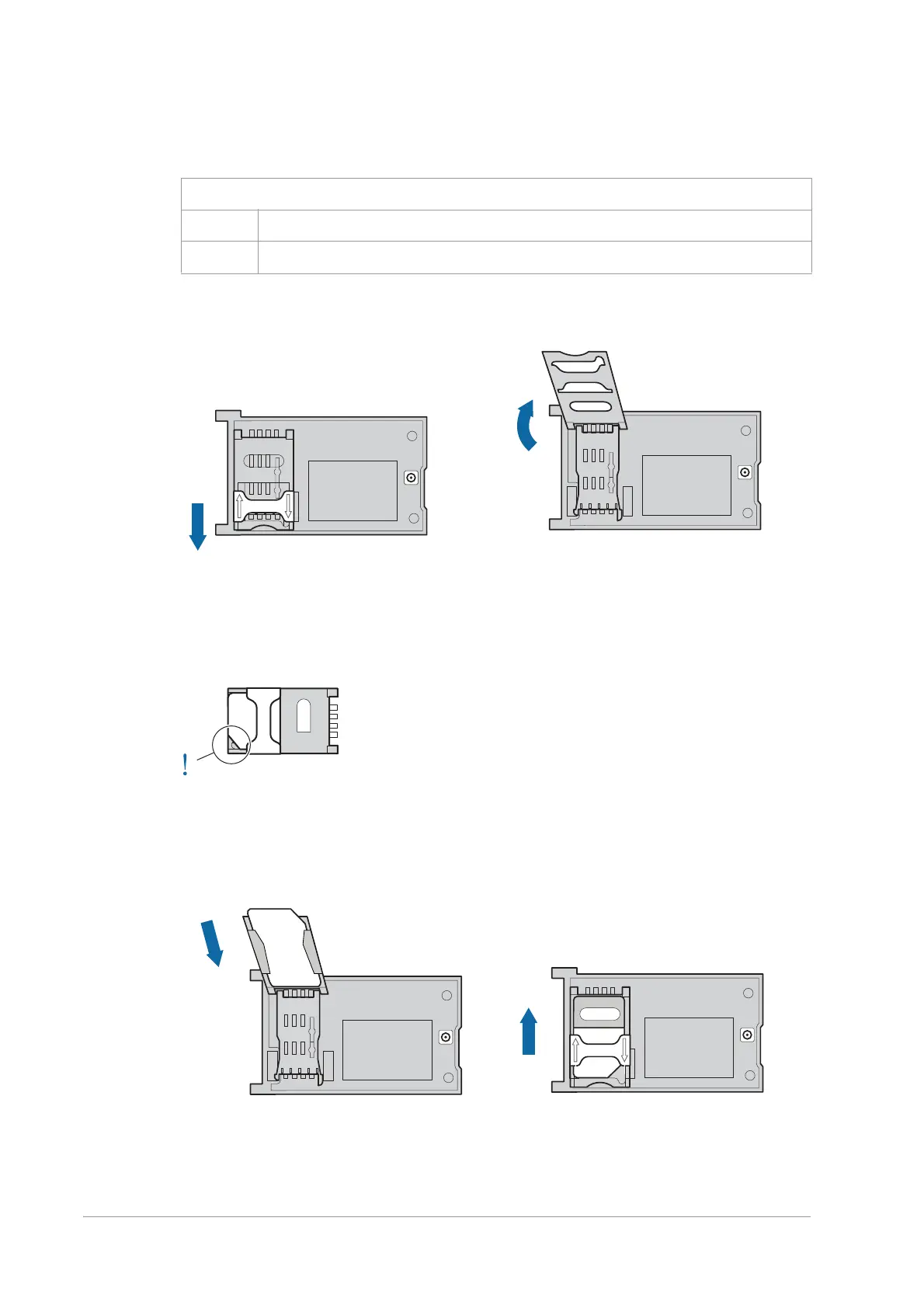
4. Locate the SIM-card holder on the interface board and open the latch: slide the
latch towards the open end of the holder till it clicks.
Figure 26. Opening SIM-card holder
5. Open the SIM-card holder, and insert the SIM as shown in the diagram.
6. Make sure that the bevel on the card fits behind the corner, and that the SIM is
completely inserted.
Figure 27. SIM correctly fitted in holder
7. Close the SIM-card holder and slide the latch away from the open end of the
holder till it clicks.
Figure 28. Fitting SIM and closing holder
Figure 25. 2G/3G interface board with antenna connection
1 interface board
2 antenna cable (connected)
open
holder



 To Next Page