unrestricted 39
ymn_using.fm document release 2.2 last updated 3 May 16
YOMANI ML/XR
OWNER MANUAL
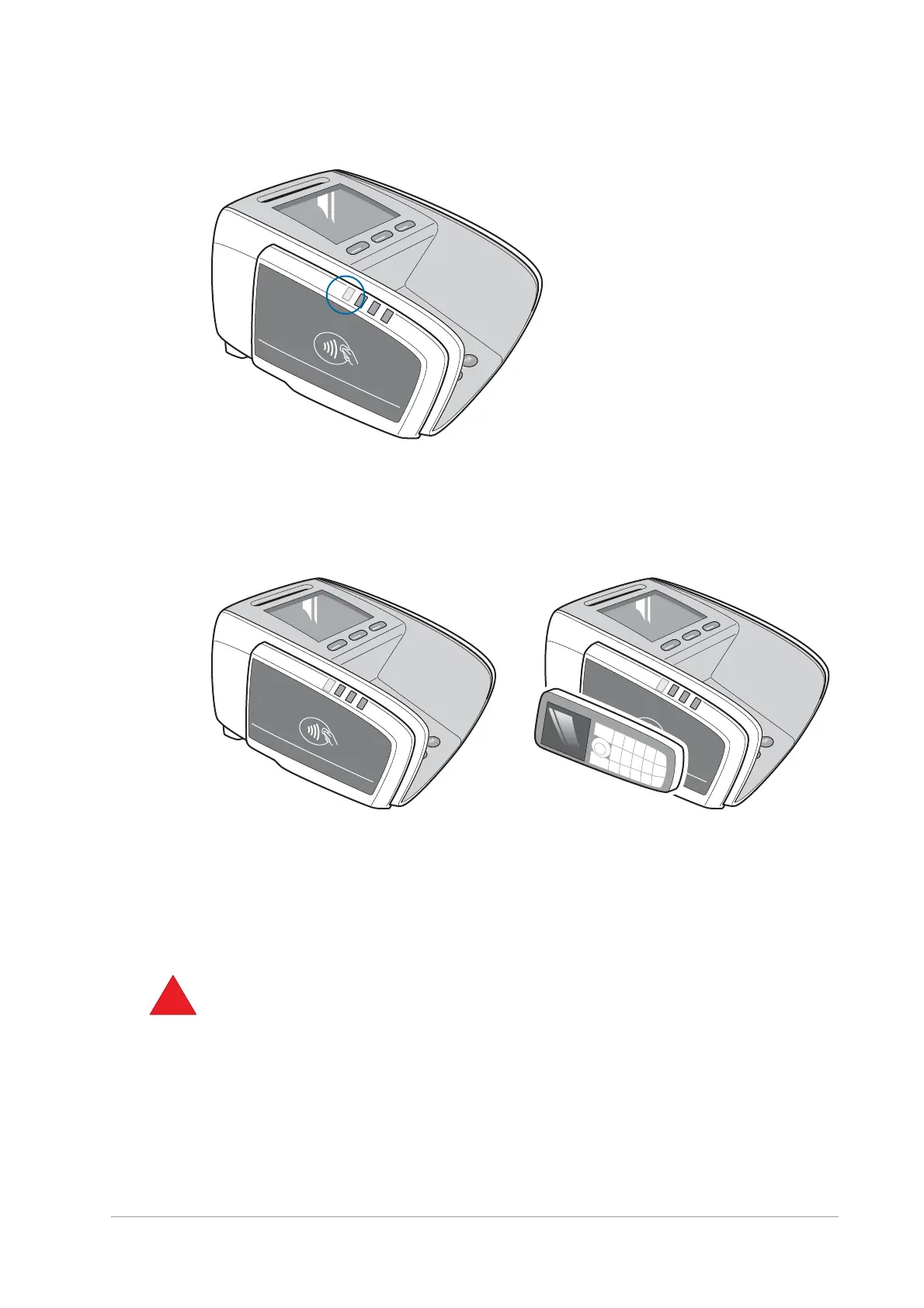
Figure 44. Contactless reader active LED
2. Tap the contactless card or device on the landing zone of the contactless reader.
The landing zone, marked by the Contactless symbol, indicates the spot where the
radio frequency signal is the strongest.
Figure 45. Tapping a contactless card or device
The three LEDs towards the front of the contactless reader provide feedback on the card
reading progress. Their exact behaviour depends on the payment scheme or the
application. A beep notifies customers that they must take their card or device away from
the active field.
The audible cue for “transaction successfully completed” must be heard from the terminal
at the end of the transaction.


 To Next Page