YOMANI ML/XR
OWNER MANUAL
28 unrestricted
last updated 3 May 16 document release 2.2 ymn_installing.fm
Installing a fixation plate – optional
The fixation plate is used to attach the YOMANI to the counter or another fixed surface.
This makes the terminal more stable, and helps keep cables tied neatly together.
1. If your YOMANI has a contactless reader, remove the side lip from the fixation
plate.
Figure 33. Removing the side lip from a fixation plate
2. Make sure the surface where you are going to attach the fixation plate is flat.
3. Attach the fixation plate to the counter surface using either:
– four fixing screws, passing through the oval holes of the plate
Use screws that are appropriate for the surface under the fixation
plate.
– non-damaging means, such as double-sided adhesive tape or Velcro
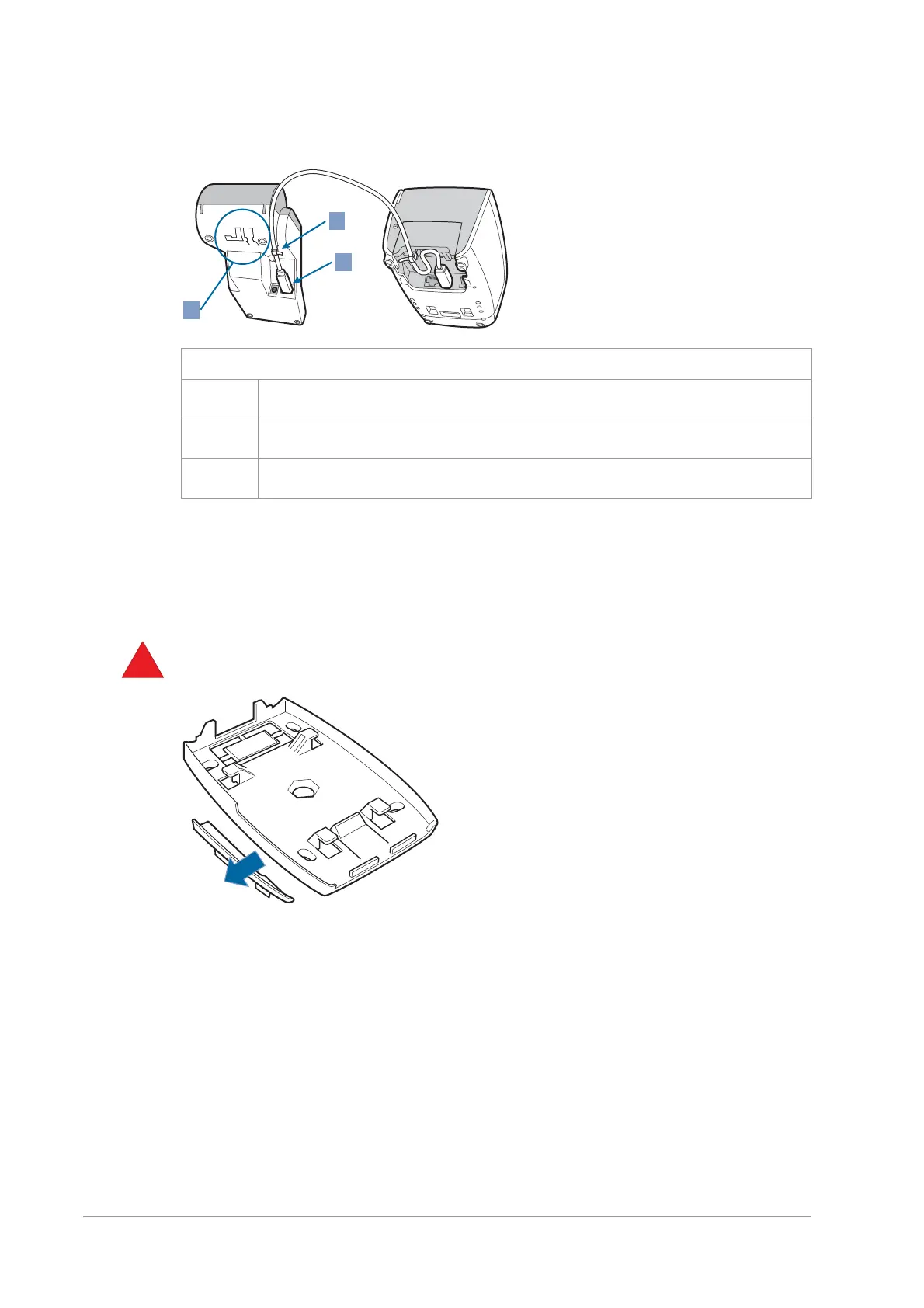
Figure 32. Tie-wrapping USB cable to Merchant Unit
1 USB cable strain relief
2 USB host socket, for connecting to terminal
X do not use


 To Next Page