YOMANI ML/XR
OWNER MANUAL
16 unrestricted
last updated 3 May 16 document release 2.2 ymn_installing.fm
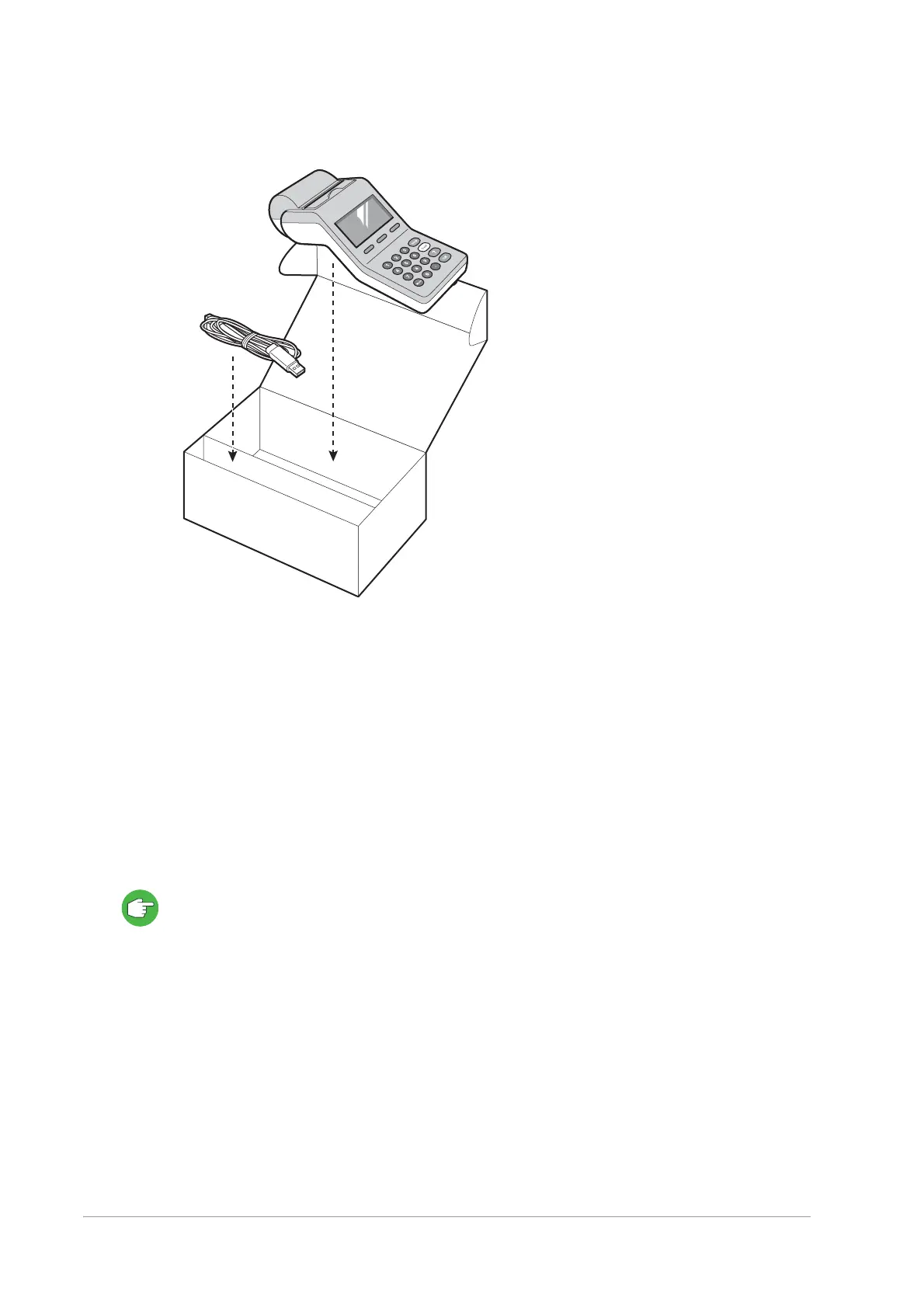
Figure 16. Merchant Unit package
1. Check whether the contents of the package are complete.
You should find at least the following parts:
– Merchant Unit
– USB cable for connecting to the YOMANI
If either of them is missing, contact your vendor immediately.
2. Inspect the box and its contents for damage.
If any of the contents have been damaged, immediately contact your shipping
company and notify your vendor.
Save the cartons and packing material for repacking or moving your equipment in the
future.
Selecting a location
Finding a proper location is an important aspect of installing your YOMANI.
If you are using an optional Merchant Unit, for example, you need to find a place where
the merchant can easily enter the amount to be paid.
Follow the guidelines below to find a location that is convenient for both you and your
customers, and make sure that:


 To Next Page