unrestricted 23
ymn_installing.fm document release 2.2 last updated 3 May 16
YOMANI ML/XR
OWNER MANUAL
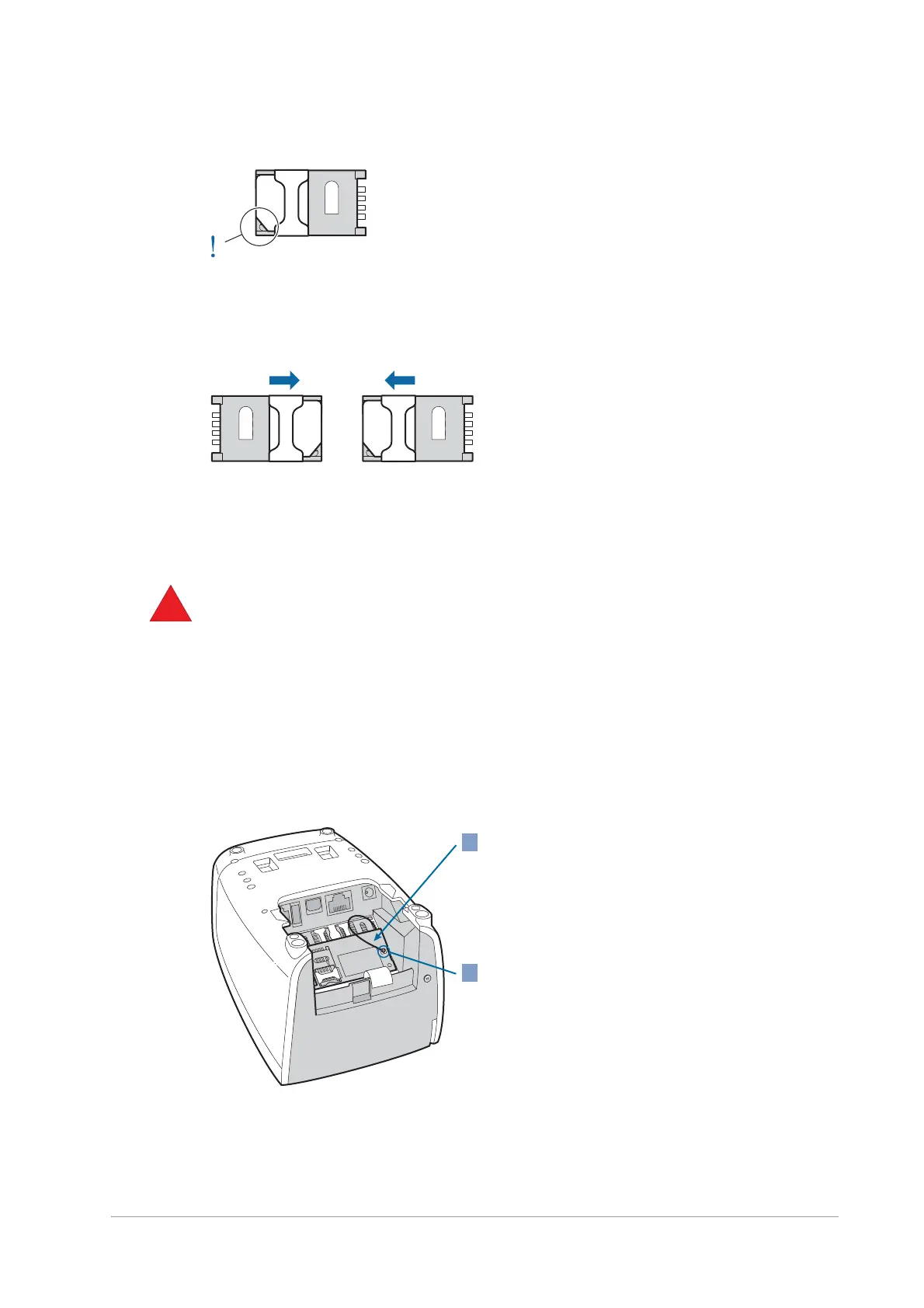
Figure 23. SAM correctly fitted in holder
6. Close the SAM-card holder and slide the latch away from the open end of the holder
till it clicks, to close it.
Figure 24. Closing the SAM-card holders
7. Make sure both the SAM-card holders are closed, then replace the SAM-slot cover.
Installing SIM card – optional
Avoid electrostatic discharge, as this can severely damage the equipment. For
guidelines on minimizing the risk of electrostatic discharge, see the Safety
recommendations, on page [xref].
1. Make sure the YOMANI is not connected to a power supply: disconnect the
mains adaptor or the USB cable, depending on how your terminal is powered.
2. Remove the SAM-slot cover.
To release and open the cover, press on the lower part of the cover with your
thumb in the direction indicated by the arrow [xref to fig. 19]
3. Make sure the 2G/3G interface board has been installed and the antenna
cable has been connected.
2
1


 To Next Page