8
Introduction
Connect the handheld to the cable assembly
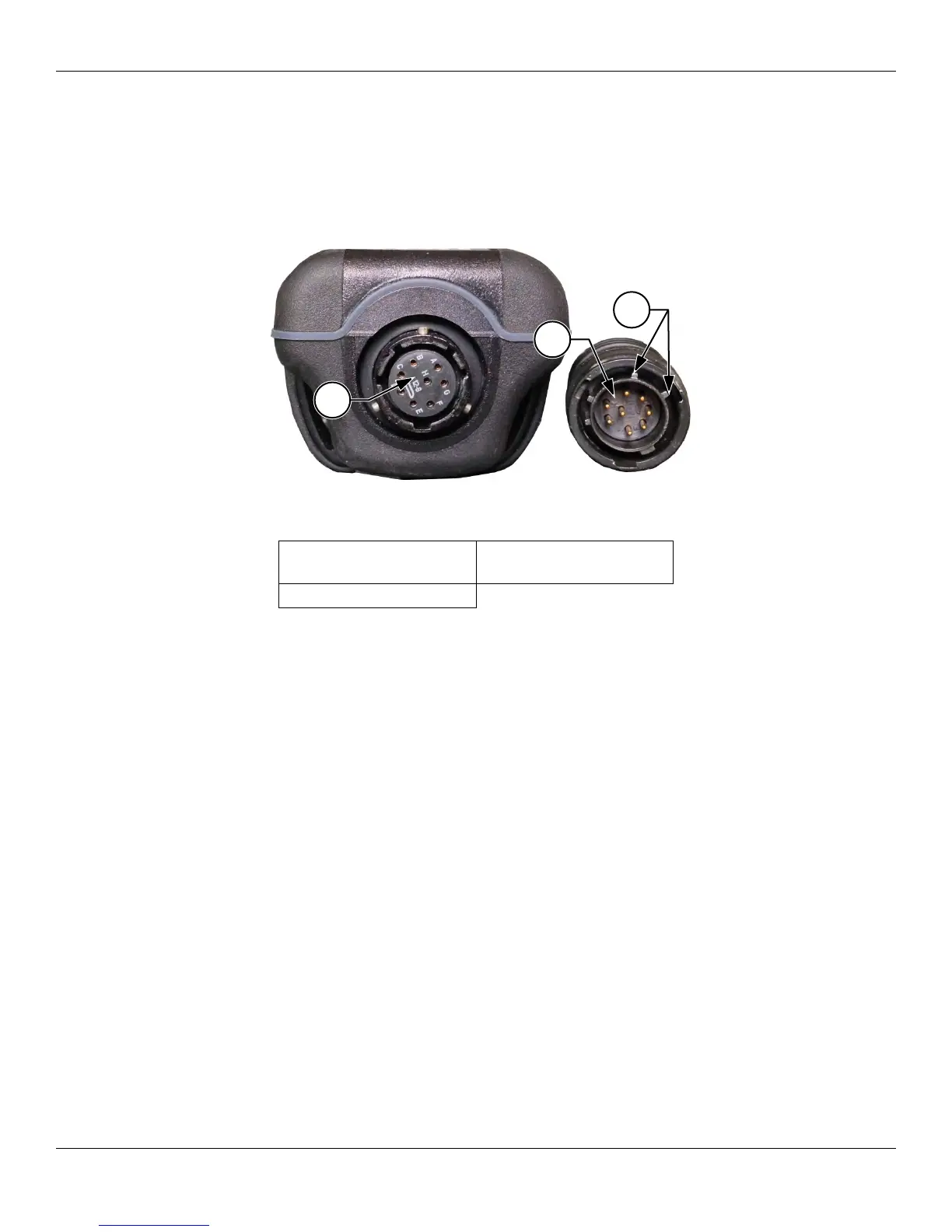
The ProDSS cable connectors are keyed for positive mating and to prevent connector damage (Figure 3). The ProDSS
instrument retains its IP-67 rating when the cable is disconnected. However, the connectors are not wet-mateable and
should be clean and dry before connecting.
Align the keys on the cable assembly connector with the slots on the instrument connector. Push together firmly, then
twist the outer ring clockwise until it locks into place.
Figure 3 Keyed connectors
1 Handheld female
connector
3 Keyed area of
connectors
2 Cable male connector
1
2
3




 To Next Page