15
Operation
Main display description
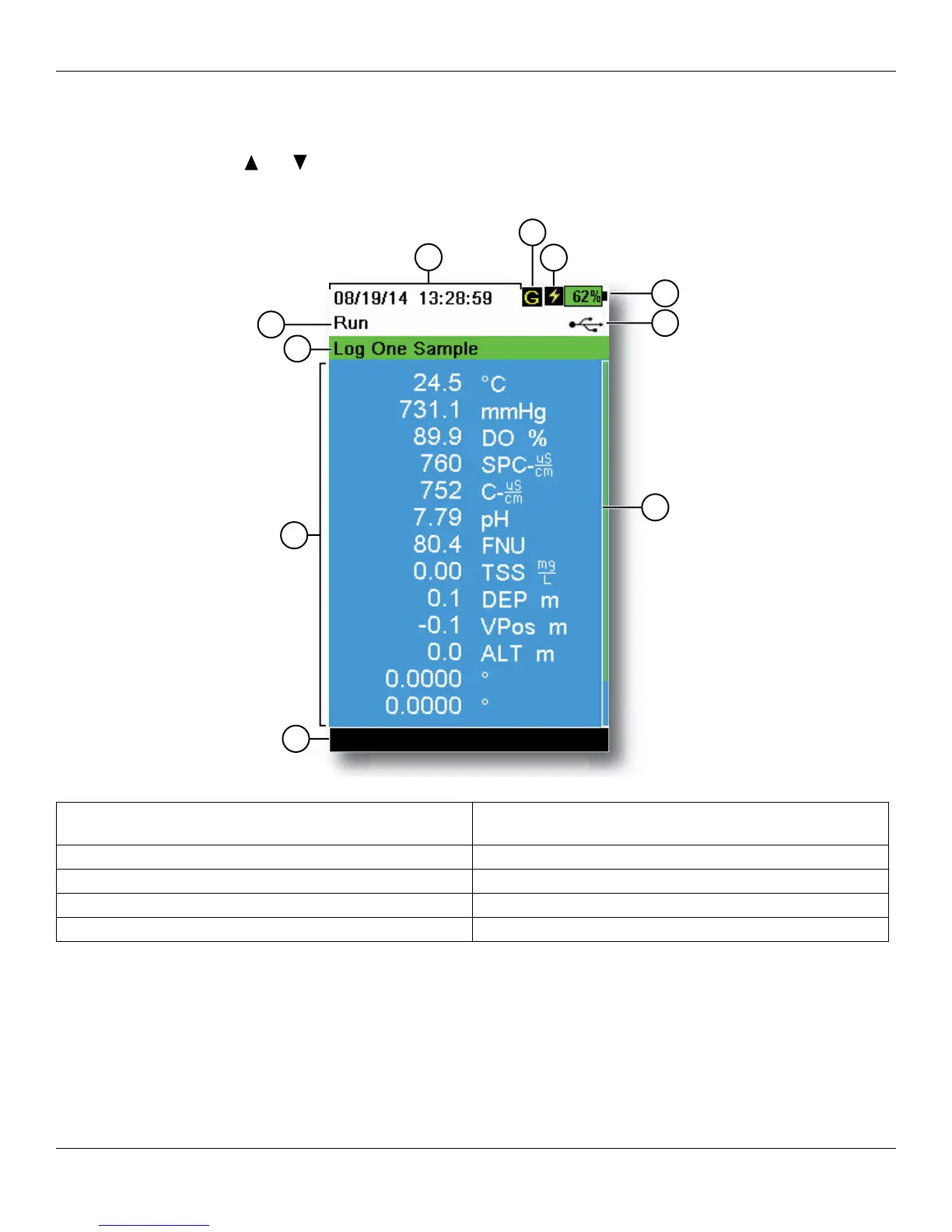
The main display (Run screen) shows the current measurements as defined in the Sensor Display menu
(Sensor Display on page 25). If more measurements are selected than can be displayed on the Run screen, a scroll
bar will be shown. Use the and arrow keys to view the additional measurements (Figure 9).
The message area shows status messages, error messages, and information about selected functions.
Figure 9 Main display example
1 Log or sampling (update measurements) prompt on
Run screen (single or continuous)
6 Battery charge %
2 Current screen/menu 7 USB/PC connection indicator
3 Date/Time 8 Scroll bar
4 GPS signal indicator 9 Message area
5 Battery charging indicator 10 Displayed measurements
2
3
1
4
5
6
7
9
10
8




 To Next Page