11
Introduction
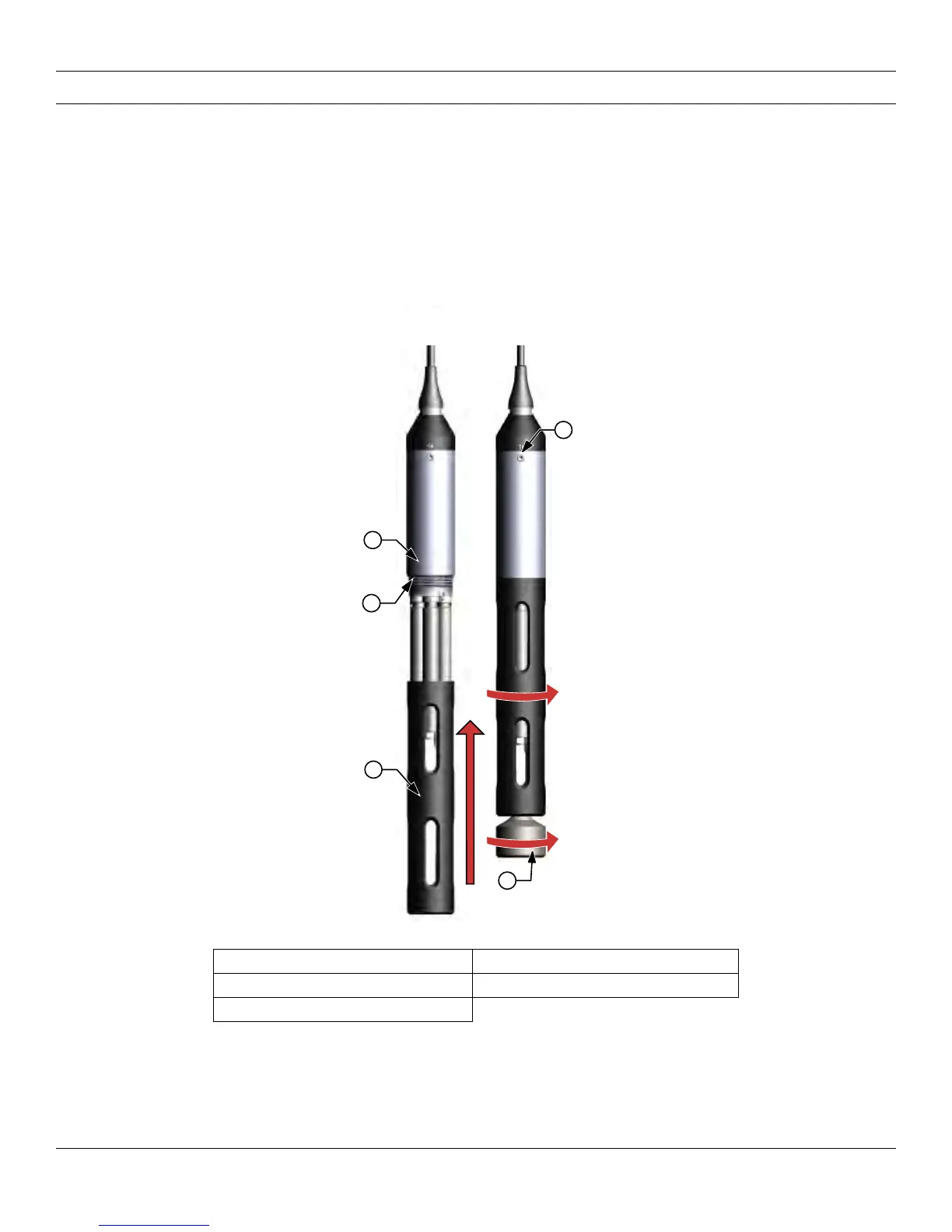
Sensor guard and weight installation
1. Carefully slide the sensor guard over the bulkhead and attached sensors/port plugs. Push the sensor guard
toward the bulkhead until the sensor guard threads align with the bulkhead threads.
2. Carefully finger-tighten the sensor guard clockwise.
NOTICE: If any resistance is felt, loosen the sensor guard completely to prevent cross-threading. Incorrect
installation may cause damage to the sensor guard or bulkhead that is not covered by the warranty.
NOTICE: Do not submerge the bulkhead without a sensor or port plug installed in all ports.
Figure 6 Sensor guard and weight installation
1 Sensor guard 4 Depth sensor (if equipped)
2 Bulkhead 5 Weight
3 Bulkhead threads




 To Next Page