30
Operation
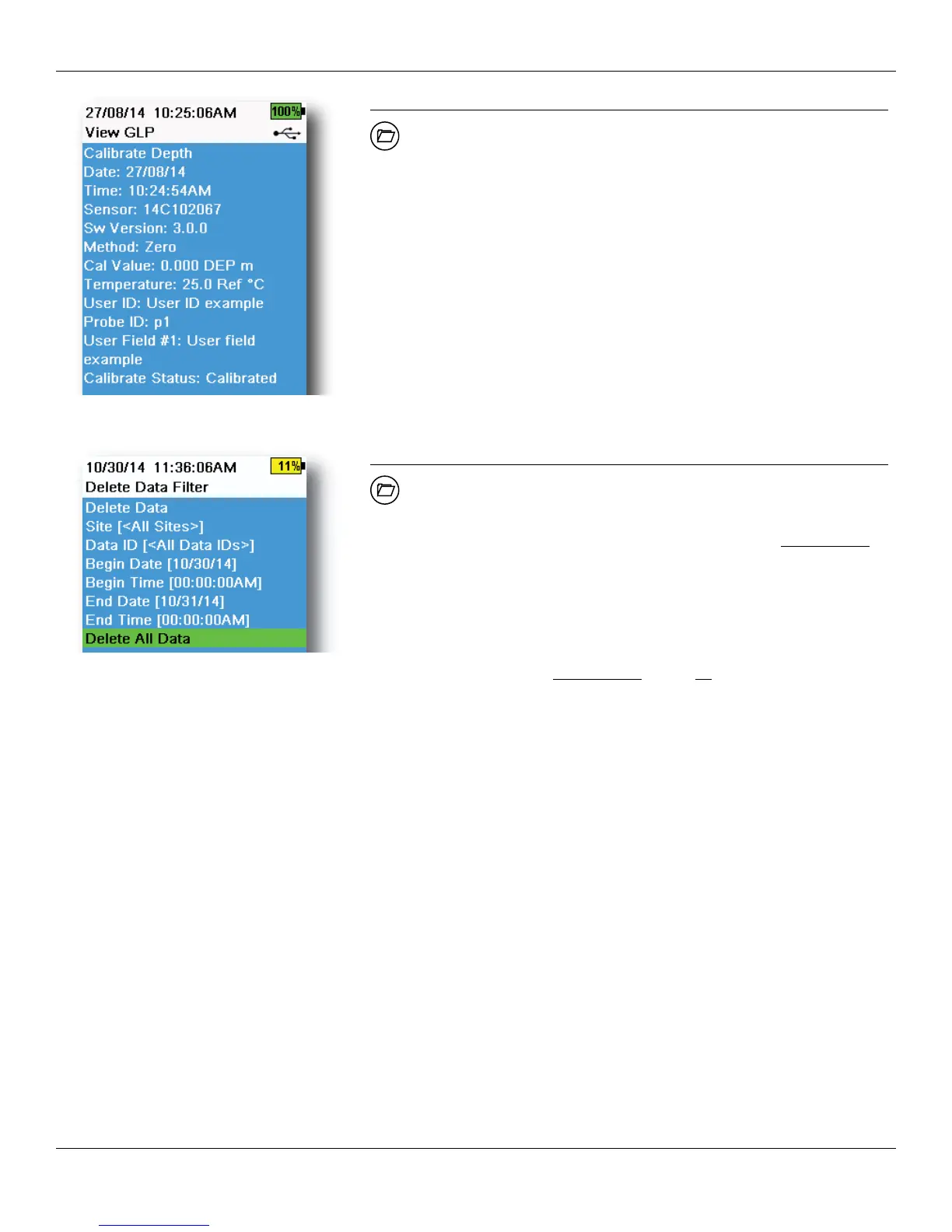
Figure 39 View GLP
View GLP
→ View GLP
Select View GLP to show the stored sensor calibrations (Figure 39).
Use the arrow keys to scroll through the GLP file data.
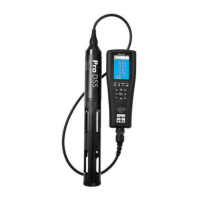
Figure 40 Delete Data Filter
Delete Data
→ Delete Data
Enter the desired filter criteria, then select Delete Data to permanently
delete the data (Figure 40).
NOTE: If filter criteria are not selected, all logged data will be
permanently deleted.
Select Delete All Data to permanently delete all logged data from the
ProDSS.




 To Next Page