GSM/CDMA/WCDMA/4G(LTE) MOIP Gateway
YX Technical department ~ 14 ~
6 Status Information
6.1 Call Status
6.1.1 Call Status
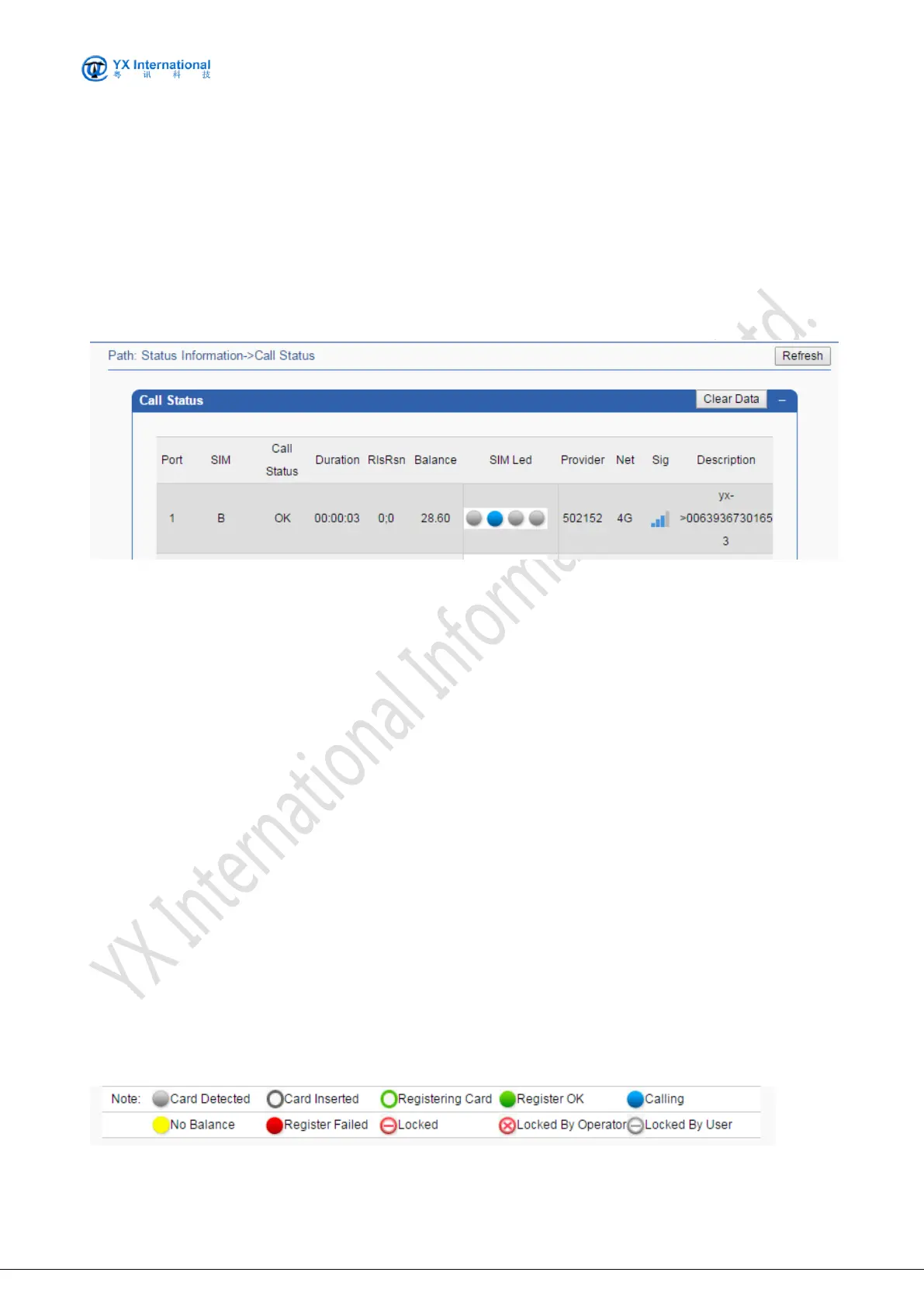
The screenshot below shows the live SIM status.
The status columns are specified as following:
Port: The physical port sequence from 1 to8/16/32/64.
SIM: SIM Card slot number in use.
Call State: Specify the call status.
Duration: Specify the call duration.
RlsRsn: Hang up the reason code(On the left is the Moblie hang-up code, on the right is the
VOIP hang-up code)
Balance: Specify the current balance of the card in this port.
SIM Led: shows the MOIP Gateway port LED status. Different LED
Provider: The mobile provider that system detects.
Net: The current mobile network model(2G/3G/4G),need device support
Signal Intensity: Specify the mobile signal intensity.
ASR: Shows the port of ASR statistics.
ACD: Shows the port of ACD statistics.
Description: Specify the card dialing number status.
Clear Data: Clear ASR and ACD data, restart statistics.
Note:
LED A/B/C/D(.01-.16) displays in accordance with the lights on the front board of MOIP Gateway.
Port 1 to 4/8/16/32/64 relate to the physical port of MOIP Gateway. The following table shows the
relationship between LED color and port status.( When registering a card, the description of the
card may not be displayed in real time. Please refer to the information displayed on the icon)


 To Next Page