GSM/CDMA/WCDMA/4G(LTE) MOIP Gateway
YX Technical department ~ 35 ~
Consecutive Failed Calls: Gateway will start port inter calling when reaches the
consecutive failed calls.
By Consecutive: Gateway will start port inter calling when reaches the consecutive calls.
Total Call Duration: Gateway will start port inter calling when reaches the call duration.
According to the actual situation, input the reasonable numerical.
7.12 SIM Num Settings
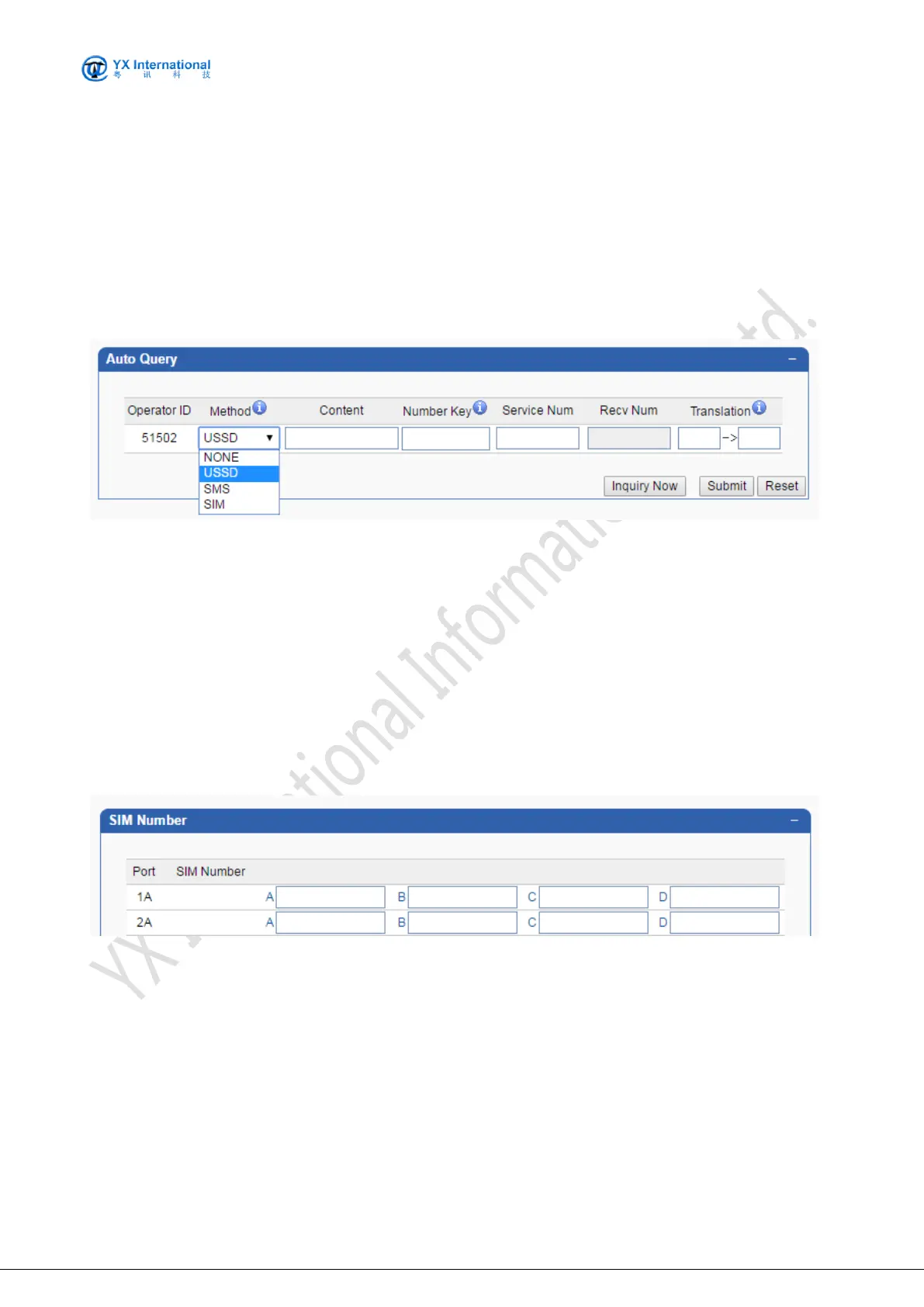
The screenshot below shows the operation mode to get Local Number by USSD
Fields are specified as following:
Method: when enable it, gateway will get the SIM number by USSD command/SMS
command /SIM storage
Content: Specify the USSD command/SMS command for querying SIM number.
Number Key : Here to fill in the SIM card number in front of a few characters (Please refer to
the mobile settings inside the balance query keyword setting method)
Prefix Translation: change the SIM number prefix(You can remove the country code, the
device is displayed as local number).
The screenshot below shows the operation mode to set local number manually.( If the above
methods are unable to obtain the number, you can also manually enter the number here)
Fields are specified as following:
Port No: The MOIP Gateway mobile port. Each port contains one or four card slots. Port No
starts from 1 to 64.
Number A: Specify the number for card A of the port
Number B: Specify the number for card B of the port
Number C: Specify the number for card C of the port
Number D: Specify the number for card D of the port
Number More..


 To Next Page