GSM/CDMA/WCDMA/4G(LTE) MOIP Gateway
YX Technical department ~ 49 ~
9.5.2 Device Settings
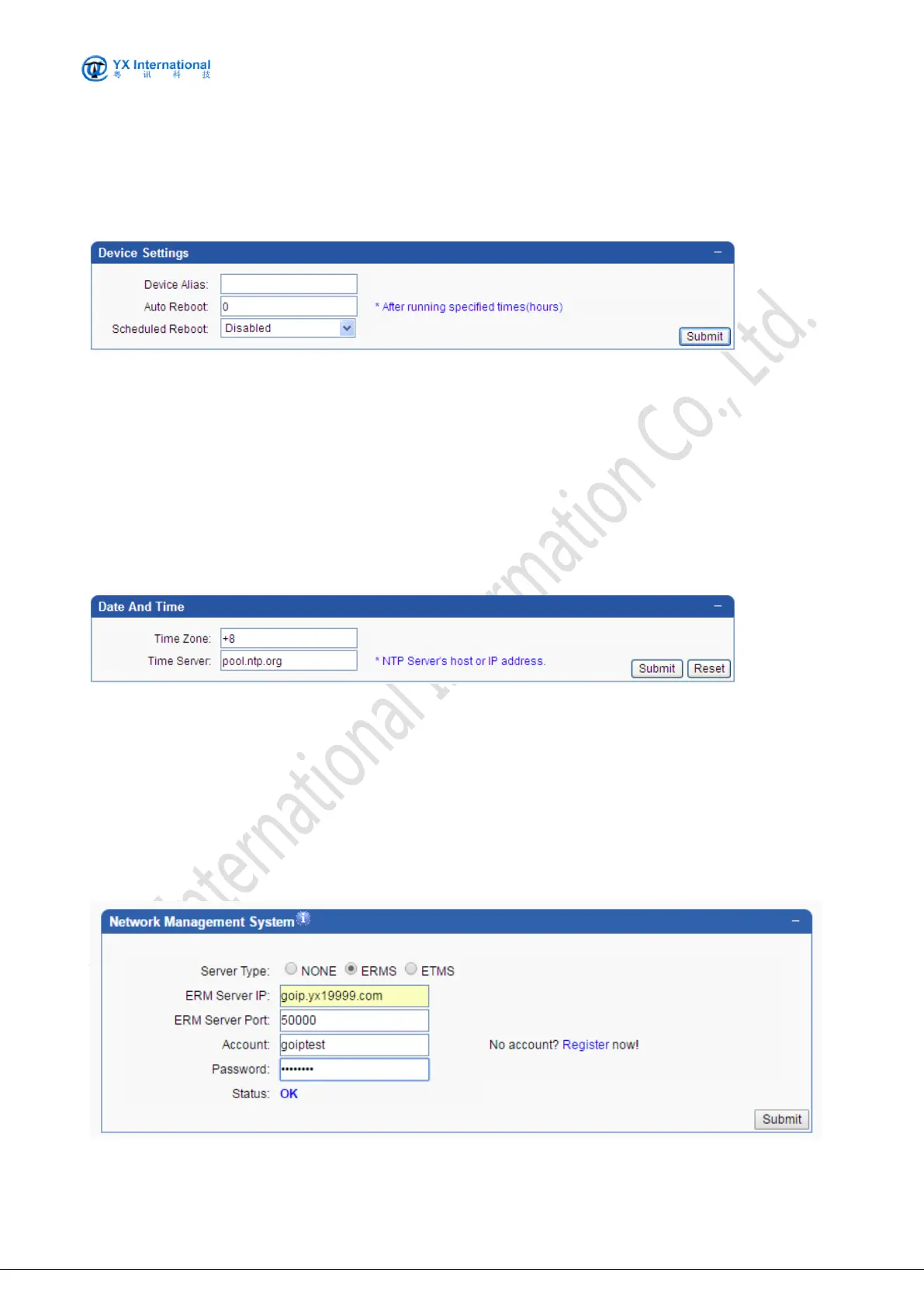
The screenshot below shows the operation mode to set Device settings.
Fields are specified as following:
Device Alias: Specify the device alias.
Auto Reboot: Specify the auto reboot time.
Scheduled Reboot: Specify the scheduled reboot time.
9.5.3 Date And Time
The screenshot below shows the operation of date and time settings.
The default time zone is UTC+8, you can change the time zone as your country. For example,
Bangladesh is UTC+6, and change as +6. If your device is not touch with the internet and want to
get accurate time, the time server will help.
9.5.4 Remote Mangement
The screenshot below shows the operation mode for remote management.


 To Next Page