Page - 14/81 AFCZP0BC- COMBIACX & ACEX - User Manual
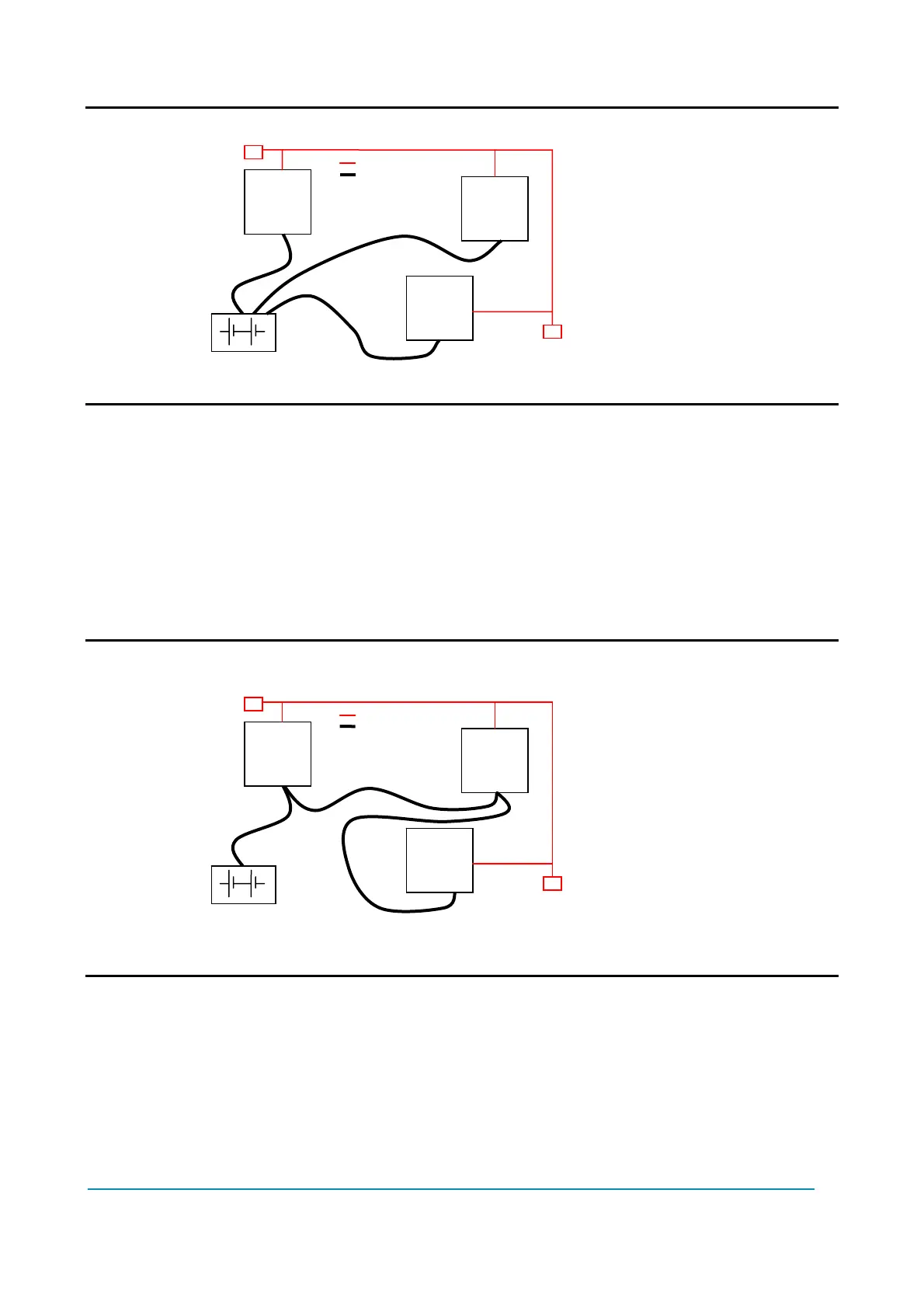
U Wrong Layout:
The red lines are can wires.
The black boxes are different modules, for example traction controller, pump
controller and display connected by Canbus.
The black lines are the power cables.
This is apparently a good layout, but can bring to errors in the can line.
The best solution depends on the type of nodes (modules) connected in the
network.
If the modules are very different in terms of power, then the preferable
connection is the daisy chain.
U Correct Layout:
Note: Module 1 power > Module 2 power > Module 3 power
The chain starts from the –BATT post of the controller that works with the highest
current, and the others are connected in a decreasing order of power.
Otherwise, if two controllers are similar in power (for example a traction and a
pump motor controller) and a third module works with less current, the best way
to deal this configuration is to create a common ground point (star configuration)
Module
1
Module
2
Module
3
Module
1
Module
2
Module
3



 To Next Page