MAIN MENU My Nomad / Primary Card
25
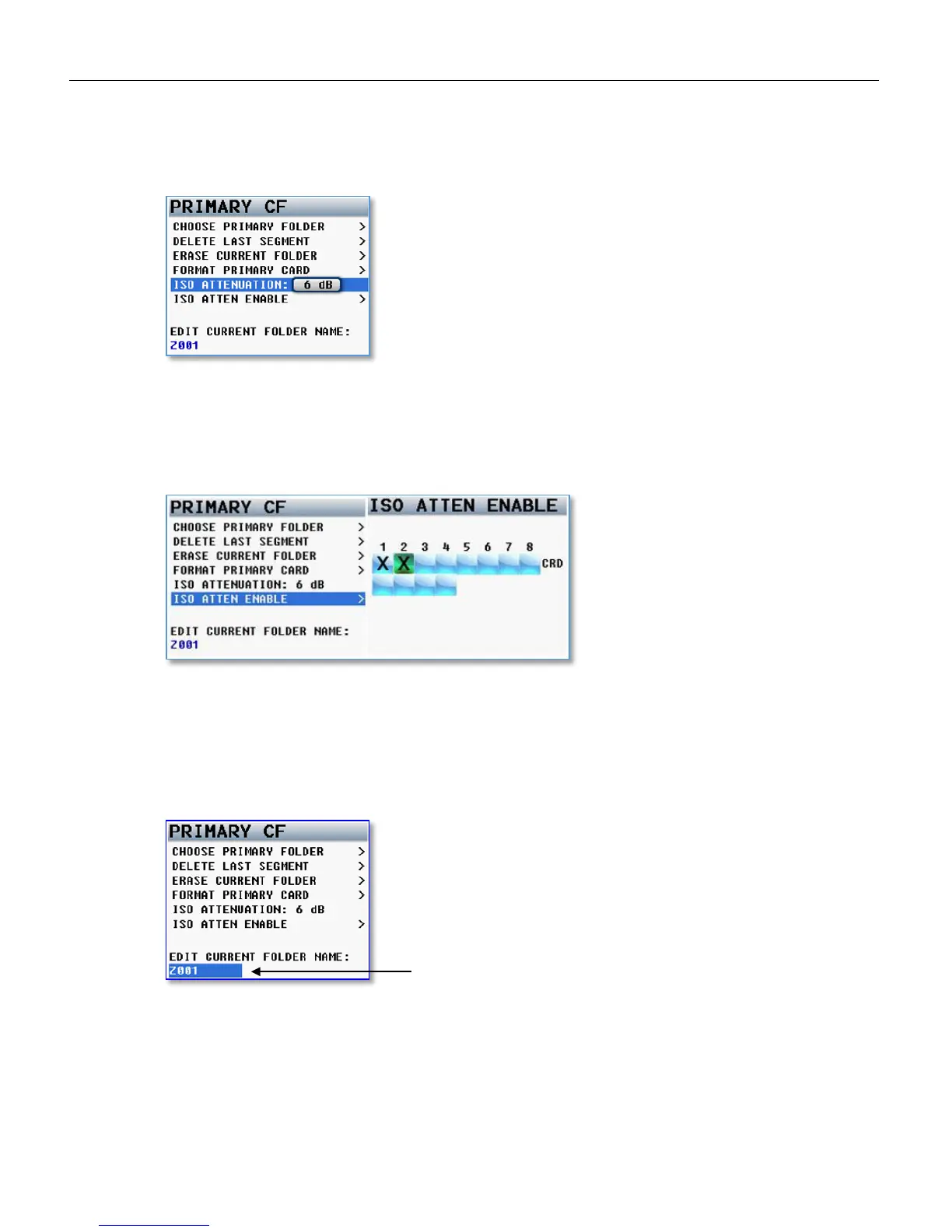
ISO Attenuation
The NeverClip™ inputs allow large signals to travel through the digital mixing engine using 32 bit floating
point numbers. Once these large signals are recorded into a 24-bit WAV (or MARF) file, the advantage of
floating point math is lost and these signals can clip if you don’t use a card limiter.
ISO Attenuation allows ISO record tracks to be attenuated by a user selectable fixed amount of 6, 12, 18 or
24 dB. This allows audio to be recorded, even if its dynamic range would normally be too large. This gain
reduction is stored in the metadata of the WAV file so post production can restore the amplitude of the ISO
tracks when necessary.
ISO Attenuation Enable
This matrix allows you to select which card record tracks will be attenuate when the ISO attenuation has
been turned on.
Edit Current Folder Name
Each record folder can be named to identify its contents. When naming a folder you can use up to 19
characters for each folder name.
Edit Folder Name
1. Scroll down to the Edit Current Folder Name.
2. Press the MENU knob to highlight the folder name and to access the enter text menu.
3. Name the folder keeping in mind that the folder name needs to be seven characters or less,
and cannot contain spaces or symbols.
Current folder name



 To Next Page