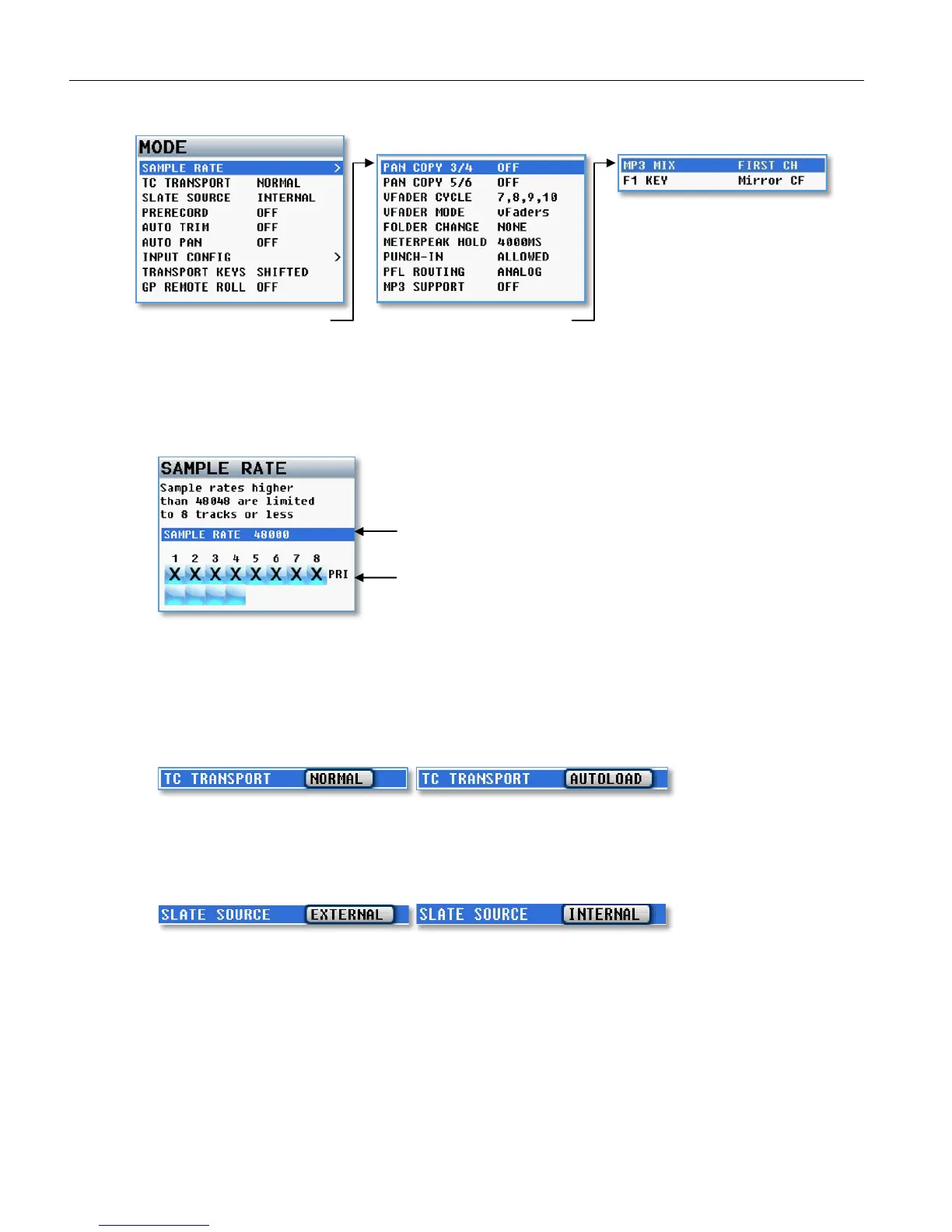
MAIN MENU Mode Menu
34
Mode Menu
Scroll for additional menu items Scroll for additional menu items
Sample Rate Select
Nomad can record the following sample-rates: 44100, 47952, 48000, 48048, 88200, 96000. If recording
sample rates of 48048 or higher you are limited to 8 tracks or less. In the sample rate select menu you
can enable / un-enable record tracks.
TC Transport
Time code transport adjusts the way Nomad will go into record mode.
• Normal - Nomad will go into record when the record button is pushed.
• Auto Load - Nomad will go into to record with it senses record run time code coming from an external
source
.
Slate Source Select
Selects if internal slate microphone located on the front panel of Nomad, or an external slate
microphone that is connected to the external slate microphone input jack on the side of Nomad - will be
used when the SLT key is pressed.
Selected Sample Rate



 To Next Page