Page 4.3
Software Considerations
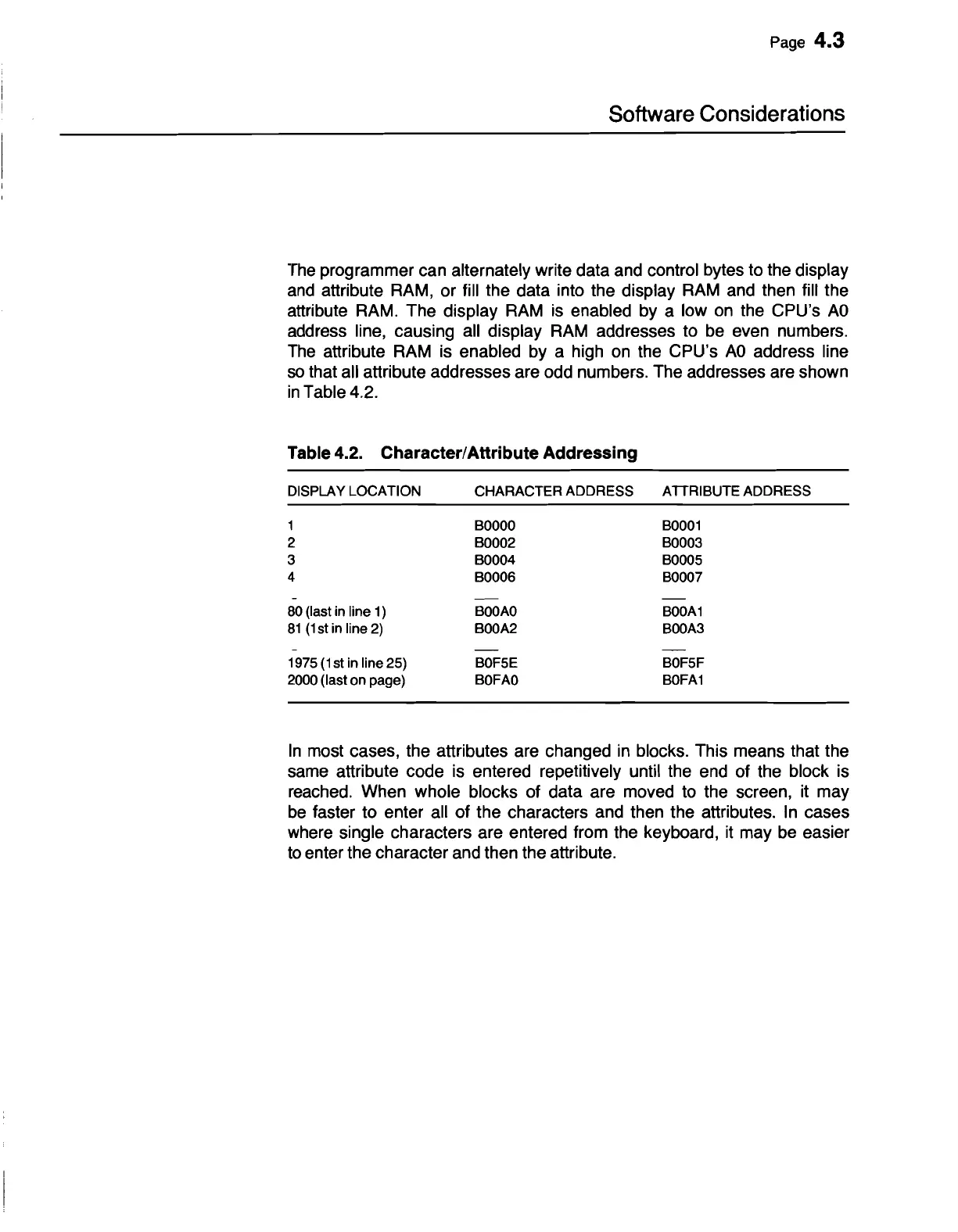
The
programmer can alternately write data and control bytes to the display
and
attribute RAM, or fill the data into the display
RAM
and then fill the
attribute RAM. The display
RAM
is
enabled by a low
on
the CPU's
AD
address line, causing all display
RAM
addresses to
be
even numbers.
The
attribute
RAM
is enabled by a high
on
the CPU's
AD
address line
so
that all attribute addresses are odd numbers. The addresses are shown
in
Table 4.2.
Table 4.2. Character/Attribute Addressing
DISPLAY
LOCATION
CHARACTER
ADDRESS
ATIRIBUTE
ADDRESS
1
BOOOO
BOO01
2
BOO02
BOO03
3
BOO04
BOO05
4
BOO06
BOO07
80
(last
in
line
1)
BOOAO
BOOA1
81
(1
st
in
line
2)
BOOA2
BOOA3
1975
(1st
in
line
25)
BOF5E
BOF5F
2000
(last
on
page)
BOFAO
BOFA1
In
most cases, the attributes are changed
in
blocks. This means that the
same attribute code is entered repetitively until the end of the block is
reached. When whole blocks of data are moved
to
the screen, it may
be
faster to enter all of the characters and then the attributes.
In
cases
where single characters are entered from the keyboard,
it
may
be
easier
to
enter the character and then the attribute.


 To Next Page