EasyManua.ls Logo

Zenith XBV243 - User Manual

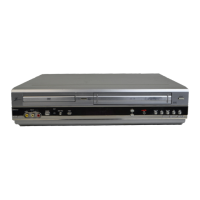
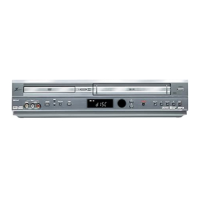
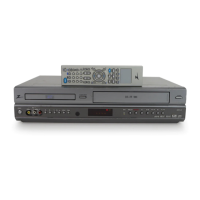
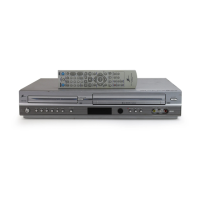
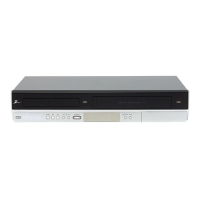
Zenith XBV243
38 pages
Print Icon
To Next Page IconTo Next Page
Loading...
© Copyright 2002, Zenith Electronics Corporation
Installation and Operating Guide | Warranty
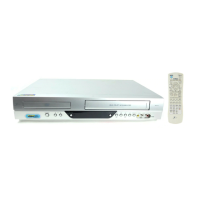
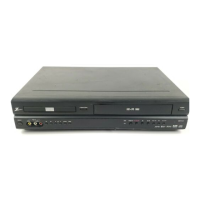
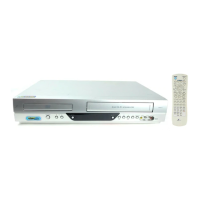
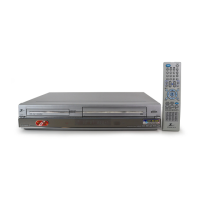
Model Number | XBV243 | DVD Player + Video Cassette Recorder

Table of Contents

Other manuals for Zenith XBV243

Questions and Answers

  • L
    Lacey EllisSep 13, 2025
    Why are channels skipped on my Zenith XBV243?
    • J
      Jacob MossSep 13, 2025
      If some channels are skipped when using CH/TRK (v/V) on your Zenith DVD VCR Combo, it's likely because those channels were deleted with the ADD/DEL CH. option. Use ADD/DEL CH. to restore the channels.
  • H
    Heather JonesSep 12, 2025
    What to do if camcorder image is not shown on Zenith DVD VCR Combo?
    • K
      Kathy MontgomerySep 12, 2025
      If the camcorder image isn't showing on your Zenith DVD VCR Combo, try the following: * Ensure the camcorder is turned on and operating properly. * Press INPUT to select the LINE input channel (LINE1 or LINE2) if the DVD+VCR INPUT SELECT is not set to A/V input to DVD+VCR LINE1 or LINE2.
  • L
    lisaperkinsSep 12, 2025
    Why Stereo Audio Record and/or Playback is not present on Zenith XBV243?
    • W
      William BallSep 12, 2025
      If stereo audio record and/or playback is not present on your Zenith DVD VCR Combo, check these possible causes: * If your TV is not Stereo-compatible, no action is possible. * If the broadcast program is not in stereo format, no action is possible. * Make A/V connections between DVD+VCR A/V Out jacks and TV A/V In jacks. Stereo is available only via A/V output from DVD+VCR. * Select AUX or A/V source as TV input for DVD+VCR Audio/Video Out. * Set BROADCAST TYPE mode to STEREO if it is set to SAP or MONO.
  • L
    Laura TuckerSep 10, 2025
    What to do if picture and sound are weak on Zenith DVD VCR Combo?
    • P
      Patricia McgeeSep 10, 2025
      If the picture and sound of a broadcasting channel are weak or missing on your Zenith DVD VCR Combo, try these steps: * Tighten any loose antenna or cable connections, or replace the cable. * Try all CHANNEL SOURCE options.
  • T
    Tony LongSep 9, 2025
    How to improve poor playback picture on Zenith XBV243 DVD VCR Combo?
    • S
      Sandra SmithSep 9, 2025
      If the playback picture quality is poor on your Zenith DVD VCR Combo, consider these solutions: * Clean the disc. * Clean the video heads. * If using a rental tape or one recorded on another VCR, use CH/TRK (v/V) for manual tracking adjustment while the tape is playing.
  • S
    Sarah GuerreroSep 8, 2025
    Why is timer recording not possible on my Zenith DVD VCR Combo?
    • Y
      Yolanda AdamsSep 8, 2025
      If timer recording isn't working on your Zenith DVD VCR Combo, check the following: * Ensure the clock in the DVD+VCR is set to the correct time. * Make sure the DVD+VCR is turned off to enable the timer (the TIMER indicator light should appear). * Reprogram the Timer if it has been programmed incorrectly. * If the TIMER indicator light doesn't appear, reprogram the timer and turn the DVD+VCR off. * Note that if the DVD+VCR is in Timer Recording mode, this is the normal indication.
  • M
    Michael Douglas Jr.Aug 23, 2025
    How to fix a Zenith VCR remote control that is not working?
    • J
      jjosephAug 23, 2025
      If your Zenith VCR remote control isn't working properly, ensure it's pointed at the VCR's remote sensor and that you are within 23 feet (7 meters). Remove any obstacles between the remote and the VCR. If the issue persists, replace the batteries with new ones.
  • R
    Renee CaseSep 6, 2025
    How to troubleshoot no sound on Zenith XBV243?
    • A
      ahensonSep 6, 2025
      If you're experiencing no sound with your Zenith DVD VCR Combo, try these steps: * Ensure the equipment connected to the audio cable is set to receive audio signal output. * Check that the audio cables are securely connected. * Verify that the equipment connected to the audio cable is powered on. * Confirm that the Digital Audio Output is set to the correct position, then turn the DVD+VCR on again.
  • D
    Dana ReynoldsSep 5, 2025
    What to do if there is no picture on my Zenith DVD VCR Combo?
    • B
      Brittany HayesSep 5, 2025
      If you're not getting a picture on your Zenith DVD VCR Combo, here are a few things to check: * Ensure your TV is set to the correct video input mode for the DVD+VCR signal. * Verify that the TV/VCR mode on the DVD+VCR is set to VCR (the VCR indicator light should be on). * Make sure the video cable is securely connected. * Confirm that your TV is turned on.
  • D
    David ScottSep 4, 2025
    Why is Stereo Audio Record and/or Playback is not present on Zenith VCR?
    • B
      Benjamin WilliamsSep 4, 2025
      If stereo audio record and/or playback is not present on your Zenith VCR, make A/V connections to the TV A/V In jacks. Select AUX or A/V source as TV input. Set BROADCAST TYPE mode to STEREO.

Summary

Safety Precautions

General Electrical Safety Warnings

Covers warnings about electric shock and opening the unit.

Fire and Moisture Prevention

Warns against exposing the apparatus to rain or moisture.

FCC Regulations and Warnings

Details FCC compliance and potential interference issues.

Copyright Information

Notes legal restrictions on copying material.

Product Identification and Serial Number

Instructions to record serial and model numbers.

Important Safety Instructions

Instruction Adherence and Power Safety

Emphasizes reading, following, keeping instructions, and power source safety.

Ventilation, Heat, and Electrical Hazard Warnings

Covers ventilation, heat, moisture, overloading, and electrical hazards.

Antenna, Lightning, and Object Entry Precautions

Guidance on antenna grounding, lightning, object entry, and attachments.

Accessory Use and Service Requirements

Covers safe accessory use, damage requiring service, and servicing procedures.

Disc Tray, Burden, and Connection Safety

Warnings about disc tray, product burden, connecting, and sound volume.

Laser Beam and Disc Handling Safety

Precautions regarding laser beams, disc handling, and sound distortion.

Before Use Guidance

Playable Discs and Handling Notes

Lists playable disc types and important notes for handling and storage.

Disc-Related Terminology

Explains terms like Title, Chapter, and Track for discs.

Remote Control Setup and Operation Range

Instructions for battery installation and operation range of the remote.

Unit Precautions and Setup

Unit Handling and Cleaning Precautions

Covers precautions for handling, setting up, and cleaning the unit.

Disc Handling and Cleaning Notes

Provides guidance on handling, storing, and cleaning discs.

Symbols and Output Source Setup

Explains symbols and how to set the output source for viewing.

Front Panel Controls Overview

Playback and Search Controls

Explains buttons for eject, skip, scan, play, stop, and pause functions.

Cassette and Disc Compartments

Details the cassette compartment and disc tray operation.

Display Window and Remote Sensor

Describes the display window indicators and remote sensor location.

Input;Output and Power Controls

Covers video/audio inputs and power controls.

Display Window Indicators

Playback Status Indicators

Explains indicators for DVD, CD, MP3, programming, and repeat modes.

Deck and Timer Status Indicators

Details indicators for VCR, Timer, Recording, and Copy processes.

Broadcast and Audio Indicators

Describes indicators for channel, SAP, Stereo, and Hi-Fi audio.

Speed and Time Indicators

Explains indicators for playback/recording speed and time.

Remote Control Functions

Playback and Mode Selection Buttons

Covers buttons for DVD/VHS select, POWER, TV/VCR.

Navigation and Menu Controls

Explains buttons for display, setup, menu navigation, and title selection.

Search, Record, and Special Function Buttons

Details buttons for recording, search, repeat, and special functions.

Playback Navigation and Special Features

Explains buttons for play, pause, stop, forward, backward, and zoom.

Rear Panel Connections

Video, Audio, and Digital Outputs

Details various video, audio, and digital output jacks.

Antenna and Auxiliary Input Connections

Covers antenna and auxiliary video/audio inputs.

RF Output and Power Connection

Explains RF output and AC power connection.

Device Connections

General Connection Tips and Cautions

Provides general advice for making connections and safety cautions.

Antenna;Cable TV Setup Without Cable Box

Guides on connecting antenna or cable TV without a converter box.

Cable Box Connection Guide and Notes

Instructions for connecting when using a cable box converter.

Connection Diagrams and Notes

Important notes and diagrams for rear panel connections.

TV Connection Methods

Basic TV Connection Methods

Explains RF coaxial and Audio/Video connections to a TV.

Setting RF Output Channel

Details how to set the RF output channel for the DVD+VCR.

Preferred Video;Audio Connections

Guides on using S-Video and Component Video connections.

Advanced AV Connections

Amplifier and Stereo System Connections

Instructions for connecting to amplifiers for stereo or surround sound.

Digital Audio and Multi-channel Setup

Details connecting digital audio and multi-channel sound systems.

Accessory Component Connections

Guides on connecting other accessory components via A/V jacks.

VCR Setup and Display

VCR On-Screen Display (OSD)

Explains the indicators and functions shown on the VCR's on-screen display.

VCR Menu Setup and Navigation

Guides on accessing and navigating the VCR's main and sub-menus.

VCR Setup and Channel Management

VCR Setup Menu Options

Details settings for screen display, language, audio mode, and broadcast type.

Channel Selection and Programming

Guides on setting up channels using auto-search and manual add/delete.

Clock Setting Procedures

Manual Clock Setting

Step-by-step guide for setting the clock manually.

Auto Clock Setting Feature

Explains how the auto clock feature works using XDS data.

DVD Playback Basics

DVD and Audio CD Playback Setup

Guides on setting up playback for DVDs and Audio CDs.

DVD;CD Playback Options

Lists and describes available playback options for DVD and CD discs.

DVD Initial Settings

DVD Initial Settings: General and Language

Guides on general operation settings and selecting display language.

DVD Picture and TV Output Settings

Details how to set the picture aspect ratio and TV output.

DVD Sound Settings

DVD Sound Output Configuration

Guides on setting digital audio output based on the audio system.

DVD Dynamic Range and Vocal Settings

Explains how to use DRC to adjust audio dynamic range and Vocal mode.

DVD Parental Control

DVD Parental Control Rating System

Explains DVD rating system and its usage for parental control.

DVD Parental Control Password Management

Guides on setting, changing, and recovering the parental control password.

VCR Tape Operation

VCR Normal Playback and Tracking

Guides on normal playback, auto and manual tracking.

VCR Special Playback Effects

Details special playback effects like search, still picture, and slow motion.

VCR Recording and Timer Setup

VCR Normal Recording Procedures

Steps for performing normal and paused recordings.

VCR Timer Recording Setup

Guides on programming timer recordings for future playback.

VCR Timer Program Management

VCR Timer Recording Options

Details options for repeat recording and program priority.

VCR Timer Program Checking and Erasing

How to review and delete programmed timer recordings.

VCR Instant Recording and Copying

VCR Instant Timer Recording Guide

Instructions for making quick recordings of a preset length.

VCR Dubbing and DVD to VCR Copying

How to connect and dub from camcorders or copy DVDs to VHS.

VCR Audio and Broadcast Features

VCR VHS Hi-Fi Stereo Playback

How to playback tapes with Hi-Fi stereo audio.

VCR MTS Broadcast and SAP Recording

Explains MTS and SAP broadcast signals and recording.

VCR Tape Counter and Auto Play

VCR Tape Counter Features

Details real-time counter and memory functions for tape management.

Additional VCR Operation Notes

Provides tips on tape handling and connection limitations.

DVD and Audio CD Playback

DVD and Audio CD Playback Setup

Guides on setting up playback for DVDs and Audio CDs.

DVD;CD General Playback Features

Overview of general features like title, chapter, and slow motion selection.

DVD;CD Advanced Playback

DVD;CD Still Picture, Search, and Random

Details still picture, search, random playback, repeat modes, and 3D surround.

DVD;CD Audio and Language Settings

Guides on changing audio language and channel settings.

DVD Time Search and Navigation

DVD Time Search Functionality

How to search for specific times on a DVD.

DVD Zoom and Scene Marking

Explains how to zoom into the picture and mark scenes.

DVD Special Features and CD Programming

DVD Menu and Feature Navigation

Guides on using DVD menus, camera angles, and subtitles.

Audio CD Programmed Playback

How to create and play programmed track lists for Audio CDs.

MP3 Disc Playback

MP3 Disc Compatibility and Notes

Details requirements and limitations for playing MP3 discs.

Playing MP3 Discs

Guides on inserting MP3 discs and navigating the MP3 menu.

MP3 Programmed Playback and Repeat

MP3 Programmed Track Selection

How to create and manage programmed track lists for MP3s.

MP3 Repeat Playback and List Management

Explains repeat functions and managing programmed lists.

Troubleshooting Common Issues

Troubleshooting: Power and Picture Issues

Addresses issues like no power, unit not working, and no picture.

Troubleshooting: Sound and Remote Control

Solutions for poor picture, no sound, and remote control malfunctions.

Advanced Troubleshooting and Moisture

Troubleshooting: Channels and Broadcasts

Solutions for skipped channels and weak broadcast signals.

Troubleshooting: Input and Timer Recording

Addresses issues with input, timer recording, and stereo audio.

Moisture Condensation Precautions

Guidance on preventing and handling moisture condensation.

Language Code Reference

Language Code Directory

A comprehensive list of language codes for initial setup.

Technical Specifications

General and Connectivity Specifications

Details power, dimensions, inputs, and outputs of the unit.

VCR and DVD Technical Specifications

Technical specs for VCR and DVD functions including speeds and laser.

Included Accessories

Lists the accessories included with the product.

Zenith Limited Warranty (USA)

Warranty Period and Service Handling

Details warranty periods and how to obtain service.

Warranty Limitations and Exclusions

Outlines what the warranty does and does not cover.

Customer Assistance and Contact Information

Provides customer assistance numbers and website for support.

Zenith XBV243 Specifications

General IconGeneral
TypeDVD VCR Combo
Video FormatNTSC
Recording FormatsVHS
Remote ControlYes
Playback FormatsDVD, VHS
ConnectionsComposite video output

Related product manuals