34
WATCHING TV / CHANNEL CONTROL
WATCHING TV / CHANNEL CONTROL
CHANNEL SETUP
Auto Scan (Auto Tuning)
Automatically finds all channels available through antenna
or cable inputs, and stores them in memory on the channel
list.
Run Auto Tuning again after any Antenna/Cable connection
changes.
A password is required to gain access to Auto Tuning menu if
the Lock System is turned on.
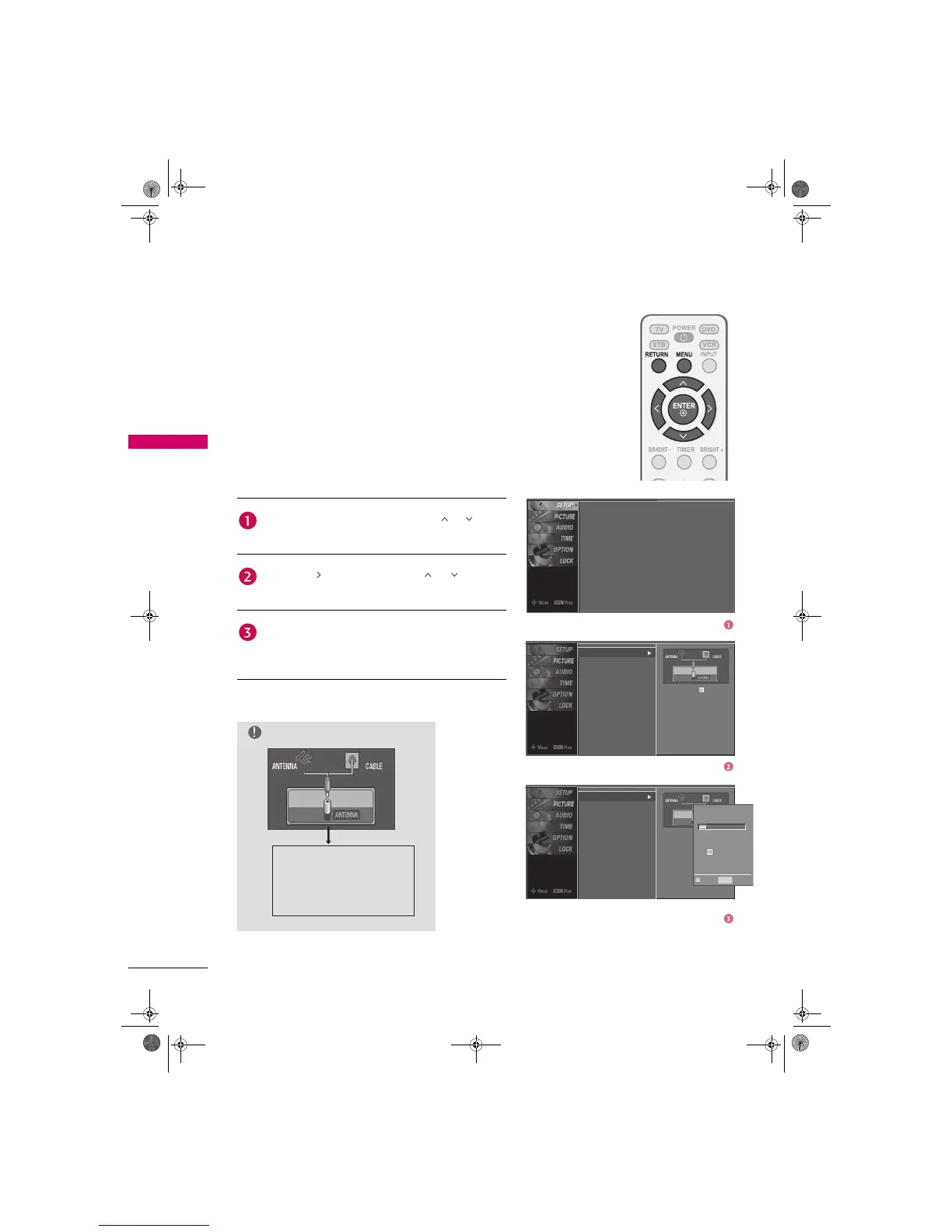
Auto Tuning
Manual Tuning
Channel Edit
Press the MENU button and then use or button
to select the SETUP menu.
Press the button and then use or button to
select Auto Tuning.
Press the ENTER button to begin the channel search.
Allow Auto Tuning to complete the channel search
cycle for ANTENNA and CABLE.
NOTE
DTV (Digital DTV antenna)
TV (Analog TV antenna)
CADTV (Digital CADTV cable)
CATV (Analog CATV cable)
Auto Tuning
Manual Tuning
Channel Edit
Selection (X or ) leads you
to the Auto Tuning screen.
Auto Tuning
Manual Tuning
Channel Edit
Selection (X or ) leads you
to the Auto Tuning screen.
Processing Auto Tuning. .
DTV Ch.23
Found Channel(s): 16
Press
to stop the current
scan and start ANALOG
ANTENNA channel scan.
Next Prev
MENU
Zenith.book Page 34 Wednesday, April 2, 2008 11:46 AM



 To Next Page