35
WATCHING TV / CHANNEL CONTROL
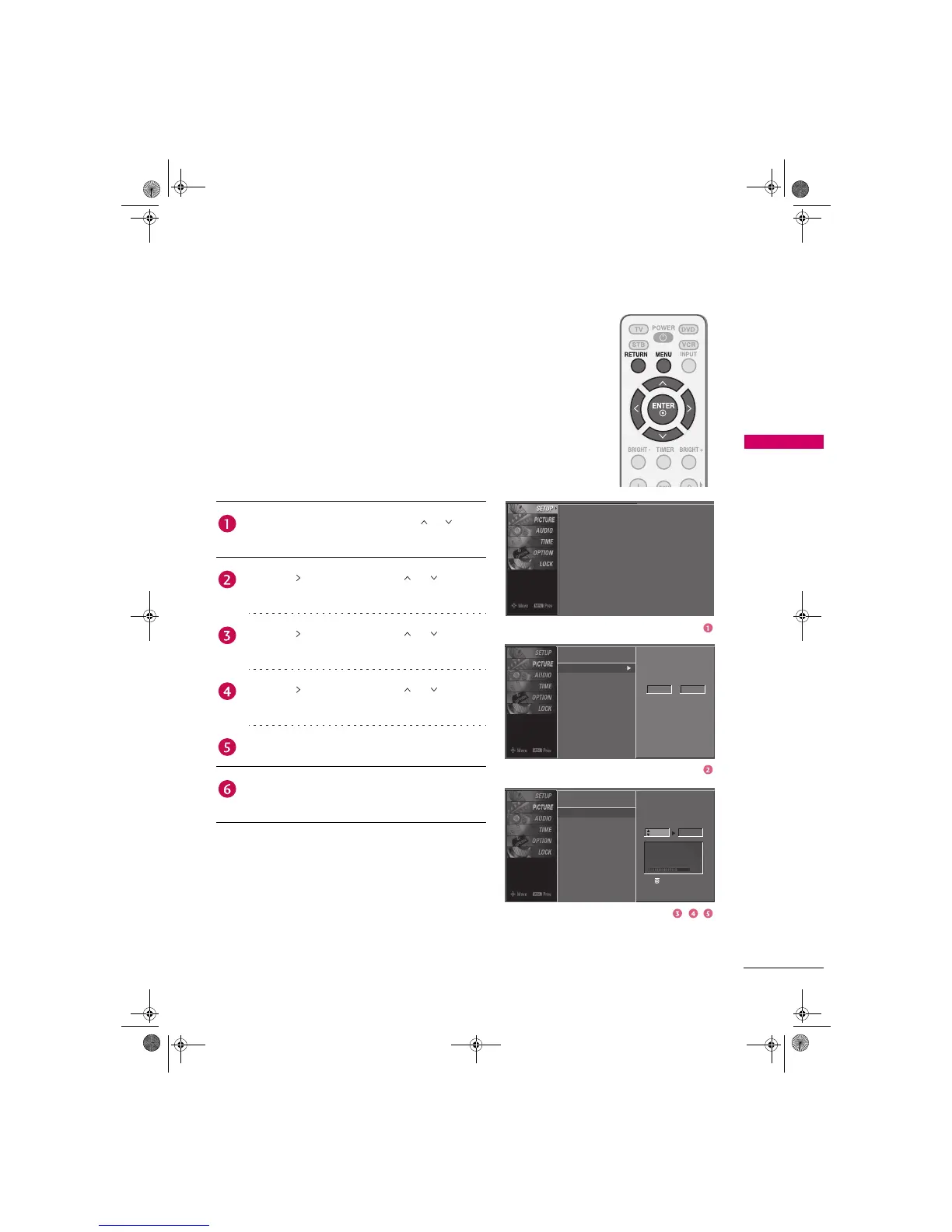
Add/Delete Channel (Manual Tuning)
A password is required to gain access to Manual Tuning
menu if the Lock System is turned on.
If selecting DTV or CADTV input signal, you can view the
on-screen signal strength monitor to see the quality of the
signal being received.
Auto Tuning
Manual Tuning
Channel Edit
Select channel type and
RF-channel number.
DTV 12
Auto Tuning
Manual Tuning
Channel Edit
Press the MENU button and then use or button
to select the SETUP menu.
Press the button and then use or button to
select Manual Tuning.
Press the button and then use or button to
select TV, DTV, CATV, and CADTV.
Press the button and then use or button to
select channel you want to add or delete.
Press the ENTER button to add or delete the channel.
Press RETURN button to return to TV viewing or
press MENU button to return to the previous menu.
Auto Tuning
Manual Tuning
Channel Edit
Press to delete the channel.
Select channel type and
RF-channel number.
DTV 2
DTV 12-0
Bad Normal Good
Zenith.book Page 35 Wednesday, April 2, 2008 11:46 AM



 To Next Page