38
WATCHING TV / CHANNEL CONTROL
WATCHING TV / CHANNEL CONTROL
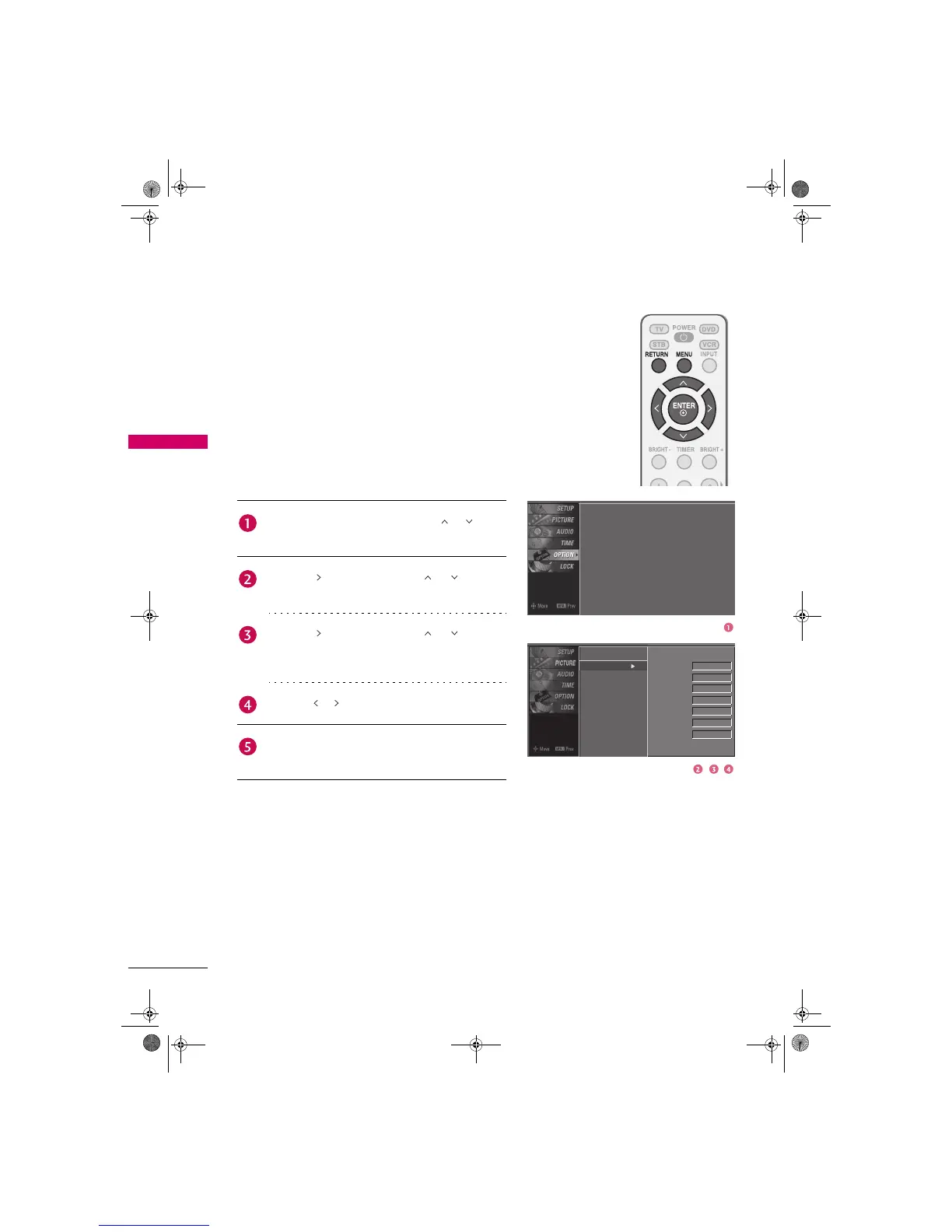
INPUT LABEL
You can set a label for each input source when it's not in
use.
Language
Input Label
Key Lock
Caption
Set ID
: English
: Off
: Off
: 1
Press the MENU button and then use or button
to select the OPTION menu.
Press the button and then use or button to
select Input Label.
Press the button and then use or button to
select the source: AV 1, AV 2, Component 1,
Component 2, RGB-PC, HDMI1, or HDMI2.
Press the or button to select the label.
Press RETURN button to return to TV viewing or
press MENU button to return to the previous menu.
Language
Input Label
Key Lock
Caption
Set ID
AV 1
AV 2
Component 1
Component 2
RGB-PC
HDMI1
HDMI2
Cable Box
VCR
DVD
Set Top Box
VCR
Game
Satellite
Zenith.book Page 38 Wednesday, April 2, 2008 11:46 AM



 To Previous Page